Appendix: DNIS Number for Operator Connect / Microsoft Calling Plan
To use a DNIS number that supports Operator Connect or Microsoft Calling plan, make sure you have a designated Microsoft Teams user for it. If not, do the following:
|
1.
|
Create a new Teams user and assign them a Teams phone license.
|
|
2.
|
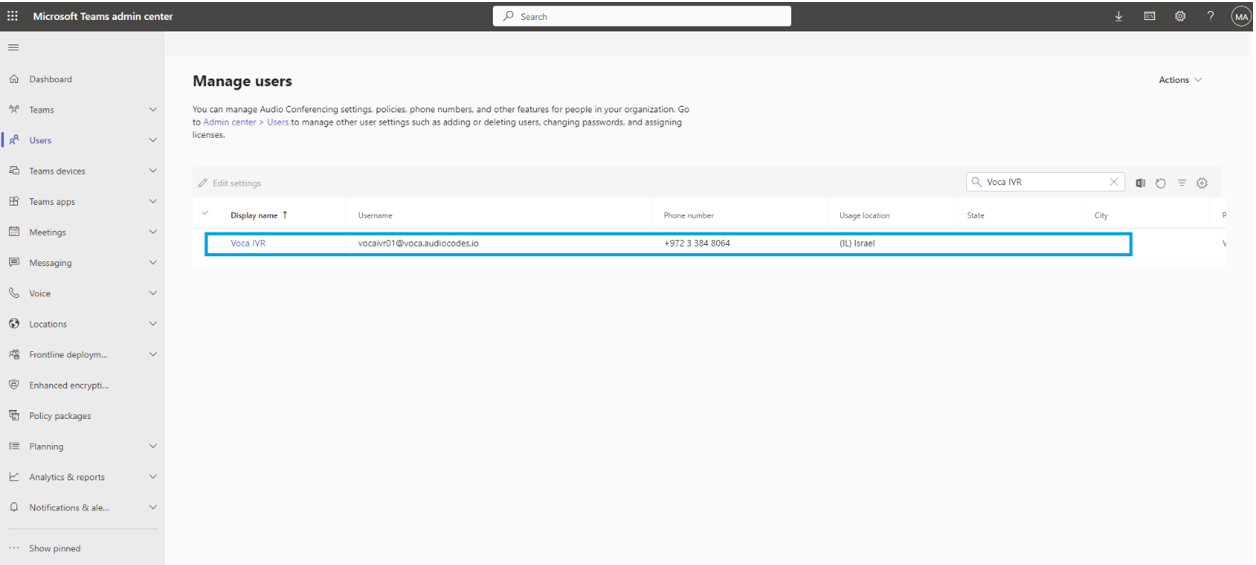
Make sure the user is visible within the Microsoft Teams Admin Center: |
|
3.
|
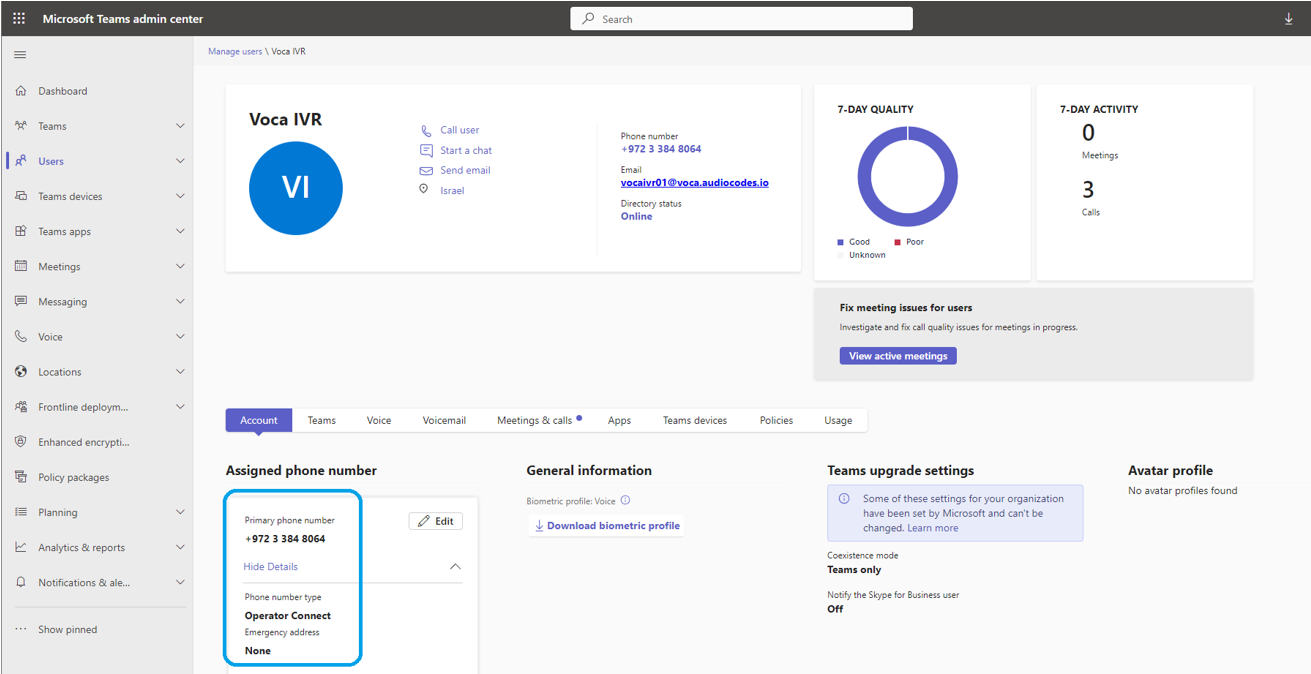
Assign the Operator Connect/ Calling Plan number to the new user. Each Microsoft Teams user can be associated with one DNIS number. |
|
4.
|
Make sure that the calling policy that is assigned to this user has the “SIP devices can be used for calls” enabled. |
|
5.
|
When done, proceed to configure this phone number's flow settings, for details, see Adding a Flow Setting. |