Deleting a Flex Queue
The procedure below describes how to delete a Flex Queue.
|
➢
|
To delete a Flex Queue: |
|
1.
|
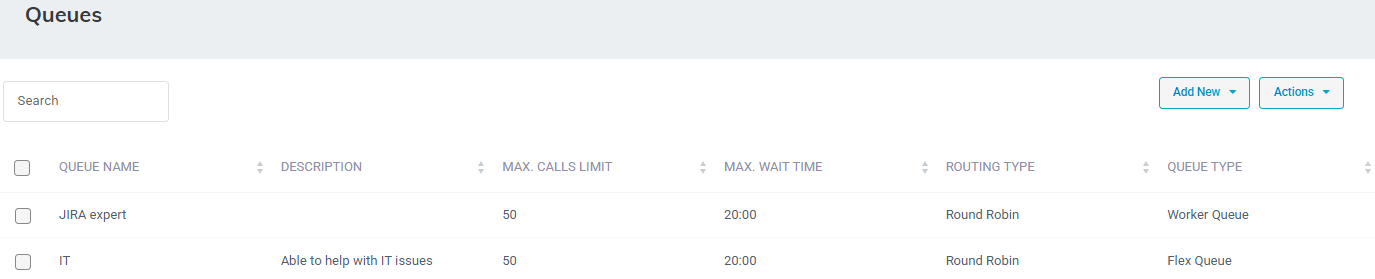
Open the Queues page (Configuration > Routing > Queues); the following appears: |
|
2.
|
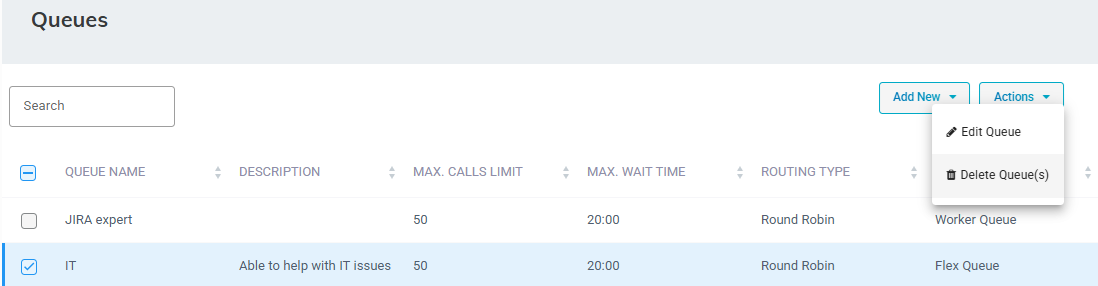
Select the Queue you want to delete by selecting the corresponding check box. |
|
3.
|
From the ‘Actions’ drop-down menu, choose Delete Queue(s). |
|
4.
|
Click OK to confirm deletion. |
|
●
|
When deleting a queue, the system checks if the queue is already used in any related transfer to queue actions. |
|
●
|
If the queue is in use, the delete request is denied with an appropriate message. |