Wrap up a call with Agent Insights
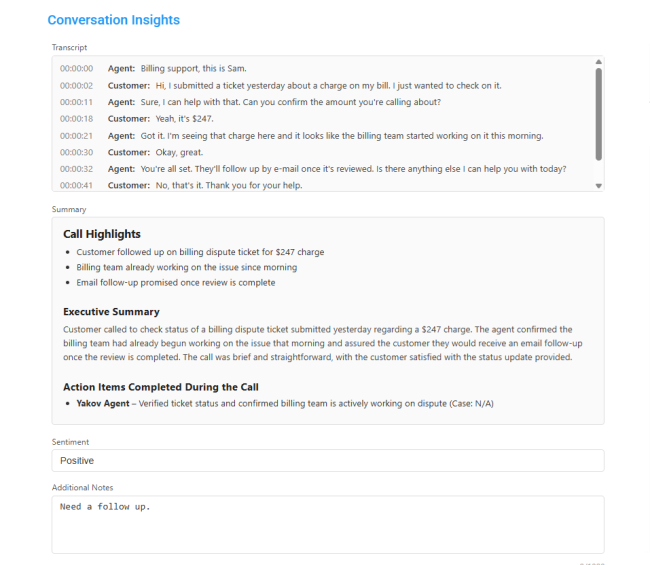
Agent Insights provide a comprehensive view of agent interactions during calls. Depending on the configuration set by the Admin, these insights can include the full call transcript, a summary of the discussion, and sentiment analysis to gauge the tone and emotional context of the conversation. This feature helps organizations monitor quality, identify trends, and improve customer experience by offering actionable data tailored to their needs.
| ➢ | To wrap up a call with Agent Insights: |
| 1. | Finish the call. |
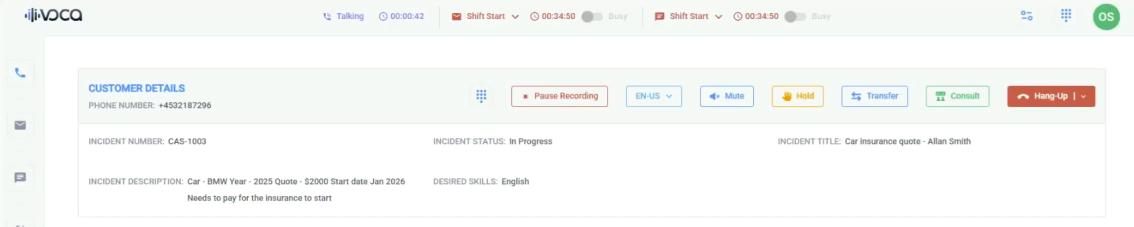
| 2. | If the caller doesn't hang up, click Hang-Up. |
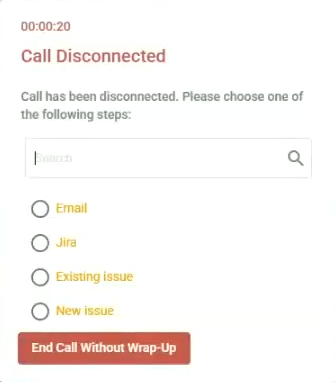
| 3. | Select the Agent Insight option defined by your Admin. |
The Conversation Insights screen appears, showing the details available to you.
Configure the wrap-up process as described in the Voca CIC Administrator's Guide, Adding Worker Status Events section.
| 4. | Click Exit and Send to CRM to ensure that all insights, including transcriptions, conversation summary, and sentiment analysis, are automatically passed to your CRM system. |