Configure the SBC to Send the REST API
The SBC must be configured to send the REST API to the ARM as described in Add a Policy Studio Rule for Users Credentials Information.
|
➢
|
To configure the SBC to send the REST API to the ARM: |
|
■
|
In the SBC's Web interface, configure an IP Group with specific settings. |
|
●
|
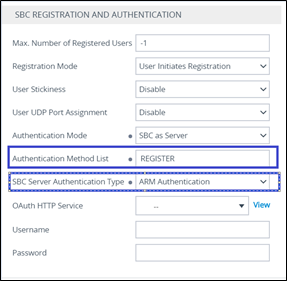
For REGISTER messages: In the SBC’s Web interface in IP Group settings, under the ‘SBC Registration and Authentication’ section, configure parameter 'Authentication Method List' to REGISTER and from the 'SBC Server Authentication Type' drop-down, select ARM Authentication. |
SBC Web interface - SBC Registration and Authentication - REGISTER
|
1.
|
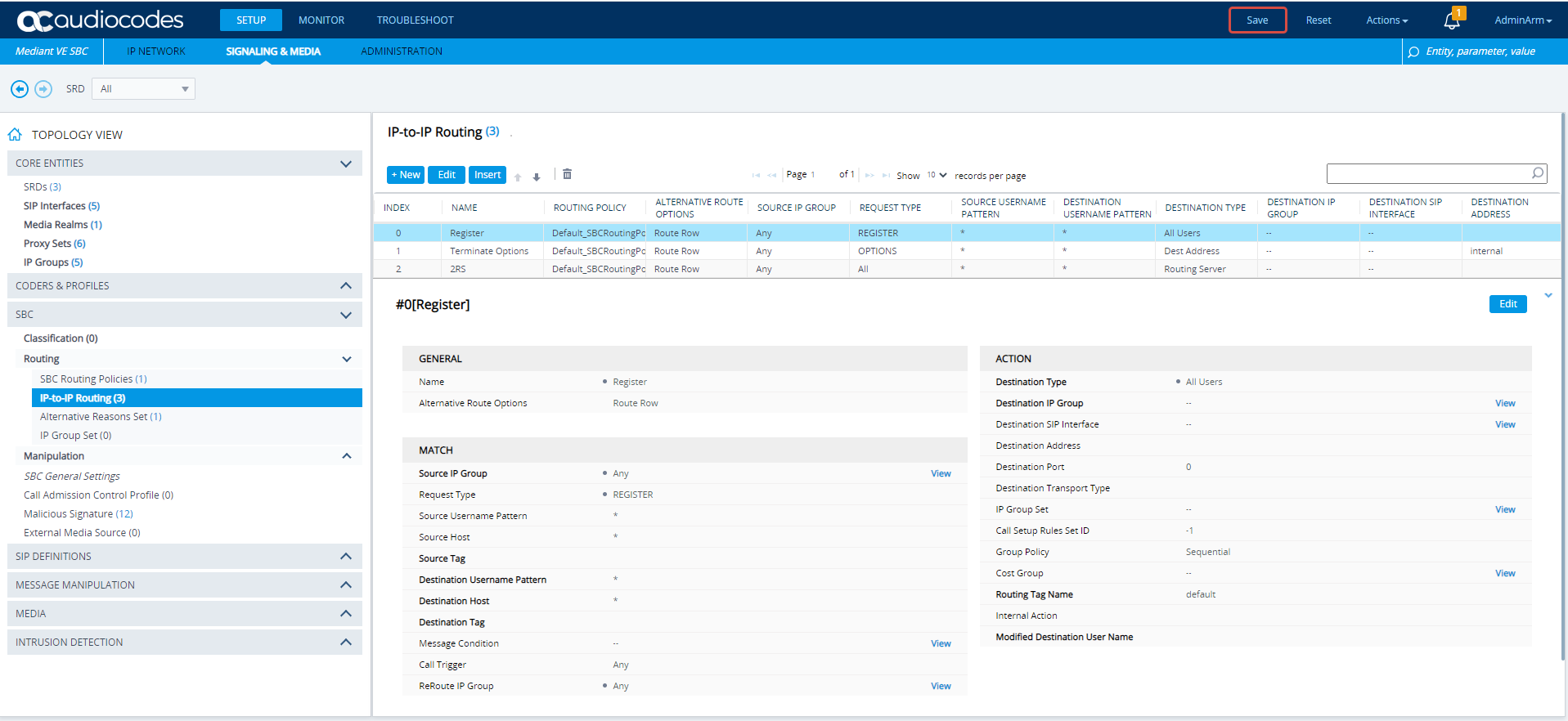
In the SBC's Web interface, open the IP-to-IP Routing page (Setup > Signaling & Media > SBC > Routing > IP-to-IP Routing). |
IP-to-IP Routing page in SBC's Web interface
|
2.
|
[Use the preceding figure as reference] Define an IP-to-IP Routing Rule with a 'Request Type' of Register. |
|
3.
|
Define its 'Destination Type' as All Users. |
|
4.
|
Make sure this Routing Rule is located in the IP-to-IP Routing page before the IP-to-IP Routing Rule whose 'Destination Type' is defined as Routing Server. |
|
●
|
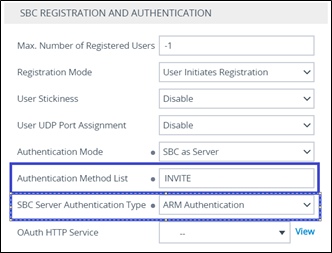
For INVITE messages: In the SBC’s Web interface in IP Group settings, under the ‘SBC Registration and Authentication’ section, configure parameter ‘Authentication Method List’ to INVITE and from the ‘SBC Server Authentication Type’ drop-down, select ARM Authentication. |
|
●
|
The INVITE/REGISTER is received in the incoming Pcon.
|
|
●
|
To configure INVITE or REGISTER to the same incoming Pcon, configure parameter 'Authentication Method List' to INVITE|REGISTER.
|
SBC Web interface - SBC Registration and Authentication - INVITE
|
●
|
The feature involves changes in the SBC ↔ ARM REST internal REST API |
|
●
|
The feature is supported starting from SBC version 7.20A.259.031 |