Add a Speed Dial
The feature expands the phone’s functional capabilities and increases user productivity in the workplace:
|
●
|
Speed-dial users are listed in a Favorites list for easy access. |
|
●
|
The feature also allows the user to easily transfer a call to a speed dial contact. |
|
■
|
Add it from the Teams PC client; adding a speed dial from the PC client will be reflected on the sidecar as well. |
-OR-
|
■
|
Add it from the phone using one of the following options: |
|
a.
|
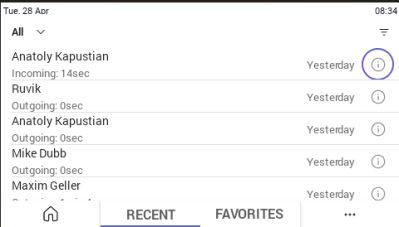
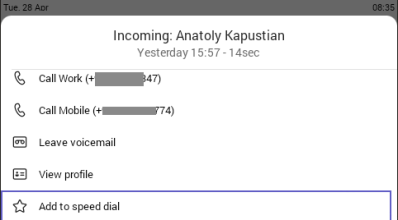
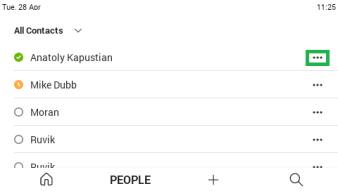
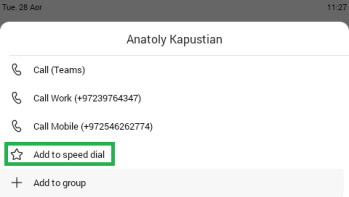
Via the Calls > RECENT tab. Select the information icon of the relevant user and then select 'Add to speed dial'. The user is added to the FAVORITES tab. |
|
c.
|
On the Line Key screen, by assigning speed dial to a free line key: |
|
i.
|
Select a free line key. |
|
ii.
|
Select Assign line key, then Speed dial. |
|
iii.
|
Select the requested contact from the list. |