Capture Traffic Using 'rpcapd'
The ‘rpcapd’ (Remote Packet Capture) network sniffer application enables network administrators to analyze and debug Android traffic on their desktop PC using the app's integral SSH server.
SSH is by default disabled and needs to enabled for the feature to work.
|
➢
|
To capture traffic using ‘rpcapd’: |
|
2.
|
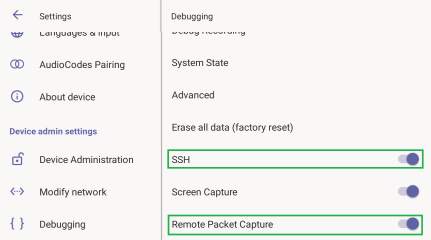
Scroll down and select Debugging. |
|
3.
|
Turn on SSH and Remote Packet Capture. |
|
4.
|
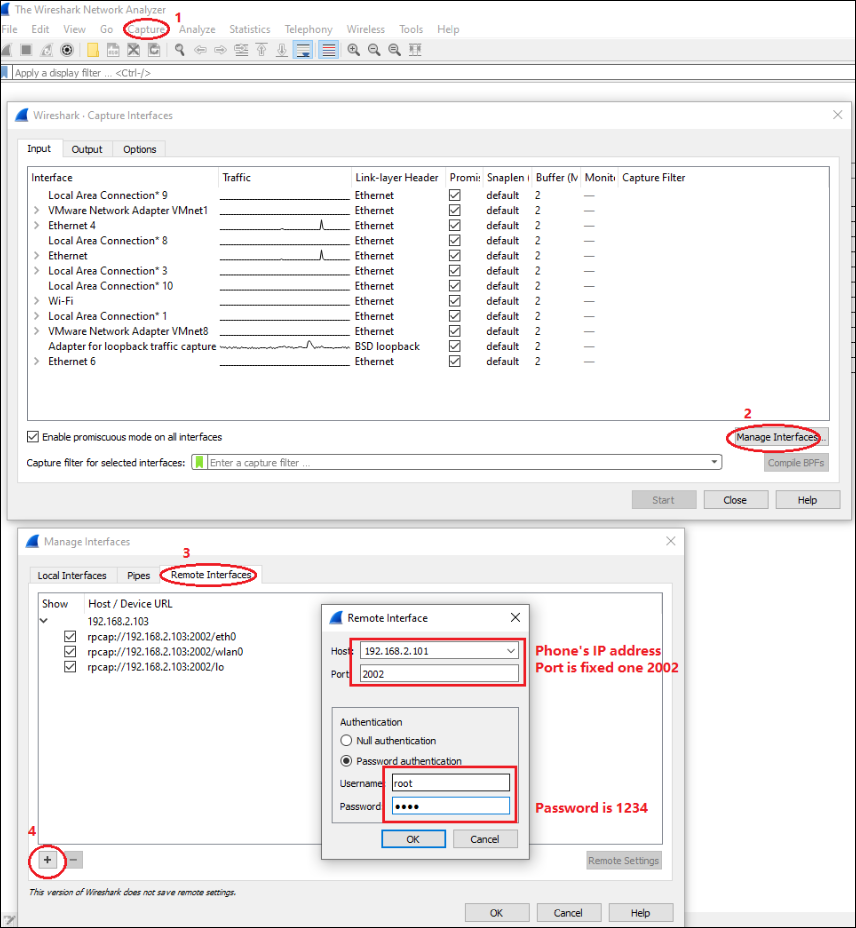
After 'rpcapd' is enabled on the phone, use Wireshark to connect with it. Follow the steps below to connect to the phone. |
|
5.
|
View all the interfaces on the phone and choose your preferred interface with which to capture packets. |