Enable Power Saving
This feature automatically activates power-saving mode during non-working hours. By default, during off hours, the phone's uppermost-right Presence LED is switched off. This conserves energy and minimizes light disturbance, providing a seamless and efficient user experience.
|
➢
|
To enable this feature: |
|
■
|
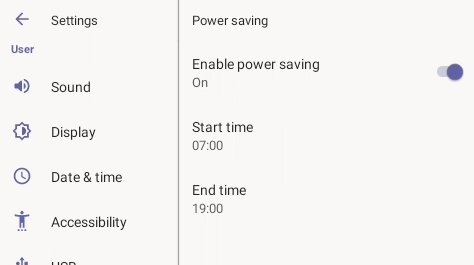
In the phone screen, navigate to Device Settings > Power saving. |
|
●
|
By default, the feature is enabled. |
|
●
|
The feature is based on off work hours. |
The Configuration File parameters below also support the feature. They can be synchronized with the settings in the phone screen.
|
●
|
general/power_saving (Used to enable or disable power saving) (Default: 1) |
The Enable power saving setting does not control the screen saver or dim the LCD. To configure these settings, see Device Settings > Display in Configuring Device Settings.