Open Tenant Management Page
The Tenant Management page is used for managing the list of installed services of your managed customer tenants. This page includes the following:
| ■ | A list of all Interaction Insights services both Active and Deleted that exist under the customer of the managed Service Provider or Channel. |
| ■ | System Activity log reporting all synchronization events with the Service Portal for each managed service entity. |
| ■ | Audit trail reporting all actions performed on the service entity definitions in Live Platform . |
| ■ | AI settings (if enabled for tenants). |
| ➢ | To open the Tenant Management page: |
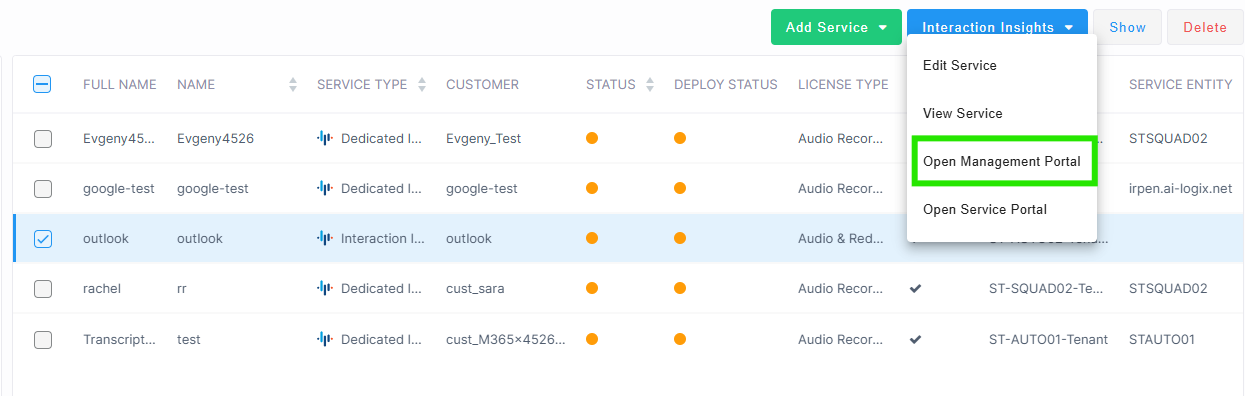
| 1. | In the Services page, from the Service Actions drop-down, choose Interaction Insights > Open Management Portal. |
The Tenant Management page is displayed.
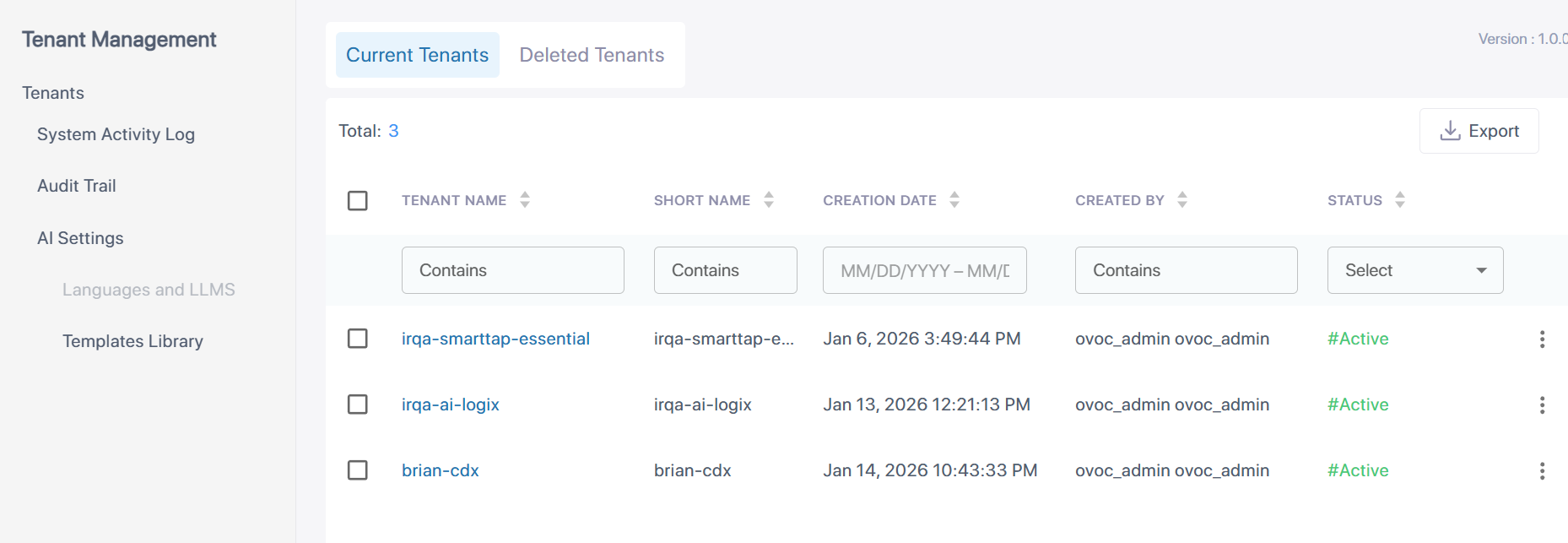
The table below describes the fields and actions in the Tenant Management screen.
|
Field |
Description |
|||||||||||||||
|---|---|---|---|---|---|---|---|---|---|---|---|---|---|---|---|---|
|
Tenant Name |
Full Name of the customer tenant service. |
|||||||||||||||
|
Short Name |
Short Name of the customer tenant service. |
|||||||||||||||
|
Creation Date |
Date and time when the service was added to the Live Platform . |
|||||||||||||||
|
Created By |
Name of the Live Platform operator who created the service. |
|||||||||||||||
|
Status |
Deployment status of the service. One of the following values:
|
|||||||||||||||
|
Action |
Description |
|||||||||||||||
|
Three vertical dots > Edit |
Edit the details of the service (see Edit a Service). |
|||||||||||||||
|
Three vertical dots > Delete |
Remove the service from Live Platform . |
| 2. | In the Navigation pane, click System Activity Log to view a list of synchronization events with the Service Portal for each managed service entity. |

| 3. | In the Navigation pane, click Audit Trail to view a list of events reporting actions performed by users. |
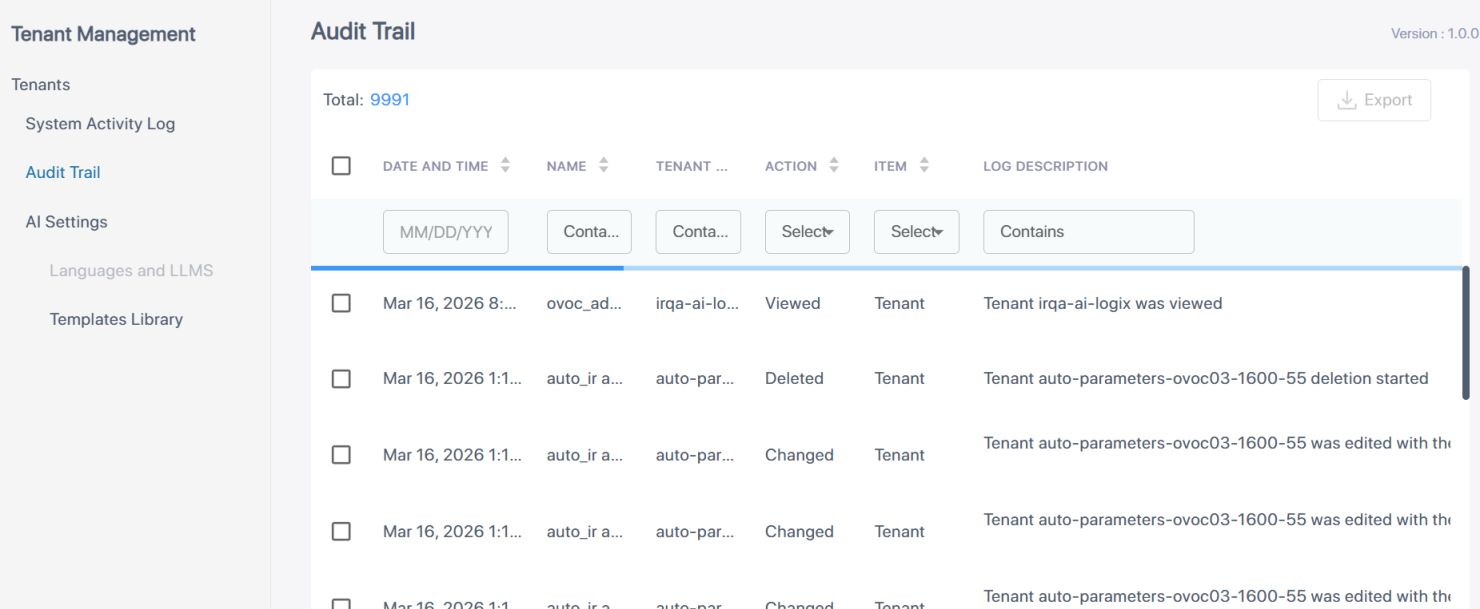
Interaction Insights System Activity logs and Audit Trail logs are retained for two years and are automatically deleted when the retention period expires.
For managing AI summary settings, see Manage AI Settings.