Customize columns
You can customize the columns that are displayed to remove clutter and optimize the page display according to analysis requirements.
| ➢ | To customize columns: |
| 1. | In the Toolbar, select Select Columns. |
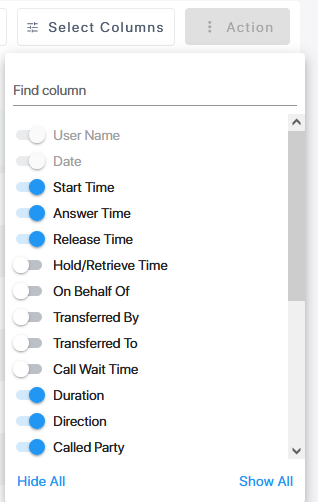
| 2. | Slide the roller to the right adjacent to the column that you wish to display. |
| 3. | Slide the roller to the left adjacent to the column that you wish to hide. |
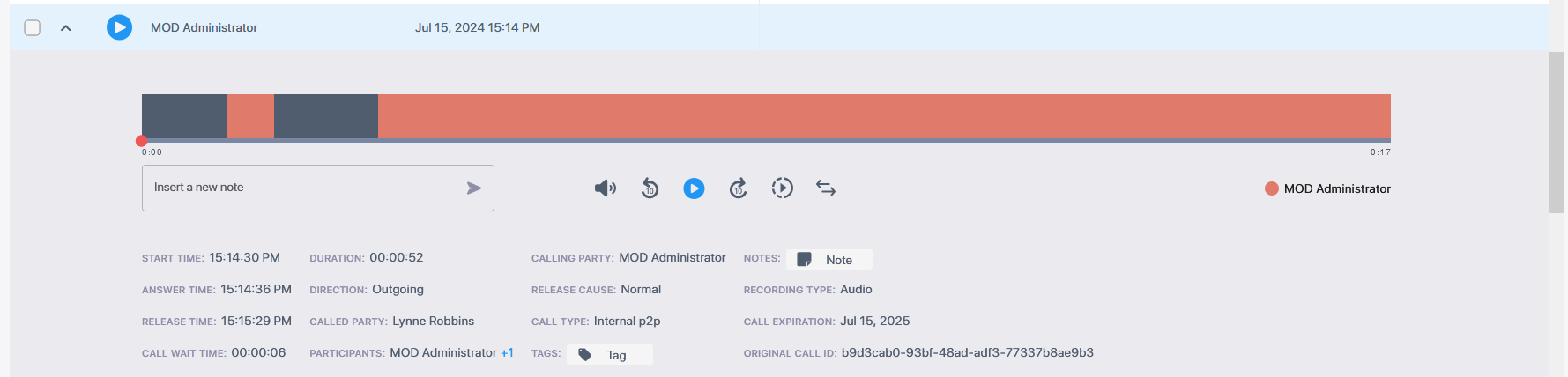
Displaying and hiding columns affects whether the same information is displayed below the Call Time line of an interaction. If a column is hidden, its content will be displayed in the interaction's Time line display; when that column is enabled, the content is removed from the time line.
The following list displays the maximum number of parameters that are displayed under the Time line (when all columns are disabled).