Managing user licenses
The UMP License page shows how many licenses the customer is currently using (Currently Licensed), compared with the number of licenses that the customer purchased (Acquired Licenses). Billing is based on the Currently Licensed value.
License usage is calculated from license factors. Each factor counts a different type of managed user or number. To prevent double counting, a user or number that qualifies for more than one factor is counted only once, under the factor with the highest priority. The factors, from highest to lowest priority, are described below and in the table and example that follow.
Managed Users-Operator Connect has the highest priority, because it covers the core of the Operator Connect service: Operator Connect phone numbers that are assigned to users, voice applications or conferences, so that they can make and receive calls. These numbers consume telephony resources and have the highest operating cost. The other factors cover administrative or supporting actions, and therefore have a lower priority:
| ■ | Managed Users-By LifeCycle Management: Users who are managed automatically by LifeCycle Management templates (M365 configuration templates, including number ranges) that are assigned to security groups in the customer tenant. |
| ■ | Managed Users-By User Interface: Users whose M365 properties were changed manually in the Service portal, for example, Teams policies, personal details, or phone number assignment or removal. |
| ■ | Managed Service Numbers: Numbers that are loaded to the tenant but are not assigned to users, such as fax, auto attendant or emergency numbers. Only numbers whose dial plan tag is different from the dial plan tag of the configured SIP Connections are counted. |
The license factor priority order is as follows:
| 1. | Managed Users-Operator Connect |
| 2. | Managed Users-By LifeCycle Management1 |
| 3. | Managed Users-By User Interface2 |
| 4. | Managed Service Numbers3 |
The Acquired Licenses value is the number of licenses that the customer purchased, as configured in the Onboarding wizard. In the Live Platform portal, this value is reported to OVOC as Ordered Users in the Service Details.
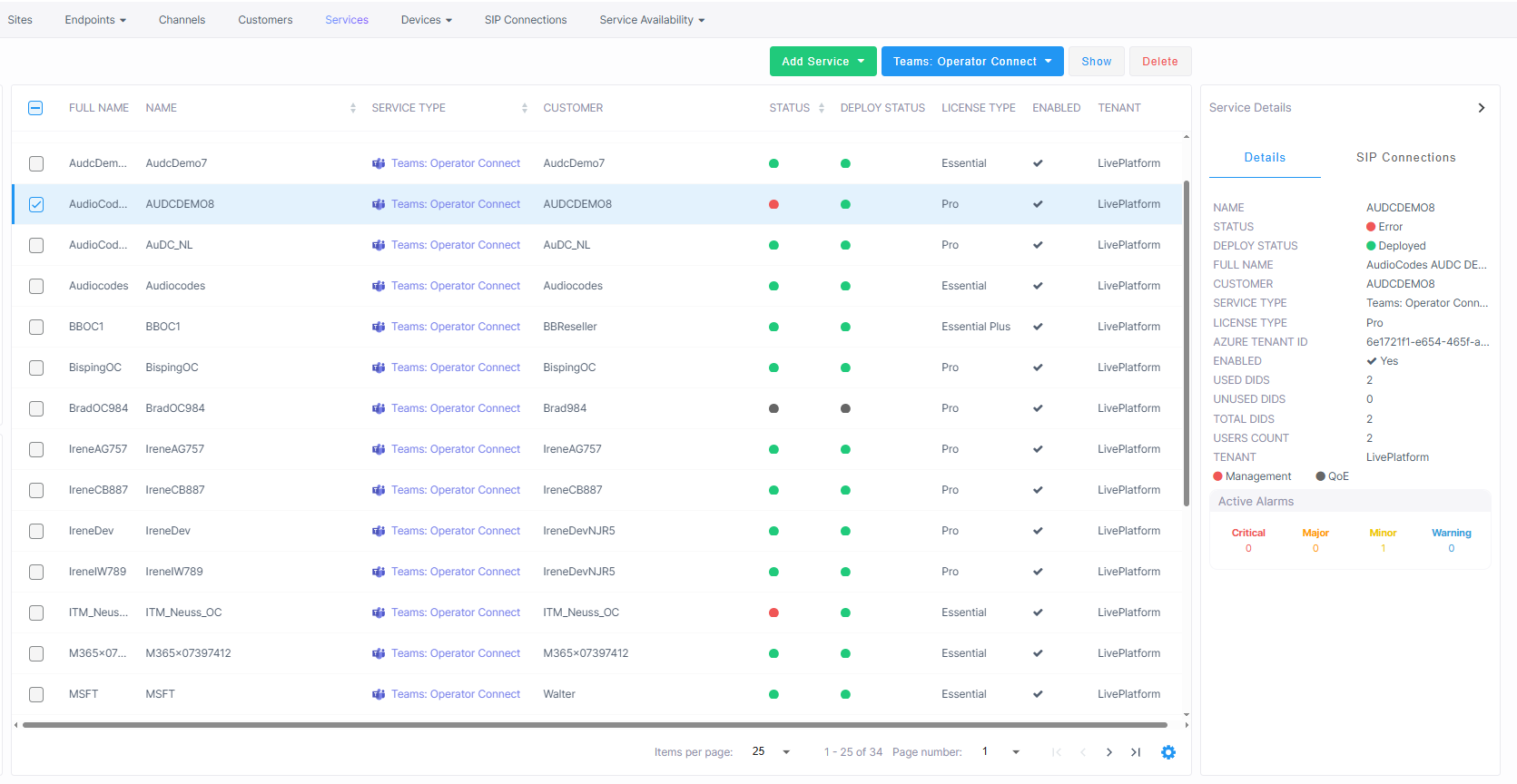
The Currently Licensed value is the total of all the license factors that are included in the calculation. In the Live Platform portal, this value is reported to OVOC as Users Count in the Service Details.
| ● | For detailed information on Regex criteria for the License factor calculations, see Regex Criteria for User License Factor Calculations. |
| ➢ | To manage user licenses: |
| 1. | In the Service portal Navigation pane, select Monitoring > UMP License. |
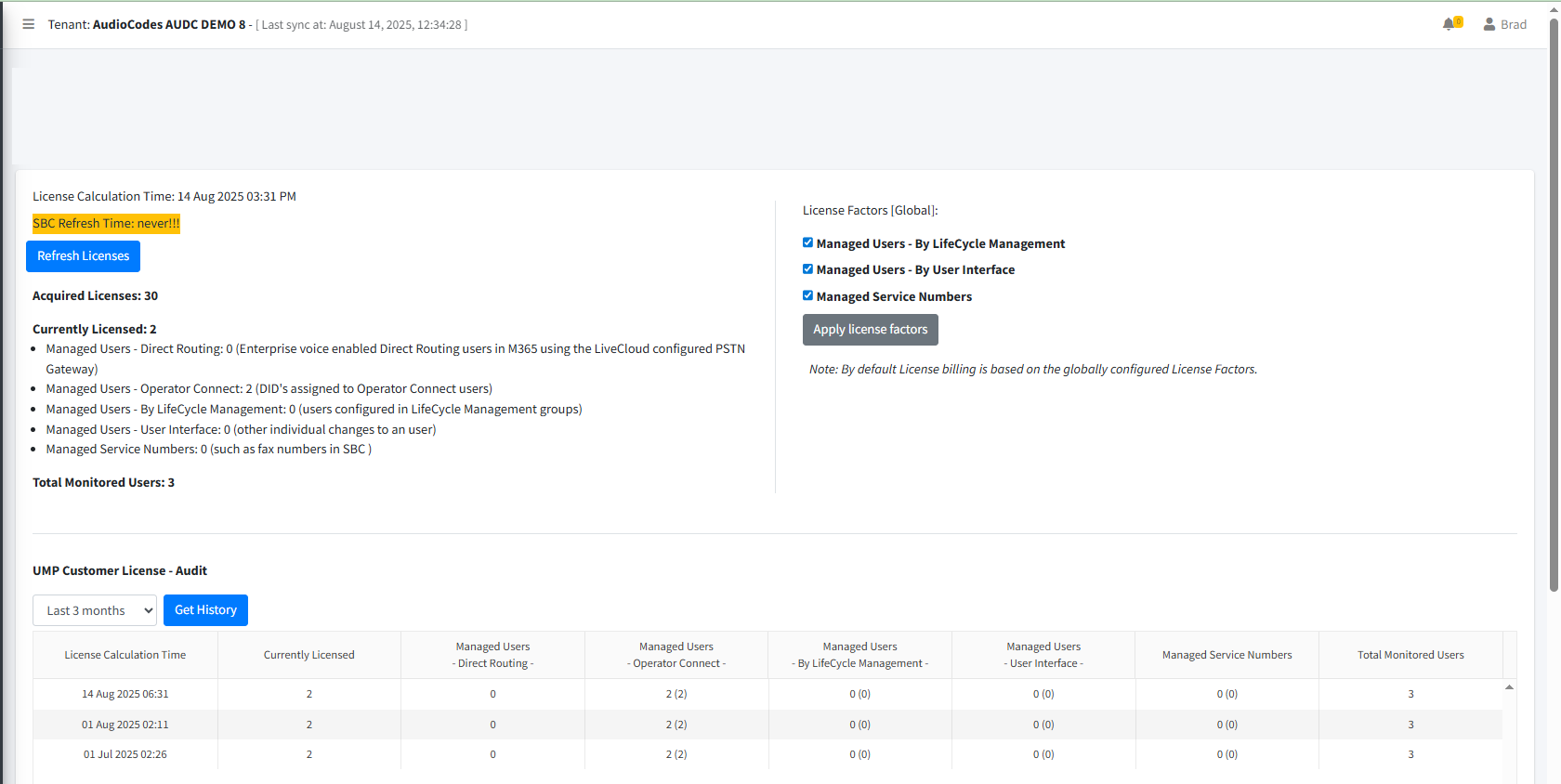
| 1. | Refer to the table below for descriptions of the parameters displayed in this page. |
|
License Factor |
Description |
Priority |
||||||||||||
|---|---|---|---|---|---|---|---|---|---|---|---|---|---|---|
|
Acquired Licenses |
The number of licenses that the customer purchased, as configured in the Onboarding wizard. |
- |
||||||||||||
|
|
|
|
||||||||||||
|
Currently Licensed |
The total number of licenses in use: the sum of the license factors below that are included in the calculation. |
- |
||||||||||||
|
Managed Users-Operator Connect |
The number of Operator Connect phone numbers that were uploaded to Live Platform and are assigned in the customer Teams admin center. A number is counted when its assignment status (shown in the Number Management page, see Operator Connect Number Management) is one of the following:
Run the "peering.sync-acquired-numbers-job" to speed up the synchronization of this factor (see Synchronizing Operator Connect Jobs).
|
1 |
||||||||||||
|
Managed Users-By LifeCycle Management |
The number of users who are members of a security group that is assigned to a LifeCycle Management template, and who are not already counted under the Managed Users-Operator Connect factor. |
2 |
||||||||||||
|
Managed Users-By User Interface |
The number of users whose M365 properties were changed manually in the Service portal, and who:
|
3 |
||||||||||||
|
Managed Service Numbers |
The number of phone numbers that are loaded to the tenant in the Manage SBC Prefixes page but are not assigned to individual users, and whose dial plan tag is different from the dial plan tag of the configured SIP Connections (see Load DIDs to managed service). These are typically service numbers, such as fax, IVR or emergency numbers. Numbers that are already counted as Managed Users-Operator Connect are not counted again. |
4 |
||||||||||||
|
Other |
||||||||||||||
|
Total Monitored Users |
The total number of users in the customer M365 tenant that are synchronized with Live Platform. The customer is only billed for licensed users and not for monitored users. |
|
||||||||||||
|
|
Click Refresh Licenses to recalculate the license usage. Do this after any configuration change that affects a license factor, or after you click Apply license factors (see below). The page shows when the license was last calculated (License Calculation Time) and when the number data was last read from the SBC (SBC Refresh Time). The SBC Refresh Time is highlighted if it is more than two hours older than the License Calculation Time. If no license data exists yet, the message "License data is missing. Please Refresh Licenses!" is displayed. |
|
||||||||||||
|
|
Click this button to apply the license factor settings that the System Administrator configured, either globally or for this service, for the following factors:
The license factors are recalculated. Click Refresh Licenses to display the updated values. |
|
||||||||||||
|
UMP Customer License-Audit pane |
|
|
||||||||||||
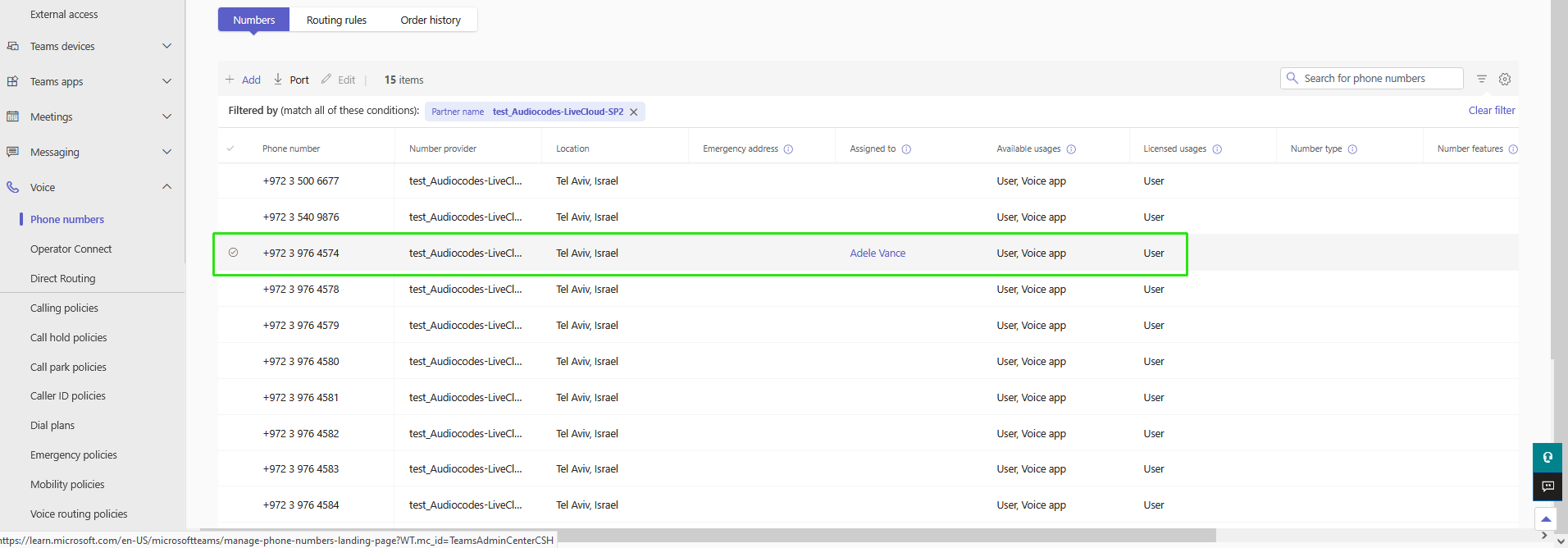
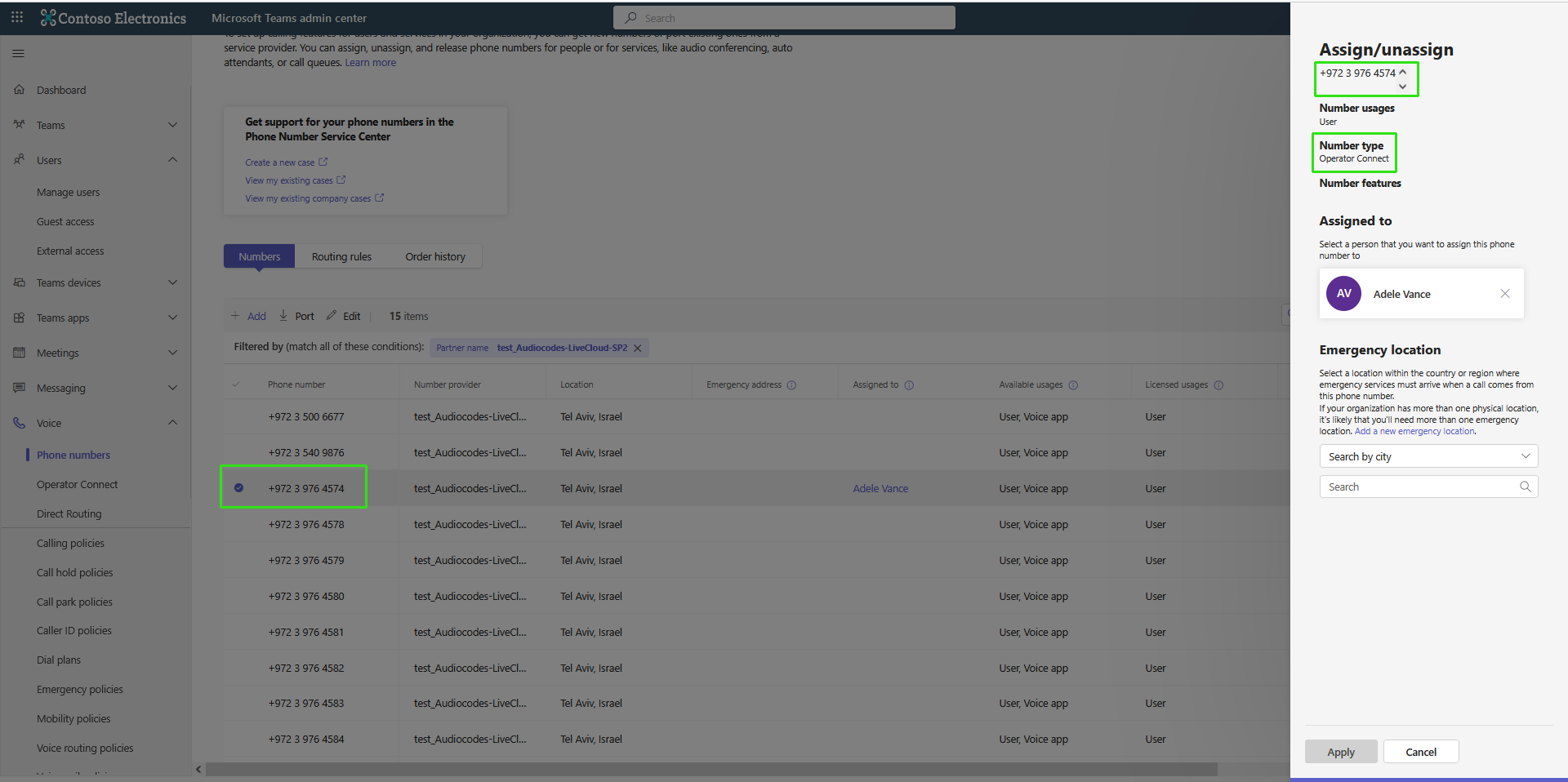

The example shown in the figure above indicates the following:
| ■ | 3 monitored users |
| ■ | 2 users are assigned an Operator Connect number, and are therefore counted as Managed Users-Operator Connect (see the figure below) |
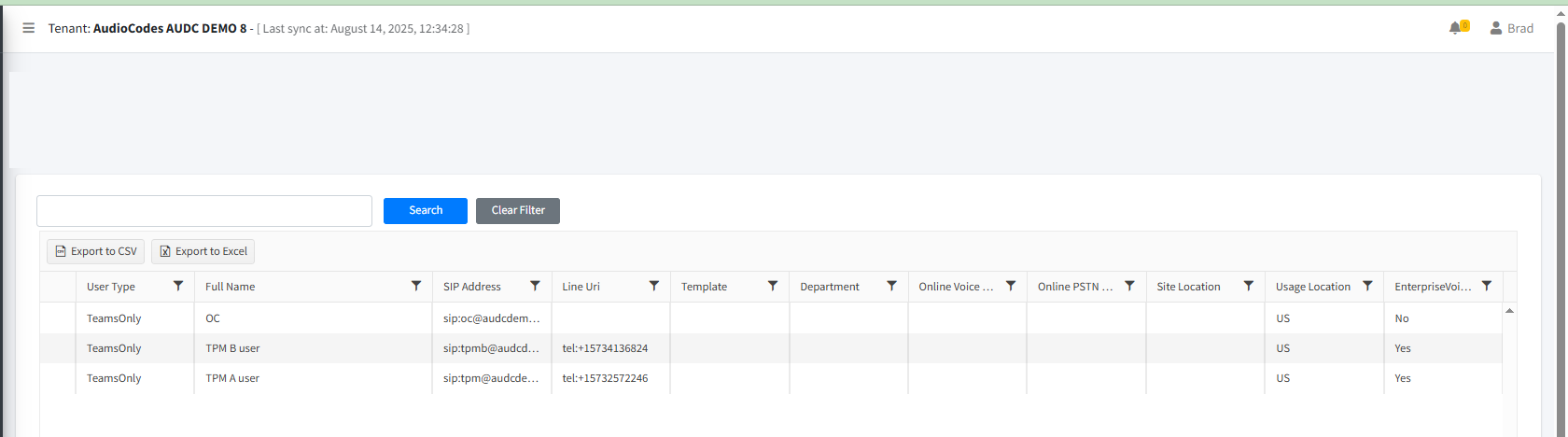
The same data is also shown in the Service Details in the Live Platform Operation Center (see Services details quick glance).