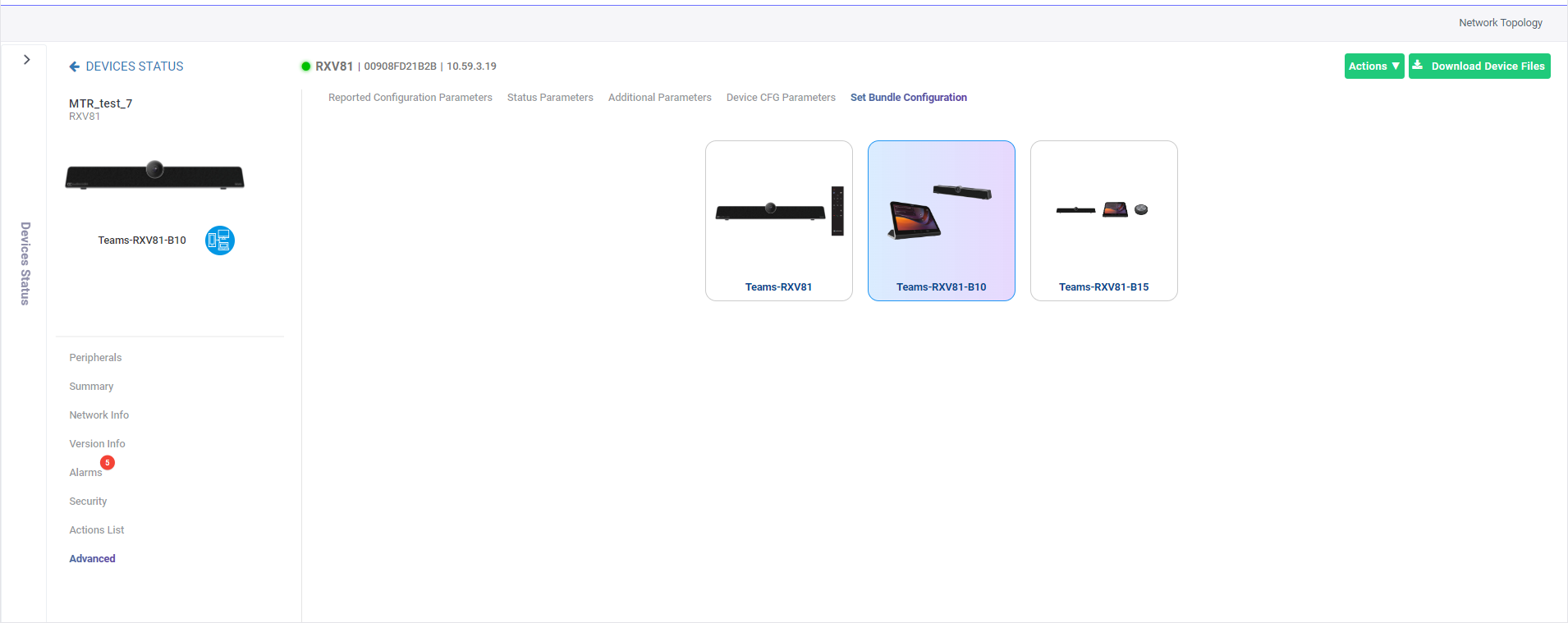
Configuring an MTRA Bundle
Administrators can use the Device Manager to replace an existing MTRA bundle configuration.
The following RXV81 MTRA bundles can be configured:
|
■
|
Teams-RXV81-B10 - RX-Pad |
|
■
|
Teams-RXV81-B15 - RX-Pad, RX15 |
The following RXV81 BYOD bundles can be configured:
The following RXV200 bundles can be configured:
|
■
|
Teams-RXV200-B05 (RXV200 + RX-PAD) |
|
■
|
Teams-RXV200-B20 (RXV200 + RX-PAD + RXVCam50M + RX15 speaker) |
|
■
|
TEAMS-RXV200-B40 (RXV200 + RX-PAD + RXVCam50M + RX40 audio bar |
In the example below, the RXV81 BYOD device is currently bundled with the Teams-RXV81-B10 (RXV81 + RX-PAD) configuration. The configuration can then be optionally switched to the Teams-RXV81- RX15 speaker bundle or the Teams-RXV81 (RXV81 + RCU) bundle.