Log Management
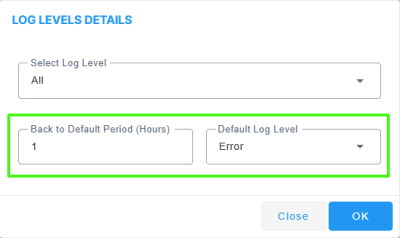
A new option has been added to the OVOC Server Log Levels page to switch the log level back to a default level according to a specific time interval for each log category to prevent message overload. You can configure the "Primary" log level for each process and also configure a secondary log level as a default to prevent scenarios where log messages generated with the primary log level configured congest the server. For example, if the log level for the "Alarms:ReSync" component is configured with the "Info" type, you can configure the default log level as "Error". In the event where "Info" log messages for this event flood the server, after a configured time interval, the "Info" messages are no longer generated; log messages for this component are only generated when errors are raised.