Add SBC Devices
You can connect new SBC devices directly on UMP-365.
| ➢ | To add a new SBC device: |
| 1. | In the Multitenant portal Navigation pane, select Configuration > SBC . |
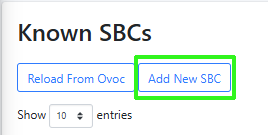
| 2. | Click Add New SBC. |
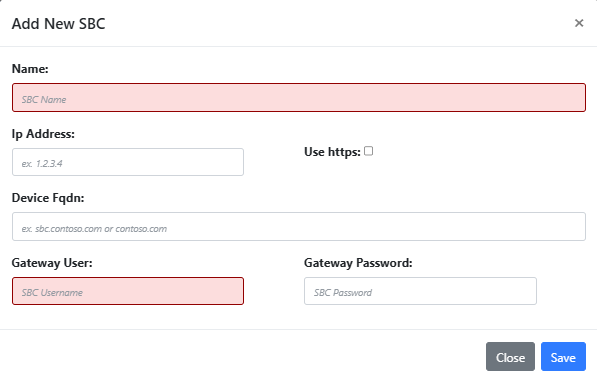
| 3. | Configure parameters according to the table below and then click Save. |
|
Parameter |
Description |
|---|---|
|
Name |
The name of the SBC device. |
|
IP Address |
The Private IP address of the SBC device. |
|
Use https |
Enables an HTTPS connection between UMP-365 and the SBC device. |
|
Device FQDN |
The Public IP address (Device FQDN) of the SBC device. |
|
Gateway User |
The name of the Security administrator user account configured on the SBC that is used to connect to UMP-365. |
|
Gateway Password |
The password of the Security administrator user account configured on the SBC that is used to connect to UMP-365 |