Onboarding Live CX Service
The onboarding process applies the Live PlatformEssential license to the lead request. In addition to applying this global Live Platform license, you also need to configure the number of Contact Center sessions. In addition, you can optionally meter customer calling sessions using the Pay-as-you-go model so that the customer is billed based on actual consumed call sessions instead of the ordered session values.
| ➢ | To Onboard a new customer: |
| 1. | Do one of the following: |
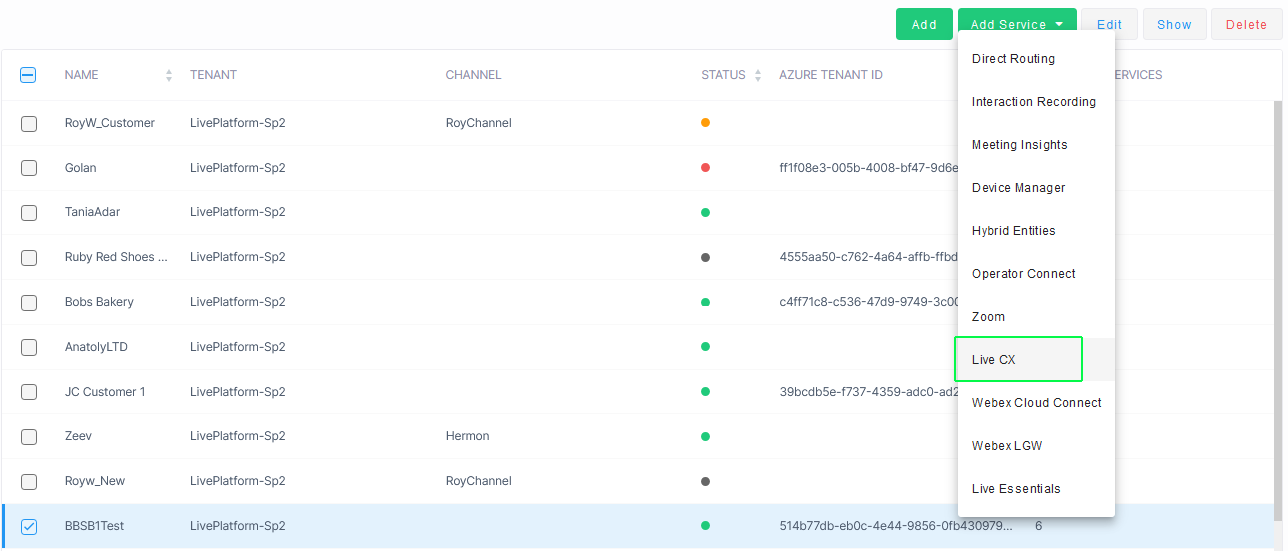
| ● | In the Customers page, select the check box adjacent to the relevant customer, and then from the Add Service drop-down list, choose Live CX. |
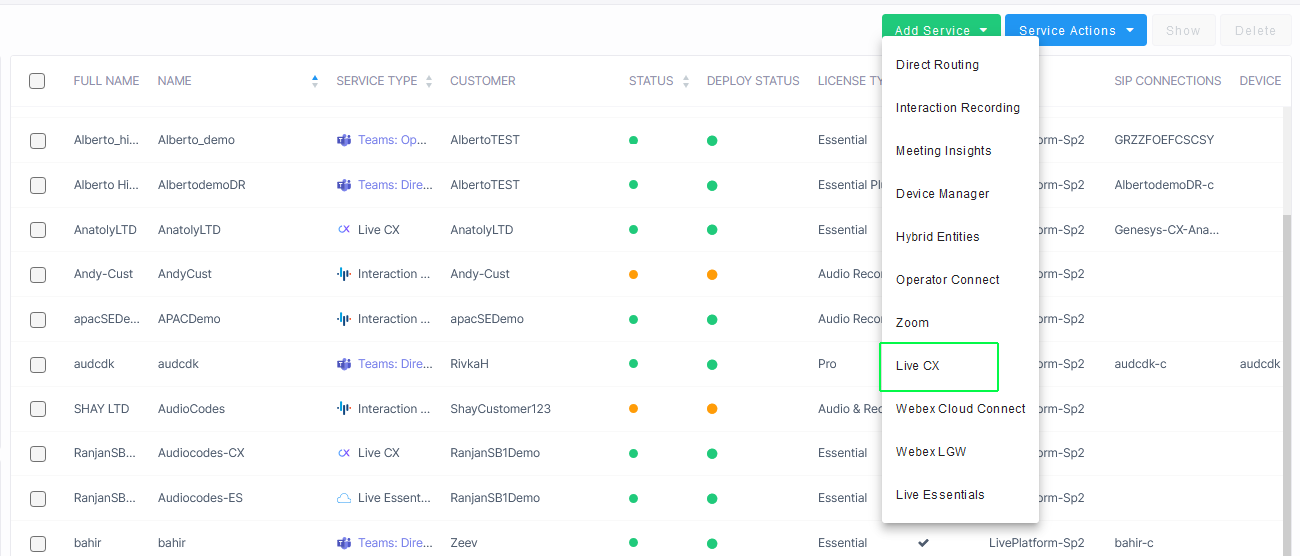
| ● | In the Services page, from the Add Service drop-down list, choose Live CX. |
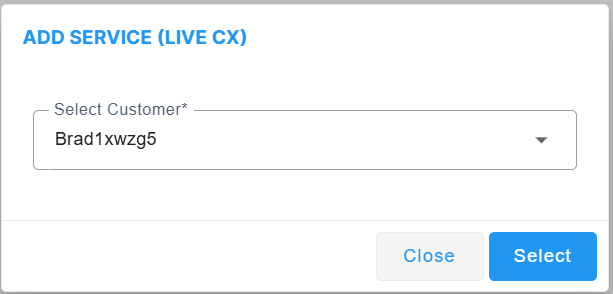
| ❖ | In the Add Service dialog, select a customer and then click Select. |
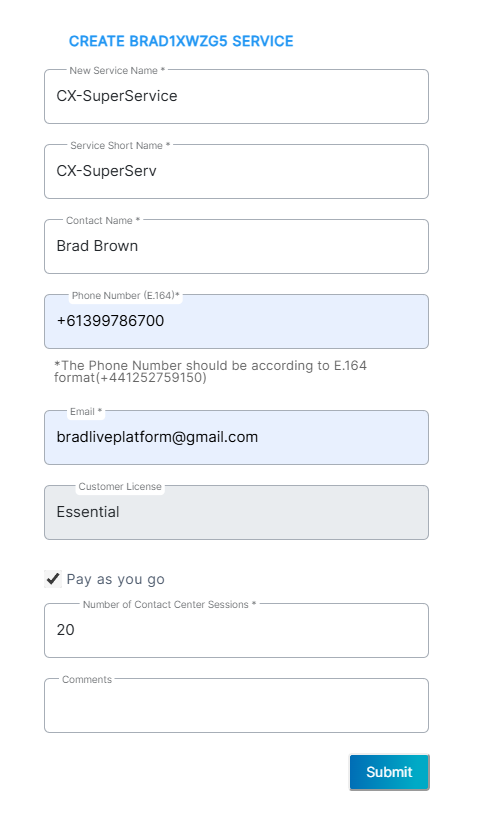
| 2. | Configure the new service according to the table below and then click Submit. |
|
Parameter |
Description |
|||||||||||||||||||||
|---|---|---|---|---|---|---|---|---|---|---|---|---|---|---|---|---|---|---|---|---|---|---|
|
New Service Name |
Name of the enterprise of the new service. |
|||||||||||||||||||||
|
Service Short Name |
Short name of the new service. |
|||||||||||||||||||||
|
Contact Name |
The name of the contact person or tenant admin responsible for the deployment and management of the service. |
|||||||||||||||||||||
|
Phone Number (E.164) |
Phone number of the contact person according to E.164 format: A maximum of 15 digits, and with the following validation rules:
The number has the following structure: [+][country code][area code][subscriber number]. Example United States Telephone number: +12127881500
|
|||||||||||||||||||||
|
|
The email of the tenant admin managing the service. |
|||||||||||||||||||||
|
Customer License |
The license type for the service. Default: Essential |
|||||||||||||||||||||
|
Pay as you go |
Select the 'Pay as you go' option for pay-as-you-go model for billing according to the actual consumed sessions for the service instead of the ordered sessions (as configured for the "Number of Contact Center sessions" below). |
|||||||||||||||||||||
|
Number of Contact Center sessions |
The maximum number of licensed sessions for managing numbers of type "Contact Center": Session-based main phone number for a contact center. The contact center number can be limited to three or more sessions. |
|||||||||||||||||||||
|
Comments |
Free text description of the new service. |
Once the service is successfully added, a message similar to the following is displayed.

| 3. | Click the All Customers tab to view the new service. |