Hosted Essentials Plus
This section describes how to monitor and configure Direct Routing Hosted Essentials Plus services.
| ➢ | Do the following: |
| 1. | Open the Services page (Topology menu > Services tab). |
| 2. | Select the check box adjacent to a Hosted Essentials Plus service. |
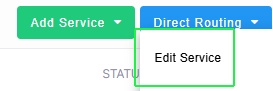
| 3. | From the Direct Routing drop-down menu, choose Edit Service. |
The Service portal screen is displayed.
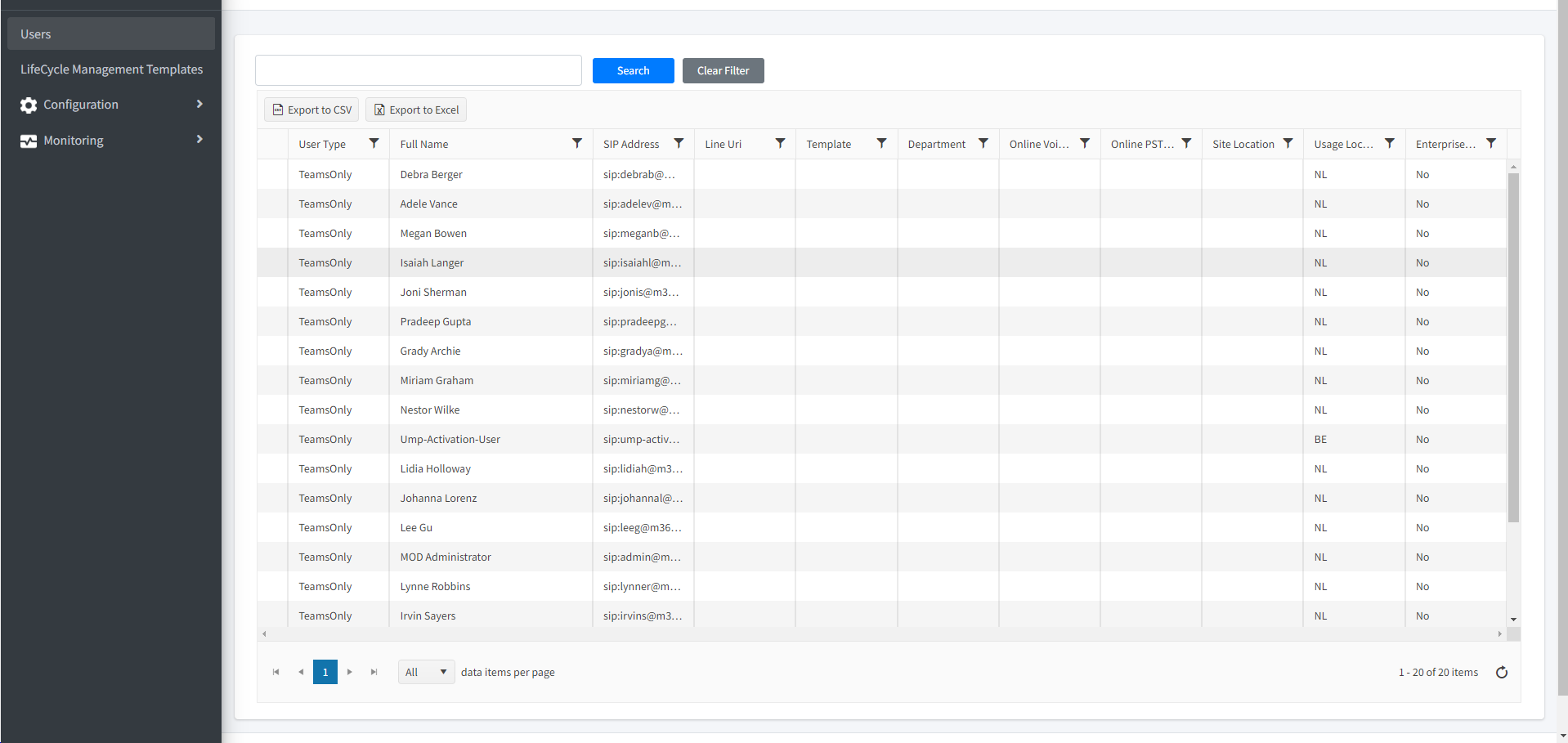
| 4. | Use the following table as a guide for configuration and monitoring. See Getting Started with Direct Routing Hosted Essentials Plus for description of the basic configuration flow. |
|
Menu Option |
Description |
|---|---|
|
Configuration |
|
|
Manage M365 tenant users |
|
|
Apply LifeCycle Management Templates to M365 users from a file |
|
|
Manage Number Inventory |
|
|
Monitor and configure M365 connection |
|
|
Configure Online Voice Routing |
|
|
Manage SIP Connections, DIDs and IP-PBX users |
|
|
Configure Location-based routing |
|
|
Monitoring |
|
|
Monitor configuration actions |
|
|
Monitor |
|