Configuring Web Socket Tunnel (Cloud Architecture Mode) on Live Platform portal server
This option configures the Live Platform portal server in Cloud Architecture mode (Web Socket tunnel). When configured, a "secure tunnel“ overlay network” is established between the connected devices and the Live Platform portal server. This connection is secured over a Web Socket connection. The Tunnel Status indicates the status for all sub-processes running for this architecture.
|
●
|
It’s recommended to add new users to manage this connection (see below). |
|
●
|
It’s recommended to change the default password for this connection (see below). |
|
1.
|
Login into the Live Platform portal server by SSH, as ‘acems’ user and enter password acems. |
|
2.
|
Switch to 'root' user and provide root password (default password is root): |
su - root
|
3.
|
Type the following command: |
# EmsServerManager
|
4.
|
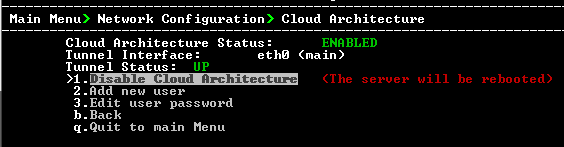
From the Network Configuration menu, choose Cloud Architecture. |
|
5.
|
Select option Enable Cloud Architecture. |
|
6.
|
Select the relevant IPv4 interface and then press Enter. The Live Platform portal server is restarted. |
|
7.
|
In the Live Platform portal server Web interface, ensure that device and tenant connections are enabled for HTTPS (default). |
|
8.
|
In the Live Platform portal server Web interface, ensure that the SBC Devices Communication parameter is set to "IP Based" (System menu >Administration tab > OVOC server folder > Configuration). |
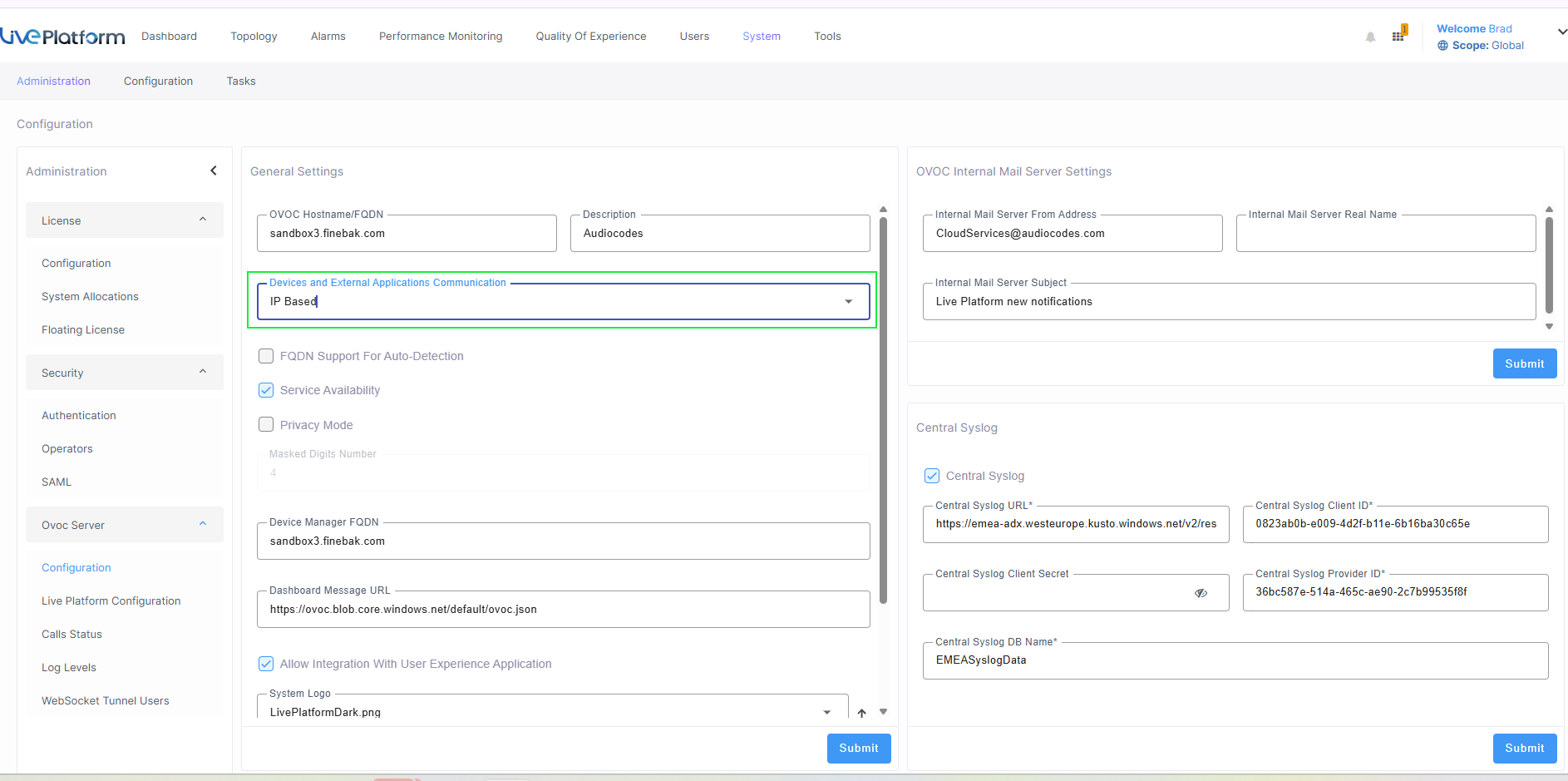
If this parameter is set to "Hostname Based" and the Cloud Architecture feature is enabled in the OVOC Server Manager, then the connected SBC devices cannot be managed for this OVOC instance.
|
9.
|
Verify that the DNS resolves for the OVOC FQDN is successful, for example Google.com: |
Copy
C:\Users\enterprise1user>nslookup www.google.com
Server: tlc-ovoc.trunkpack.com
Address: 10.1.1.10
Non-authoritative answer:
Name:    www.google.com
Addresses: 2a00:1450:4006:801::2004
172.217.18.36
|
10.
|
In the OVOC Server Manager install Custom Certificates (see “Server Certificates Updates” in the OVOC IOM manual). |