
Add custom models
To add a new custom model:
-
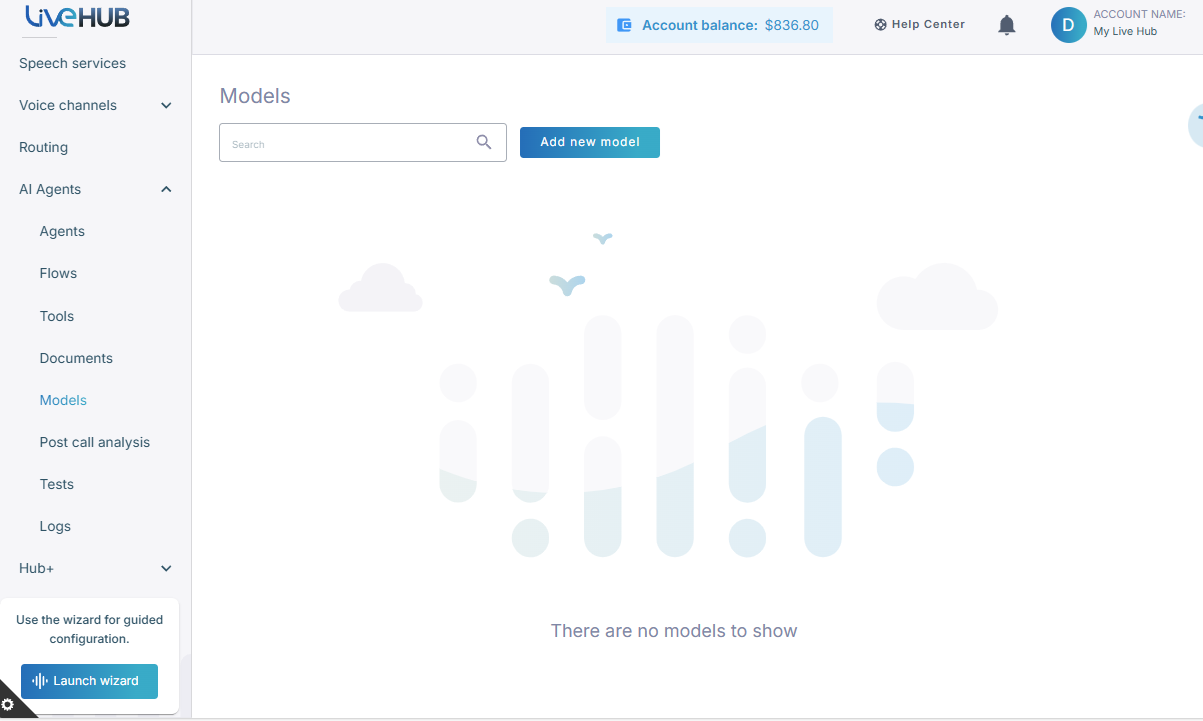
In the Navigation pane, expand AI agents, and then click Models.
-
Click Add new model.
-
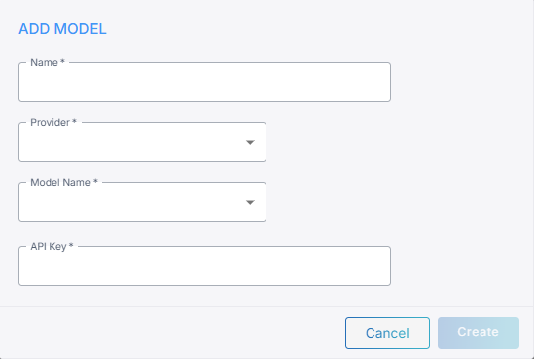
In the Name field, enter a short name for the model.
- From the Provider drop-down list, select your model provider.
- From the Model name drop-down list, select the model name. For the "Custom" provider, type the model name instead.
- In the API key field, enter the API key.
- For the "Azure OpenAI" provider, enter a Deployment name and API base URL.
- For the "Amazon" provider, enter AWS access key ID, AWS secret access key, and AWS region name.
- For the "Google (Enterprise)" provider, enter Region, and upload an API key file.
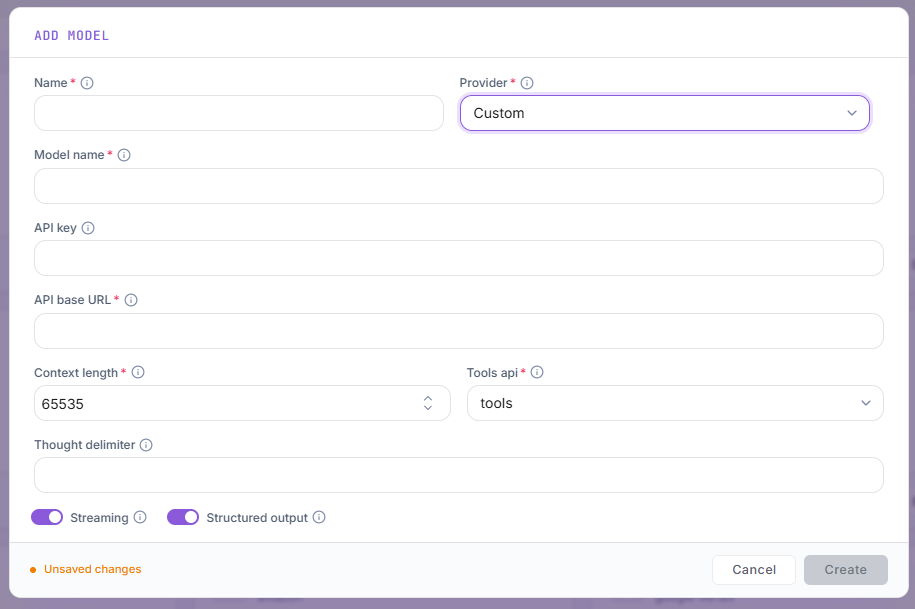
- For the "Custom" provider, enter the API base URL and the model's settings — see Custom provider below.
- Click Create.
Custom provider
Select the "Custom" provider to add any model that is served over the OpenAI Chat Completions API. For when to use it, see Custom models.
| Field | Description |
|---|---|
| Model name | The model's name exactly as the endpoint expects it in the request's model parameter — for example, llama-3.3-70b-instruct. |
| API key | Sent as a bearer token. Leave empty if the endpoint requires no authentication. |
| API base URL | The endpoint's base URL, including the version path — for example, https://my-host/v1. The platform appends /chat/completions to it. |
| Context length | The size of the model's context window, in tokens. When a conversation grows beyond it, the oldest turns are left out of the request. Default: 65535 |
| Tools api | How the model calls tools: • tools – the OpenAI tools parameter, which current models support• functions – the legacy OpenAI functions parameter, for older endpoints• n/a – the model has no native tool calling. Tools are described in the prompt and the model calls them by replying with JSON. This is less reliable than native tool calling, and turns Streaming off.Default: tools |
| Thought delimiter | For reasoning models that write their reasoning into the reply itself: the name of the tag that wraps it — for example, think for a <think>…</think> block. The block is removed from the reply, so it is never spoken. Leave empty if the model doesn't do this. |
| Streaming | The model's reply is streamed as it is generated, so the agent starts speaking sooner. Turn off if the endpoint doesn't support streaming. Default: on |
| Structured output | The endpoint supports JSON-schema structured output (response_format of type json_schema), which features that need a JSON answer — such as post-call analysis — use. Turn off if the endpoint rejects it; the expected JSON format is then described in the prompt instead.Default: on |
The reasoning_effort parameter is sent to a custom model only when you set it in the agent's advanced configuration.