
Extract variables node
Extract variables node is used to extract variables from conversation context.
For each variable you must define:
- Name – variable name
- Description – variable description; make sure to provide meaningful value as it is used by LLM to populate the variable’s data. Alternatively, you can use a jq or JMESPath statement, as described in Using jq or JMESPath statements.
- Type – data type (e.g.
string)
Extracted variables data can be used in conversation node instructions, logical node conditions, etc.
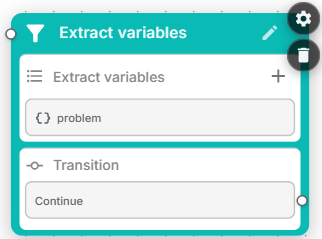
Note that conversation node and call tool node may optionally perform variables extraction on their own. The major difference between them and the dedicated extract variables node is that the later can perform data extraction from the complete conversation logs – rather than specific flow step / node.
Transitions
Extract variables node has a single “continue” transition. Connect it to logical conditions node if you want to branch the flow based on the extracted variables data.
Extract variables node settings
- Extract from – Defines the context from which the variables are extracted; supported options are
last messageandfull history. - Custom LLM – You may define custom large language model (primary and fallback), temperature and max output tokens to be used for the specific extract variables node.
- Global node – Enables transition to this node from any other node in the conversation flow.
Using variables and branching in the description
A variable's Description is expanded before it is sent to the LLM, so it may reference other variables with {name} and use {{#if}} / {{#elseif}} / {{/if}} branching, exactly as in a prompt (see Prompt conditions). This lets the extraction guidance adapt to the current conversation state.
For example:
{{#if language == "fr"}}
The customer's full name, in French spelling.
{{#else}}
The customer's full name.
{{/if}}
Restricting values to an enumeration (ENUM)
To restrict an extracted variable to a fixed set of allowed values, start its Description with ENUM: followed by a comma-separated list of the allowed values. The ENUM list ends at the first dot (.) or end of line; the remaining text is the description used by the LLM.
This is supported for variables of type String, Integer, List of strings and List of integers. For the integer-based types the values are converted to integers, and any non-numeric entry is dropped.
For example, either of the following restricts the variable to yes or no:
ENUM: yes, no
Customer agreed to participate
ENUM: yes, no. Customer agreed to participate.Using jq or JMESPath statements
If you have a variable that contains JSON data (for example, you’ve captured complete tool response in Call tool node using {} syntax), you may use jq (JSON query) or JMESPath statements to extract variables from it. Compared to the standard variables extraction method that uses LLM prompting, this is much faster and requires no LLM involvement.
Use the following special syntax in the Description field to perform such extraction:
{variable_name} | statementThe statement after the | may be written in either jq or JMESPath: a statement that starts with . is evaluated as jq, anything else as JMESPath.
For example:
{users_list} | .[] | select(.username == "{user_name}") | .phoneJMESPath statements can use the from_utc() and to_utc() helper functions, which convert timestamps to / from the timezone given by the timezone variable.