
Amazon speech provider
An Amazon speech provider lets Live Hub use your AWS account for text-to-speech (TTS) with Amazon Polly, speech-to-text (STT) with Amazon Transcribe, or both.
Amazon's advanced configuration parameters are set on a bot connection rather than on the provider. See Configure advanced parameters at the bot connection level.
Add an Amazon speech provider
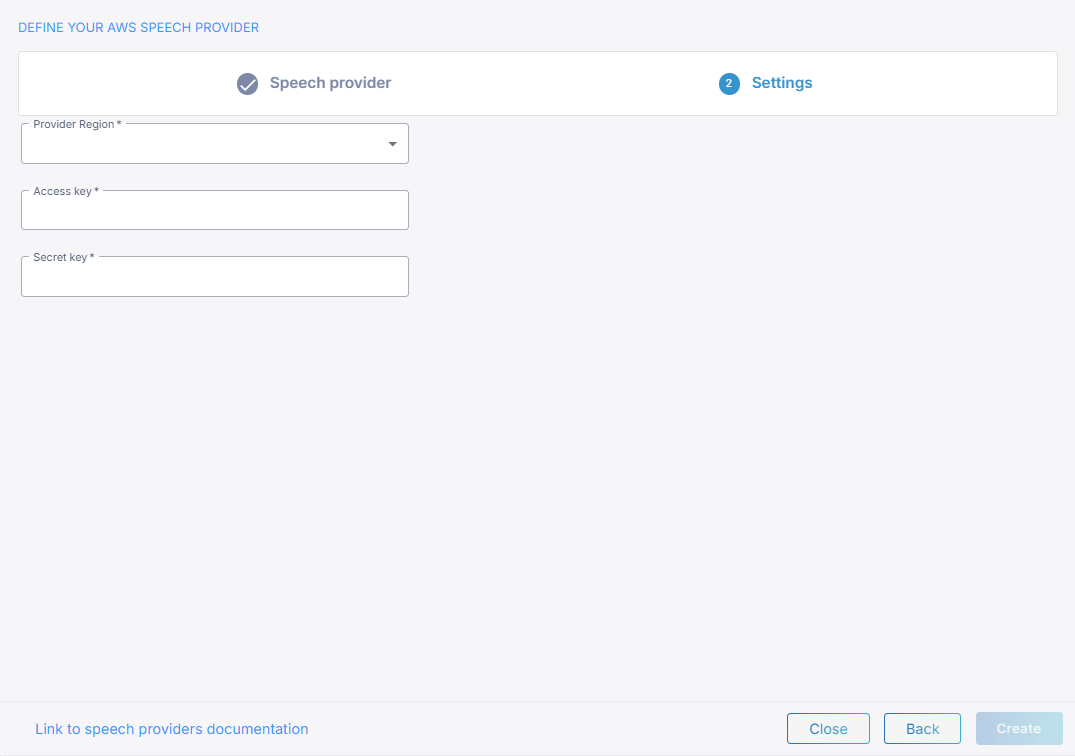
To add an Amazon speech provider:
-
From the 'Provider Region' drop-down list, select the region your AWS account uses.
-
In the 'Access key' field, enter the AWS access key ID.
-
In the 'Secret key' field, enter the AWS secret access key.
-
Click Create.
For speech-to-text, the AWS account needs permission to use Amazon Transcribe.
Configure advanced parameters at the bot connection level
Amazon's advanced configuration parameters go under sttPassthruConfig and
ttsPassthruConfig in the JSON editor on the bot connection's Advanced tab, and
Live Hub merges them into the request it sends to AWS. See
Manage bot connections.
Text-to-speech
The full set of text-to-speech parameters is SynthesizeSpeechInput in
Amazon Polly's SDK documentation.
{
    "ttsPassthruConfig": {
        "LexiconNames": ["example-lexicon"]
    }
}
engine has no effect. Whether Polly uses a neural or a standard voice comes from
ttsEnhancedVoice instead, also on the Advanced tab. Amazon's
voice list shows which
voices support each engine.
Speech-to-text
The full set of speech-to-text parameters is StartStreamTranscriptionCommandInput in
Amazon Transcribe's SDK documentation.
{
    "sttPassthruConfig": {
        "EnablePartialResultsStabilization": true
    }
}
Language and voice
You select the language and the voice per bot connection, on its Settings tab, not on the provider. See Manage bot connections.