
Assist bots
An assist bot monitors a live conversation between a customer and a human agent, receives the call transcript, and takes action based on the conversation. In most cases, it sends out-of-band messages to the agent or to other participants.
Depending on the mode it runs in, it can also speak on the call.
An assist bot is therefore useful for:
- Helping the agent during the call. The customer asks for their bank account details, and the bot shows the answer to the agent, cutting handling time.
- Wrapping up the call. The bot produces call summaries, sentiment analysis, and action items.
- Watching for keywords. The bot detects foul language, for example, and can notify the agent's supervisor.
For the modes an assist bot can run in, and the wider picture, refer to agent assist in the VoiceAI Connect documentation.
Which integration you need
The integration method depends on whether calls already pass through Live Hub:
| Calls already routed through Live Hub | Calls handled elsewhere | |
|---|---|---|
| What you build | An assist bot, then a routing rule that adds it as a service | An assist bot, a SIP connection carrying SIPREC, and a routing rule joining them |
| Why | Live Hub is already in the call, so you only need to attach the bot | Your phone system forks the audio to Live Hub over SIPREC so the bot can hear it |
| Steps | Calls within Live Hub | Calls outside Live Hub |
Either way, start by defining the assist bot.
Define an assist bot
You define an assist bot on the Bot connections screen, with the Add new assist bot connection button.
To define an assist bot:
-
In the Navigation pane, select Bot connections.
-
Click Add new assist bot connection.
-
Select a bot framework, and then follow the steps for it. See Bot frameworks.
Calls within Live Hub
Live Hub is already in the call, so there is no SIPREC connection to make. Attach the bot to the routing rule that handles the call.
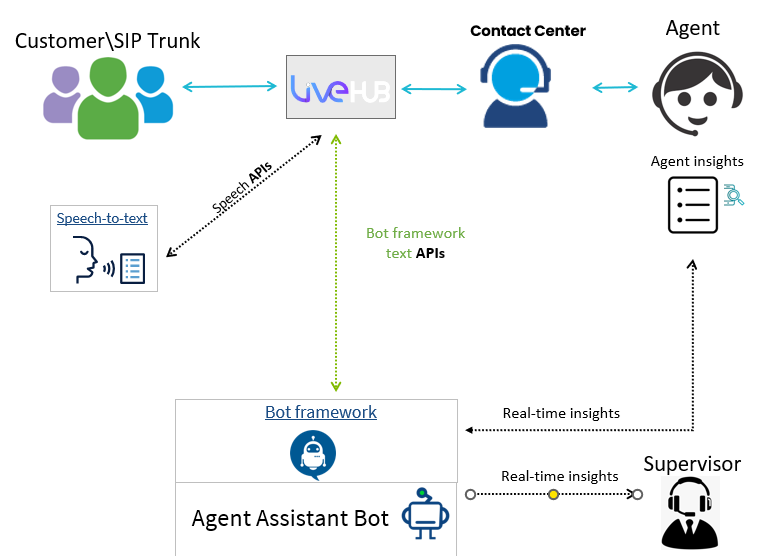
To add an assist bot to a routing rule:
-
Define the assist bot, as described in Define an assist bot.
-
When you create or edit the routing rule, under Services select Agent assist bot, and then select your assist bot.
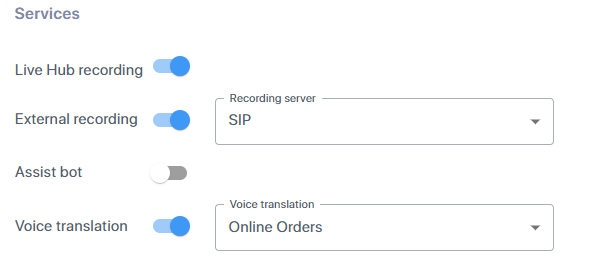
For the rest of the rule, see Routing rules.
Calls outside Live Hub
The call never reaches Live Hub on its own, so your phone system must fork the audio to it over SIPREC. Live Hub acts as the SIPREC server, and your phone system as the client.
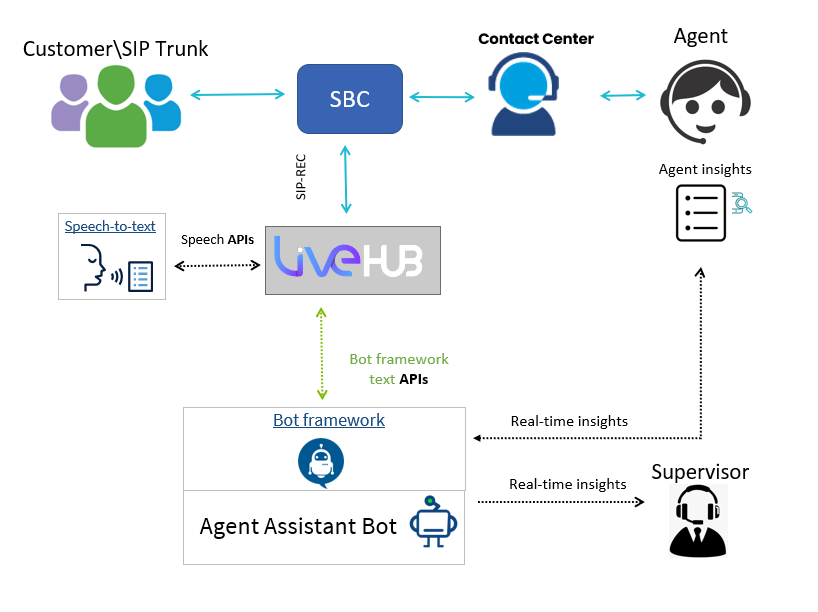
To configure agent assist for calls routed elsewhere:
-
Define the assist bot, as described in Define an assist bot.
-
Define the SIP connection that carries the SIPREC session. See SIP connections.
-
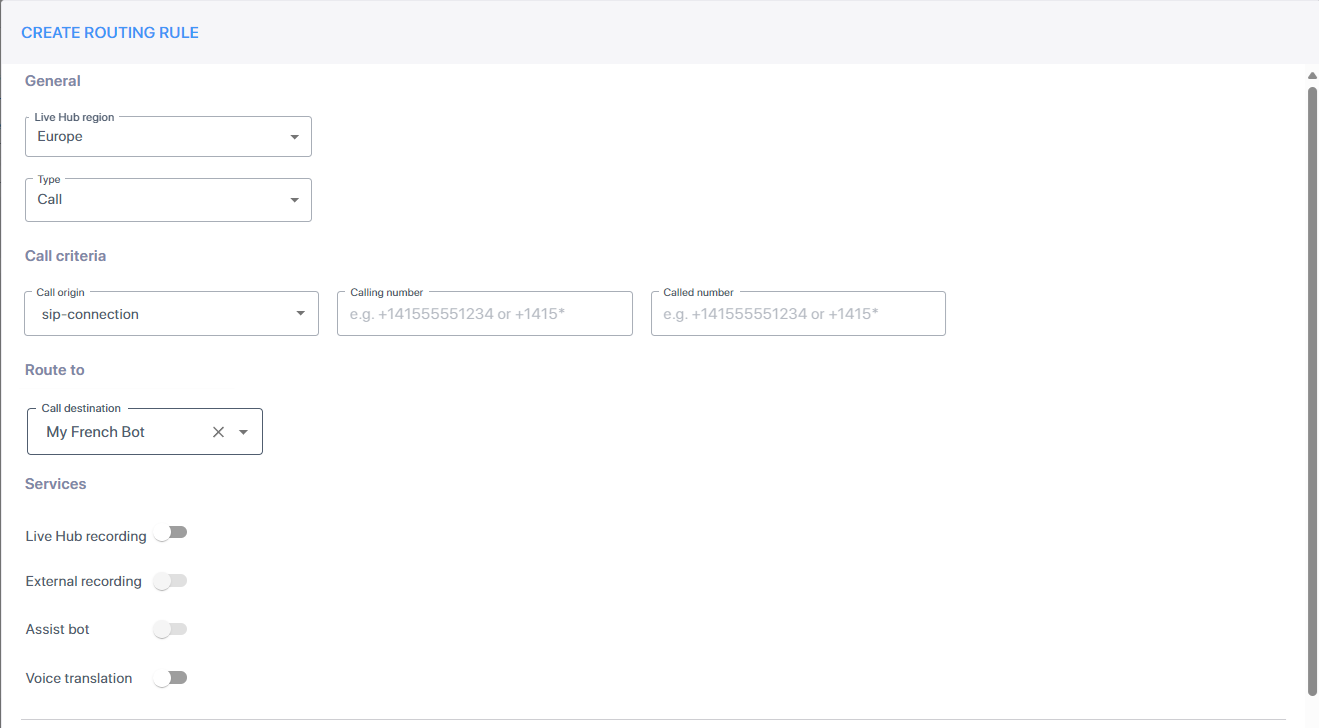
Create a routing rule joining the two:
-
In the Navigation pane, select Routing, and then select the Routing Rules tab.
-
Click Add new routing rule.
-
From the 'Live Hub region' drop-down list, select the region your Live Hub voice infrastructure runs in.
-
Under Origin, from the 'Type' drop-down list, select Call.
-
From the 'Call origin' drop-down list, select the SIP connection.
-
Under Route to, from the 'Call destination' drop-down list, select the assist bot.
-
Click Create.
-