Getting help and support
The Help Center icon, located near your Welcome avatar, provides you with links to various help topics and support.
View help documentation
-
Click Help Center at the top right of the page, and select Documentation.
-
To find a specific topic, use the search bar at the top of the page. Alternatively, explore the Table of Contents (TOC) listed on the left side of the screen.
Open a support ticket
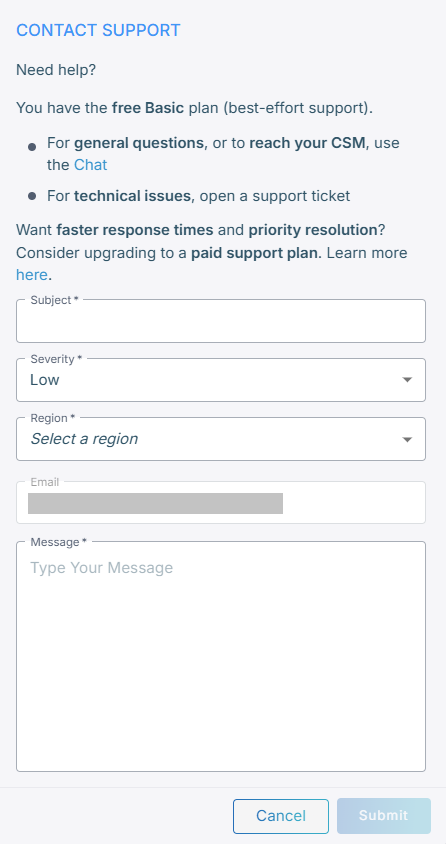
You can contact the Technical Support Team for complex issues. Clicking Contact Support opens a form that to contact the AudioCodes support team.
If you have a Premium support plan, open a ticket through the Service Portal.
Severity levels include:
-
Low
-
Medium
-
High
-
Urgent
To contact support:
-
Click Help Center > Contact support.
-
Fill in the form.
-
Click Submit. A support ticket is created and sent to our technical support team.
Start a chat with support
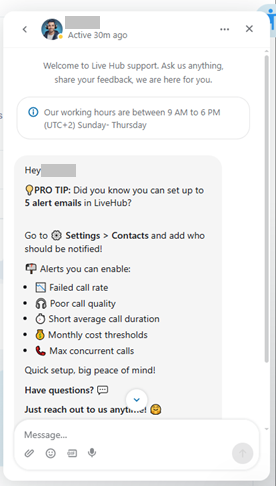
In addition to the Help Center, you can start a conversation with AudioCodes support, by clicking the chat box icon that appears in the bottom-right corner on each page of the web user interface.
The following shows an example of the chat box.
To start a conversation:
-
On the bottom right corner of the page, click the chat box icon
 .
. -
Ask the AI agent a question or search for help, and press Enter.