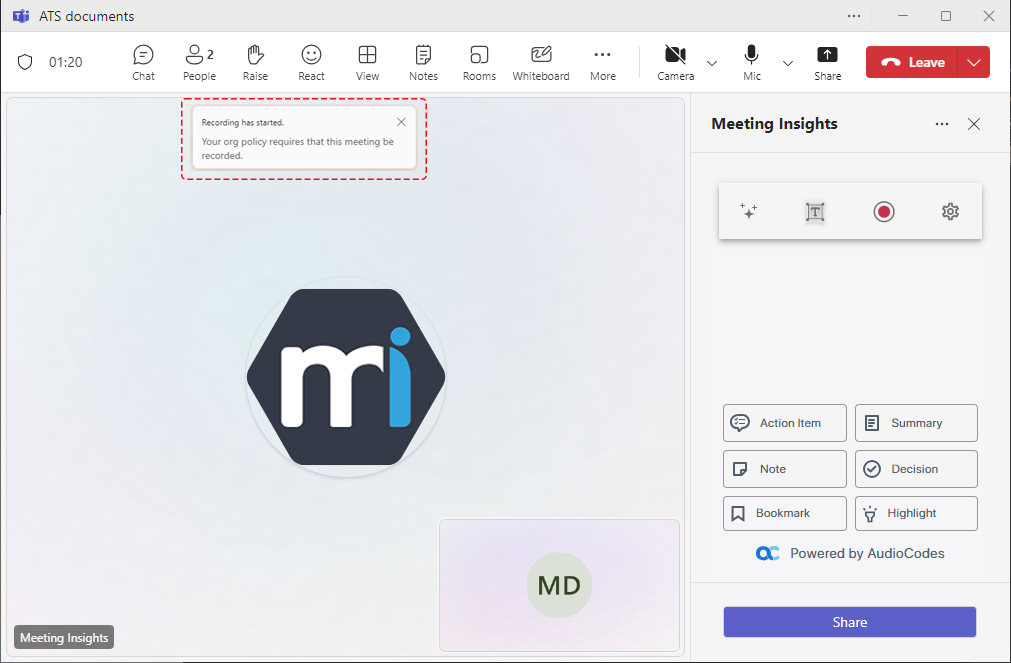
Microsoft Recording Notifications during a Meeting
If your Meeting Insights administrator has enabled the recording notifications feature for your account (see View Account Information), Meeting Insights triggers Microsoft recording notifications.
If Microsoft recording notifications is enabled:
| ■ | Meeting Insights joins and records the meeting when either: |
| ● | The meeting Owner (organizer) with recording notifications enabled joins, or |
| ● | Another internal participant with recording notifications enabled joins. |
| ■ | If the organizer leaves the meeting: |
| ● | Recording continues as long as at least one internal participant with recording notifications enabled remains in the meeting. |
| ● | Recording pauses if no participants with recording notifications enabled remain. |
| ■ | If the organizer or any other participant that has recording notification enabled rejoins, recording resumes automatically. |
If Microsoft recording notifications is disabled:
| ■ | Meeting Insights joins and records the meeting as long as the meeting organizer (Owner) is a licensed Meeting Insights user. |
| ■ | The recording starts even if the organizer doesn't join the meeting. |
| ■ | Recording continues regardless of whether the organizer or participants join or leave the meeting. |
When you and participants join the meeting, a pop-up message is displayed in the Teams meeting window notifying that the meeting is being recorded ("Recording has started") and audibly played so that participants without a Teams client can hear the notification. If recording pauses, you and participants are notified visually and audibly. When recording resumes, you and participants are notified visually and audibly.