View AI-Powered Summary Based on a Template
If you've run an AI-powered summary based on templates (see Create an AI-Powered Summary Based on a Template), you can select the summary to view according to the template.
|
➢
|
To view AI-powered summary based on templates: |
|
2.
|
Tap the meeting recording that you want; the Player screen opens. |
|
3.
|
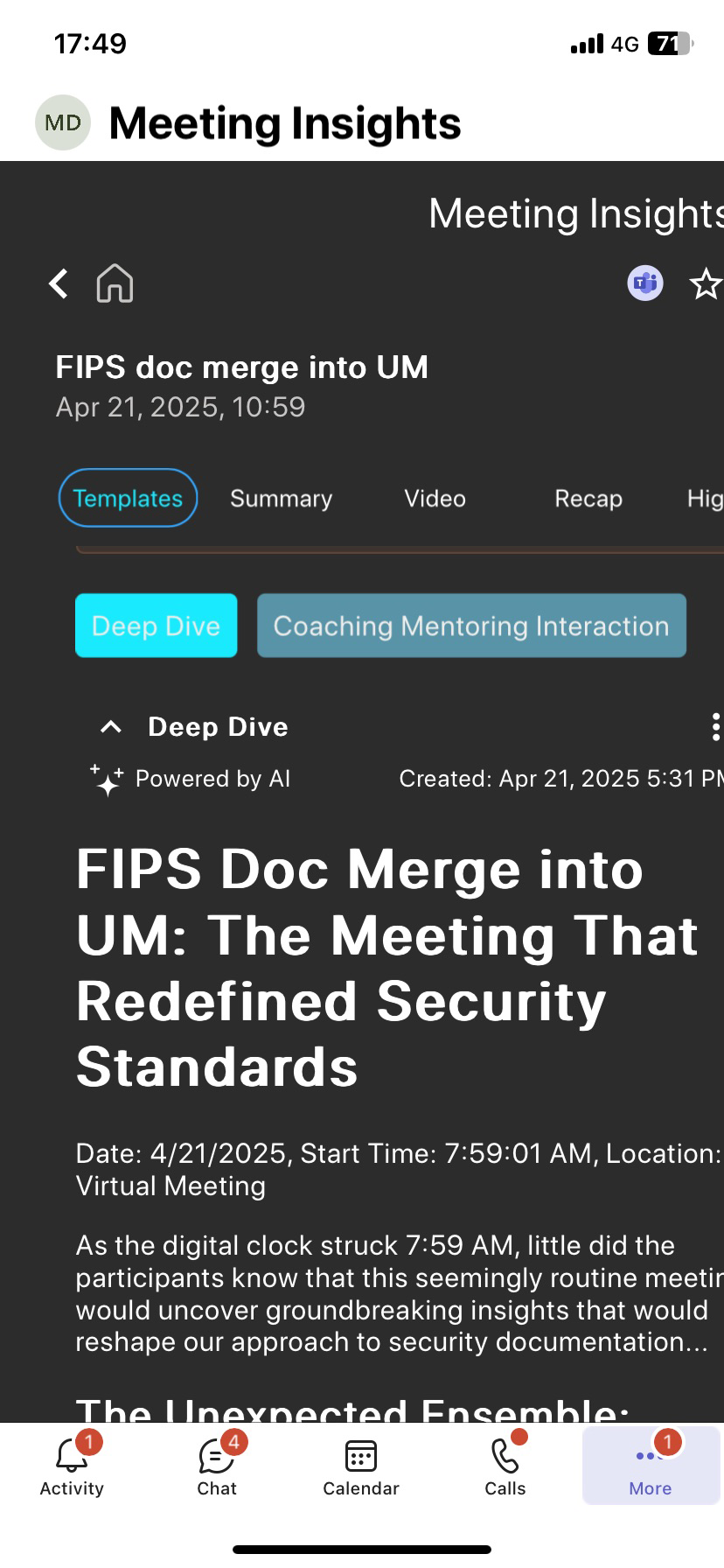
Tap the Templates tab. |
|
4.
|
Tap the tab of the template name whose summary you want to view. Below shows an example of a generated summary based on two templates - 'Deep Dive' and 'Coaching Mentoring Interaction': |