Changing the Admin Password
| ➢ | Default Password Change at Initial Login |
Upon initial login, you are prompted to change the password using the virtual keyboard. The new password must follow the following conventions:
| ■ | The password length must be greater than or equal to 8. |
| ■ | The password must contain one or more uppercase characters. |
| ■ | The password must contain one or more lowercase characters. |
| ■ | The password must contain one or more numeric values. |
| ■ | The password must contain one or more special characters. |
| ● | The default password must be changed before access to the device via SSH is allowed. |
| ● | The default password can be changed per device from the GUI, or via bulk configuration of multiple devices using Microsoft’s TAC or AudioCodes’ Device Manager. |
| ➢ | Subsequent Password Changes |
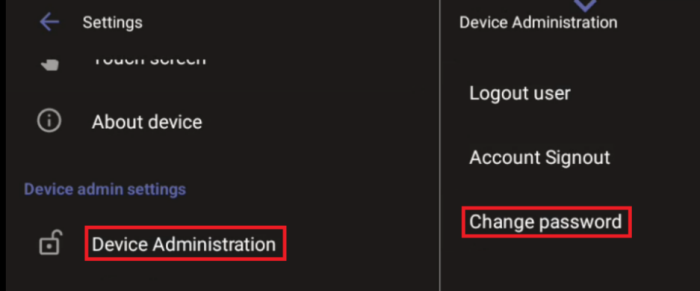
You can change the Admin password at any time. To do this:
| 1. | Log in as Admin with the current password. |
| 2. | Tap Device Administration, then tap Change Password, and specify the new password. |