Configuring 802.1x Settings
802.1x Authentication is the IEEE Standard for Port-based Network Access Control (PNAC) (refer to https://1.ieee802.org/security/802-1x/ for more information). It is used to enable port-based authentication.
Instead of performing the following steps, 802.1x Authentication can be enabled and predefined via provisioning, by setting the following parameters:
network/lan/_802_1x/status=true or falsenetwork/lan/_802_1x/eap_tls/ca_cert=<CA FILE NAME>
network/lan/_802_1x/eap_tls/client_cert=<Client certificate file name>
network/lan/_802_1x/eap_tls/identity=<identity name>
network/lan/_802_1x/eap_type=eap_tls
| ➢ | To configure 802.1x settings: |
| 1. | Navigate to ‘Modify network’ (see Modifying IP Network Settings) and select 802.1x Settings. |
| 2. | Tap Enable 802.1x and then tap Save. |
| 3. | Once 802.1x is enabled, choose the security method and strength. A commonly used option is EAP-TLS. |
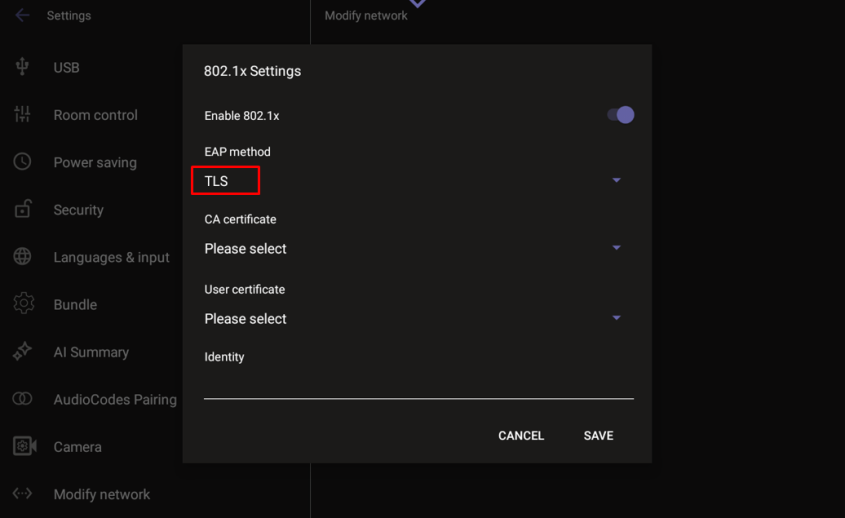
| 4. | Next, select the certificate source. The device can use either system certificates or certificates previously uploaded by an administrator, which will appear in the certificate list. |
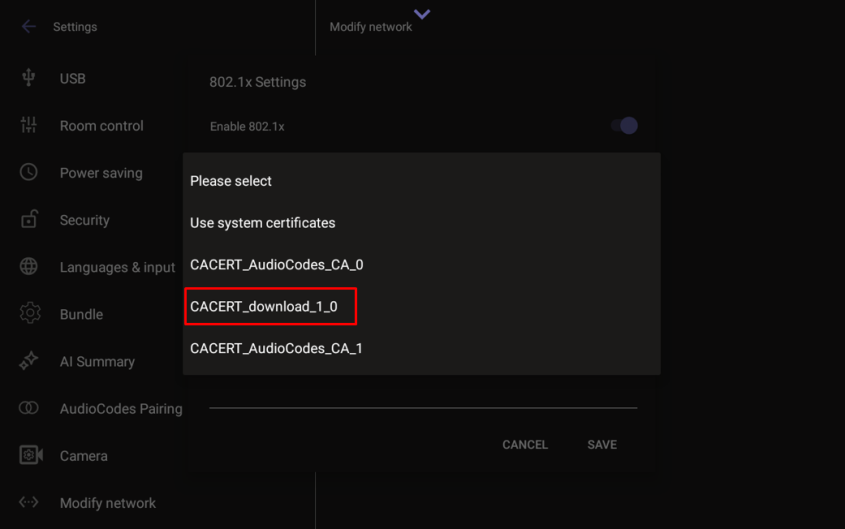
| 5. | After selecting the appropriate certificate file, set the following: |
| ● | Identity – the device identity used during authentication. |
| ● | Domain – the domain the device is intended to join. |
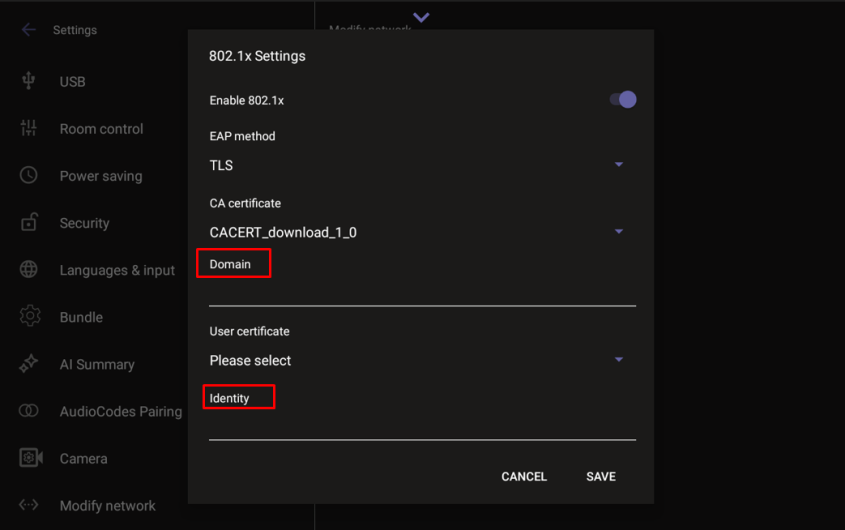
| 6. | Click Save once all fields have been defined. |