Enabling AI Summary
For the AI Summary feature to work, it must be enabled locally on the RX-PAD. This manual activation confirms that an authorized administrator has access to the MTRA hardware.
|
2.
|
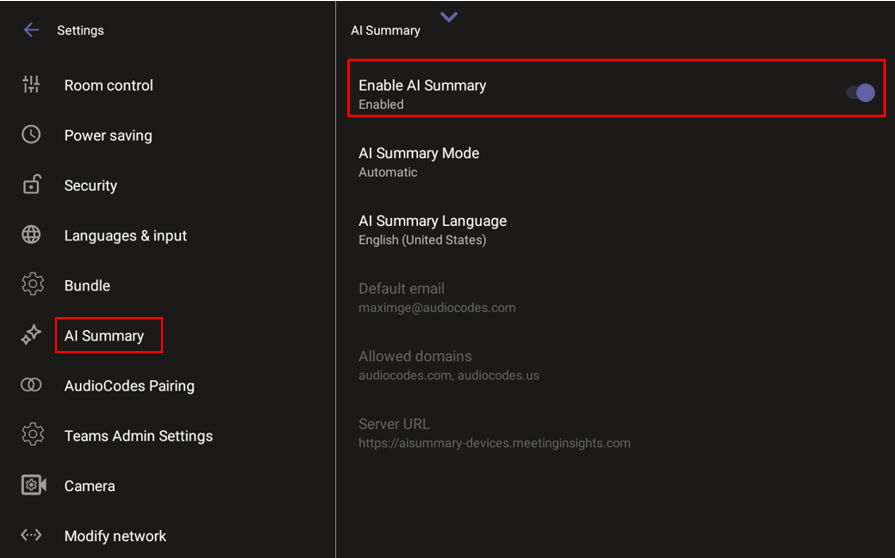
Under ‘Device admin settings’, scroll down and tap AI Summary, then tap Enable AI Summary. |
|
3.
|
If prompted to approve, verify that the 'Default email', 'Allowed domains', and 'Server URL' values in the grayed out fields are correct, then tap OK. |
|
4.
|
Optionally modify the default values in the 'AI Summary Mode' and 'AI Summary Language' fields. |