Monitoring the System Status
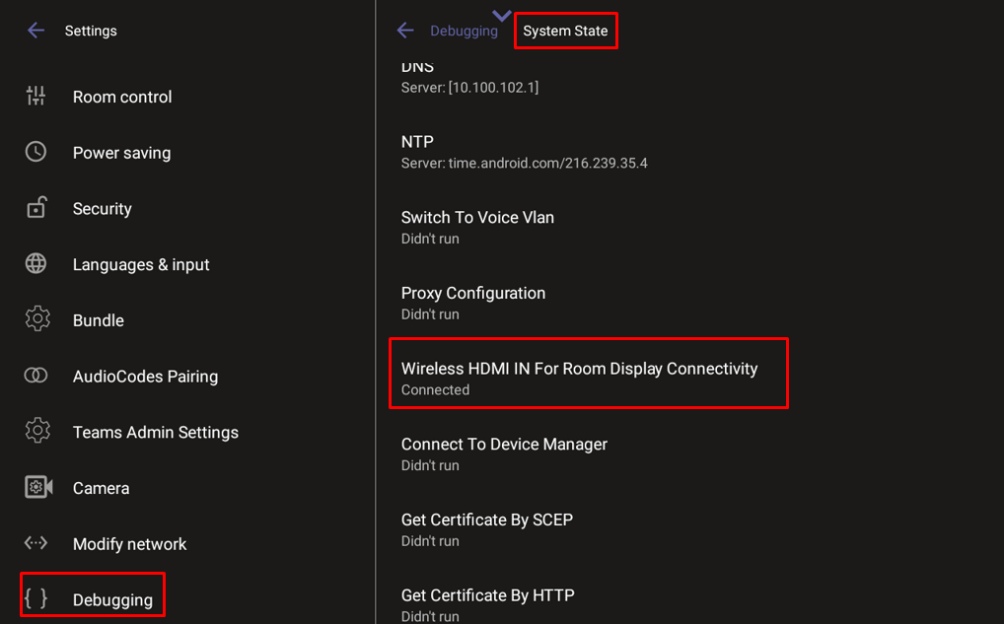
Admins can monitor the state of the device’s modules from the System State screen. This screen can indicate the reason for unsuccessful initial provisioning, network related issues, or Device Manager connection issues.
System State monitoring enables debugging via the device’s screen without requiring external systems. The admin can check connectivity independently of external apps.
For some states, the reason for failure will be displayed as well.
Each state displays its operational result: Successful or Failed.
| ➢ | To monitor the device’s module states: |
| 1. | Access the 'Debugging' page (see System Monitoring and Debugging). |
| 2. | Scroll down and tap System State, then scroll down to the requested information. |
For example, you can verify that the Wireless HDMI IN service (source) is connected:
 For RXPAD