Showing Presenter on Content (Supported with RXVCam70)
This feature allows presenters to be the focus during content sharing. It uses the RXVCam70 PTZ camera's Speaker Tracking to keep the presenter in focus and overlays their video feed in the bottom-right corner of the screen during presentations.

This feature can be toggled on/off via the RX-PAD using the Show Presenter on Content setting under Composite AI mode.
| ➢ | To enable this: |
| 1. | Navigate to the Composite AI Layout Settings page (see Setting up Composite AI). |
| 2. | Turn on ‘Presenter mode’ and select Show Presenter on Content. |
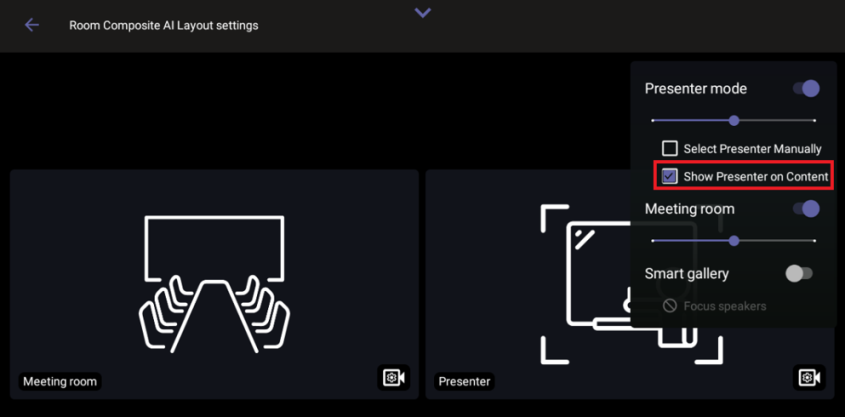
For non-supported cameras (e.g., RXVCam360), the Show Presenter on Content option is grayed out.