Connect Cables
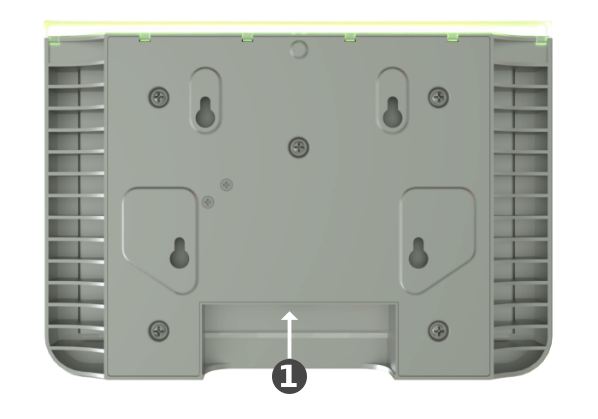
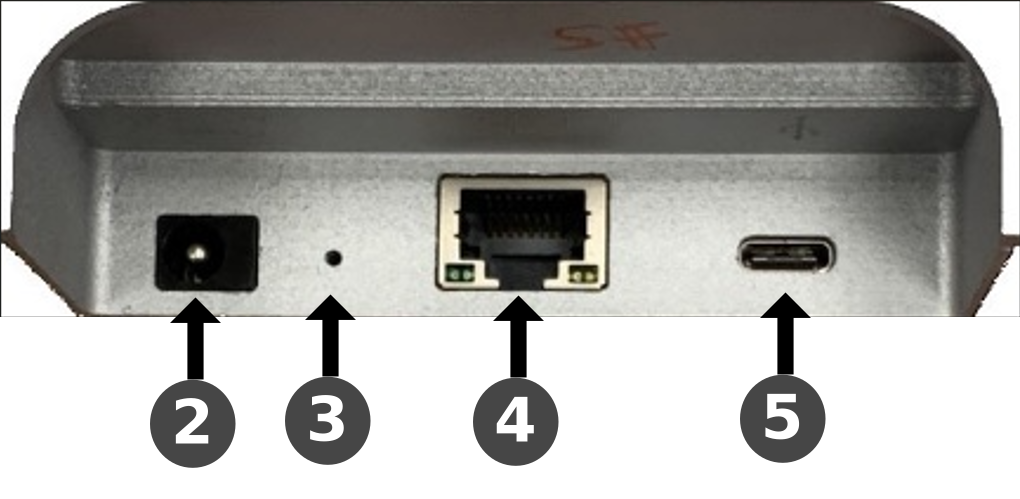
The figures below show the RX-PANEL rear connector ports.
|
# |
Description |
||||||
|---|---|---|---|---|---|---|---|
|
1 |
|
||||||
|
2 |
DC jack for 12V power supply |
||||||
|
3 |
Reset (Insert pin, unplug PoE, keep pin inserted, plug in PoE, keep pressing for 10 seconds) |
||||||
|
4 |
Ethernet LAN/PoE GbE, RJ-45 |
||||||
|
5 |
USB Type C connector (for maintenance purposes) |