Configure Provisioning Source Auto Discovery Settings
Admins can select the preferred discovery option for the RX-PANEL without affecting other devices in the network. This action restarts the device but does not perform a factory reset.
|
➢
|
To set up provisioning source discovery: |
|
2.
|
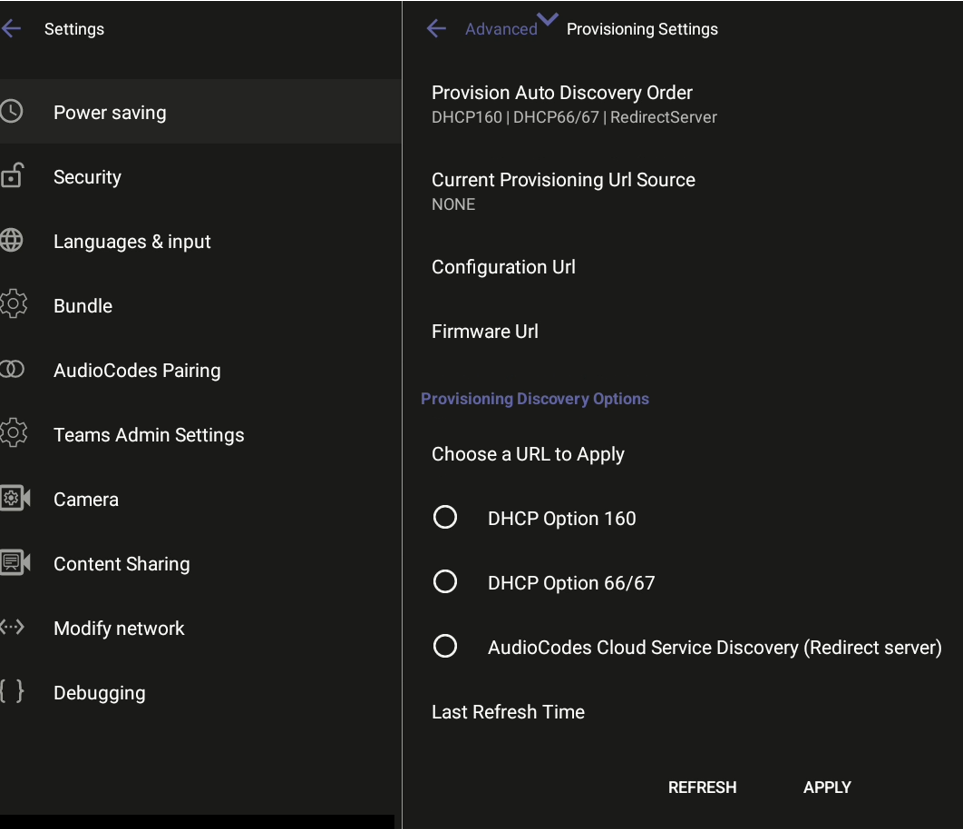
Tap Advanced, then Provisioning Settings. The page displays the current order for provisioning auto discovery, as well as the URL locations of the provisioning, configuration, and firmware sources. |
|
3.
|
Select the desired discovery option for the device and click APPLY. After restarting, the device will use the selected option for provisioning. If no provisioning source is discovered, the system will use an alternate discovery option based on the Discovery Order setting. |
|
4.
|
To update the page with the latest changes and locations, click REFRESH. |