Troubleshooting - Collecting Logs
To troubleshoot your WebRTC click-to-call deployment, collect logs and send them to AudioCodes support.
| ➢ | To collect logs: |
| 1. | Access Google Chrome’s Developer mode, by pressing Ctrl + Shift + I, or F12. |
| 2. | Go to the Console tab. |
| 3. | Click the gear icon in the top-right sidebar. |
| 4. | Select the ‘Preserve log’ check box. |

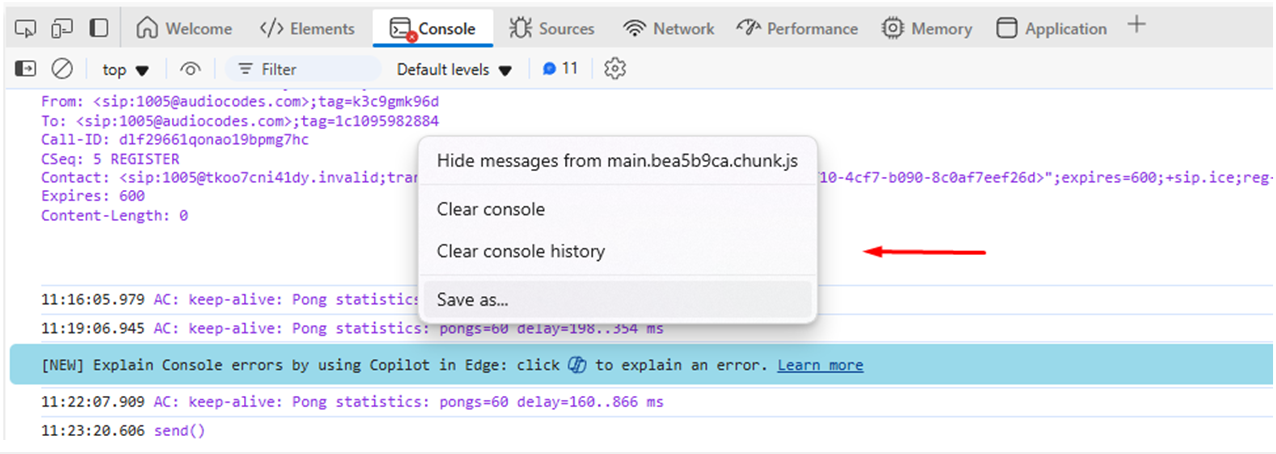
| 5. | To save the logs to a file on your computer: |
| a. | Click anywhere in the log. |
| b. | From the drop-down menu, choose Save as. |