Configure C470HD Device Settings
The section familiarizes you with the phone’s settings. Phones are delivered to customers configured with their default settings. Customers can customize these settings to suit specific personal or enterprise requirements.
|
➢
|
To access device settings: |
|
1.
|
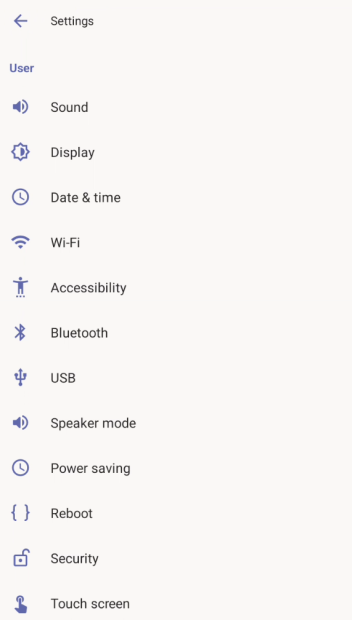
In the home screen, tap the user (avatar) picture, then tap the Settings > Device settings.
|
|
2.
|
View or configure the settings under 'User'. Tap a setting to open the setting. For a description of user settings see User-level Device Settings. |
|
3.
|
To view or configure settings configured by the system administrator: |
|
a.
|
Scroll down and open 'Device admin settings'. |
|
b.
|
Log in as administrator. |
For a description of administrator-level settings see Device Settings Configured by Administrator.