Configuring Calling Profiles
The Calling Profile screen lets you manage Calling Profiles that are configured in Live Platform . Calling Profiles represent logical containers for trunks and emergency strings that are used for outbound routing and emergency calling configurations. The Calling Profile is mapped to the SBC devices used to route calls for tenant users. At least one calling profile is configured per region and each SIP Connection is attached to a Calling Profile.
| ➢ | To manage Calling Profiles: |
| 1. | In the Navigation pane, select SIP Connection. The Calling Profile tab is displayed by default. |
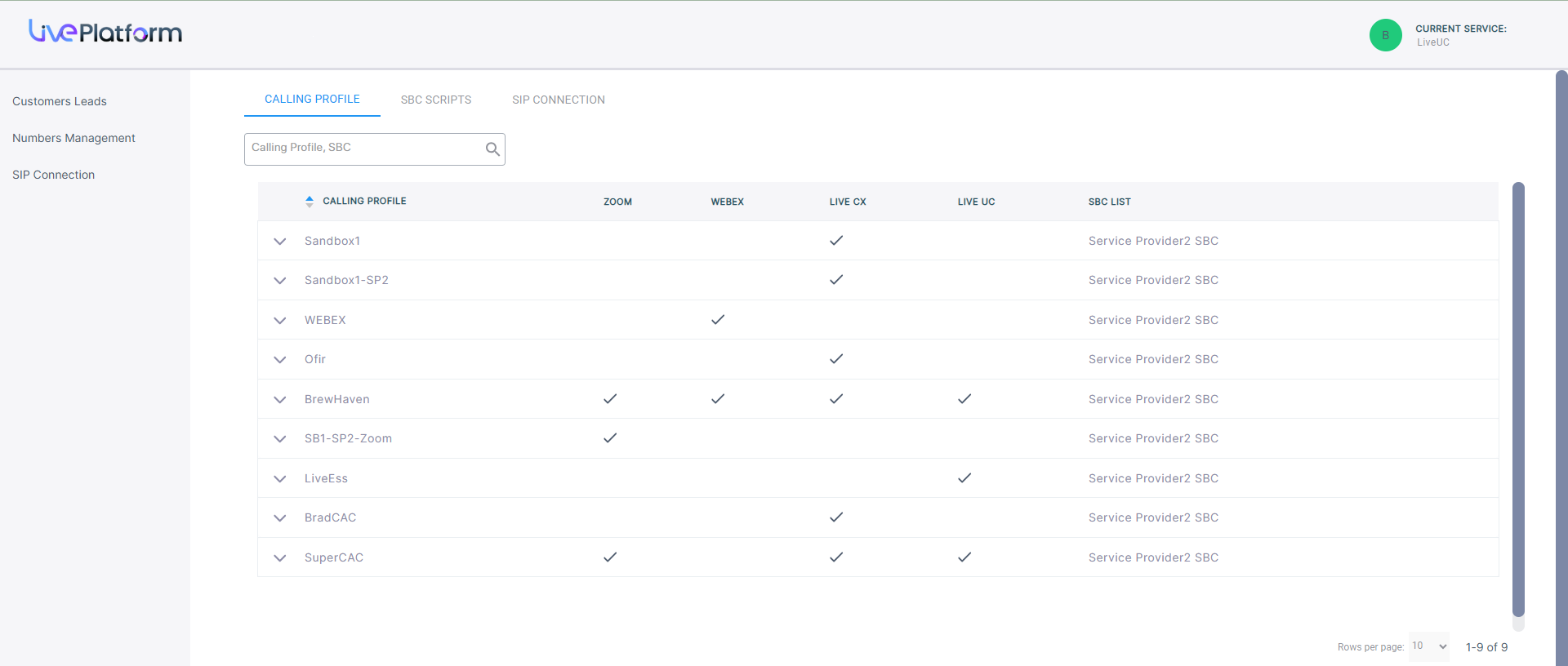
The table below describes the parameters in this screen.
| Parameter | Description | ||||||||||||
|---|---|---|---|---|---|---|---|---|---|---|---|---|---|
|
Calling Profile |
The name of the calling profile. |
||||||||||||
|
Service Type Indicators |
Indicators whether the following service types are enabled:
|
||||||||||||
|
SBC List |
Name of the SBC device attached to the Calling Profile that is used to connect calls. |