Assigning Conference Calling
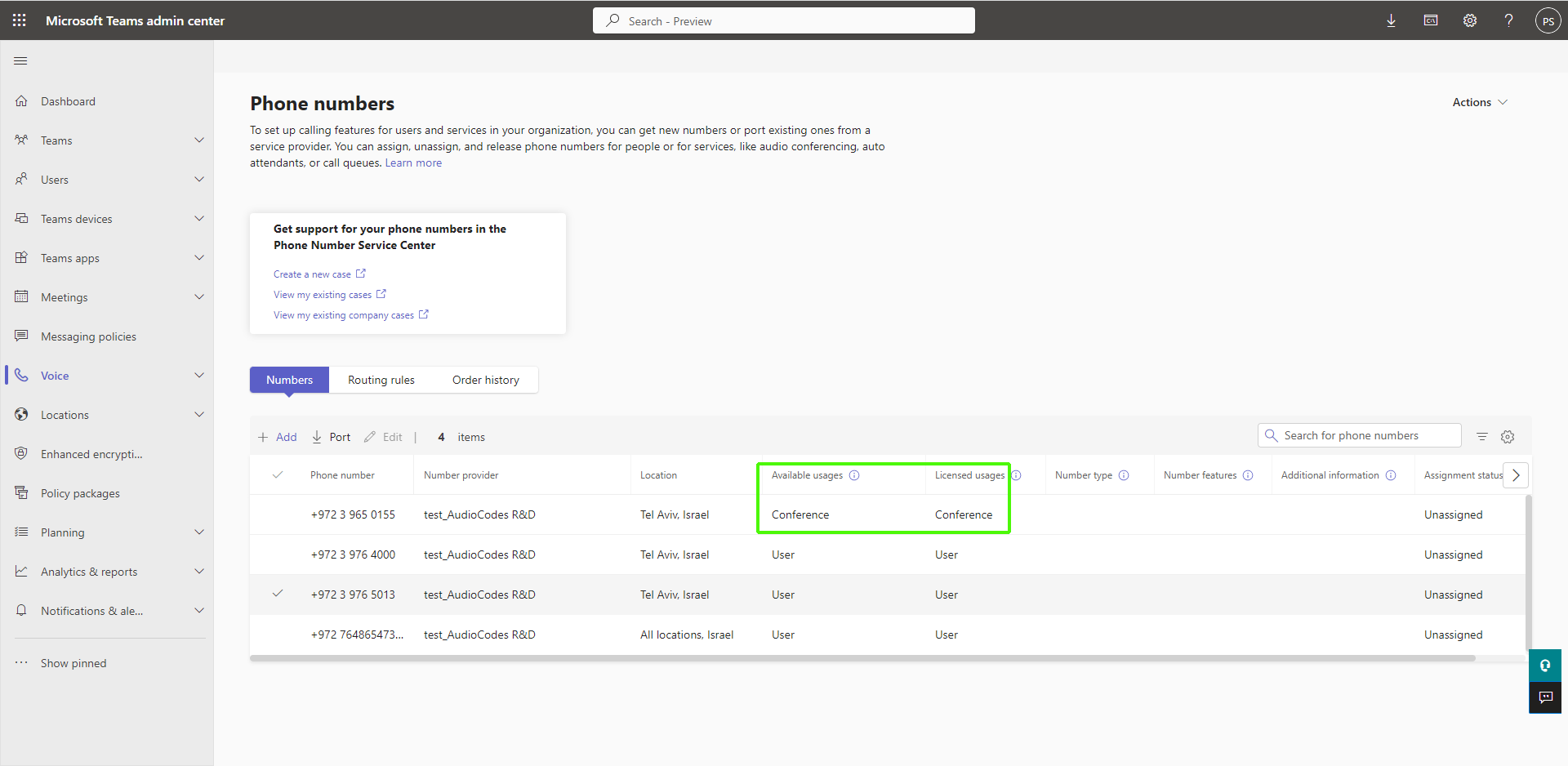
Phone numbers can be assigned with Conference calling assignment. In Live Platform, the uploaded number is configured as 'ConferenceAssignment' and in Teams admin center 'Audio Conferencing'.
For more information, see https://learn.microsoft.com/en-us/microsoftteams/operator-connect-conferencing-configure.
|
➢
|
To assign phone number with usage User: |
|
1.
|
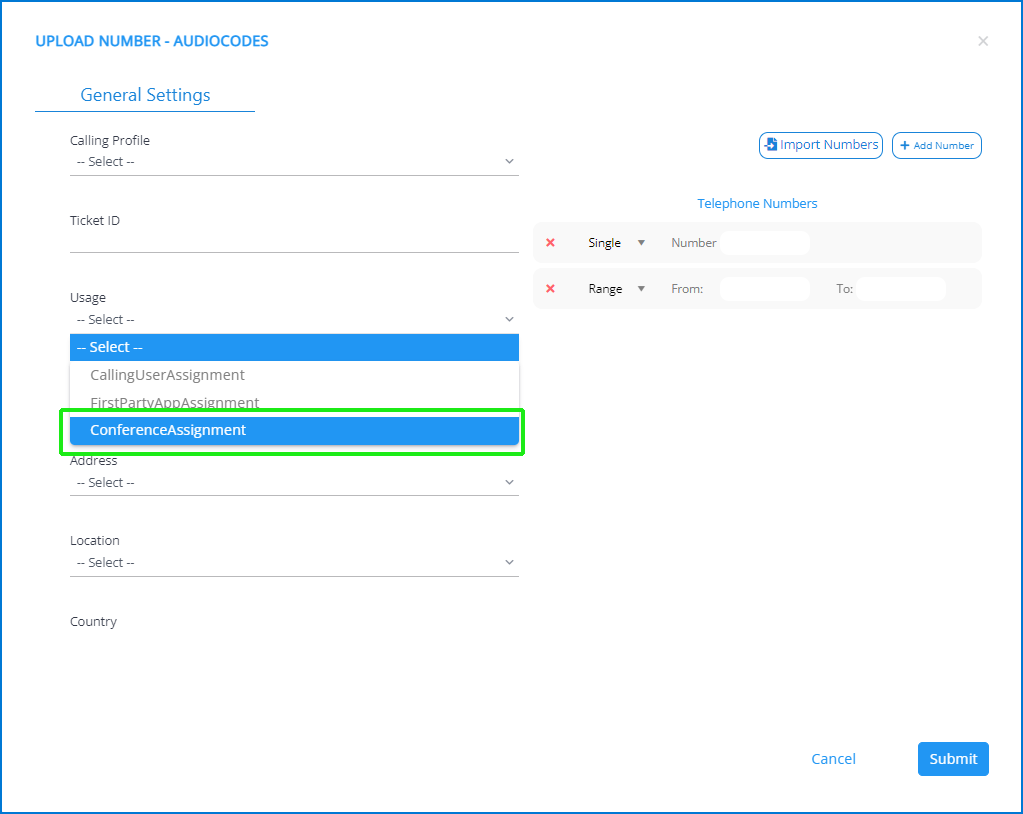
Ensure that the phone number to assign has been uploaded with Usage ConferenceAssignment. |
|
2.
|
Login to the Teams admin center with customer tenant permissions. |
|
3.
|
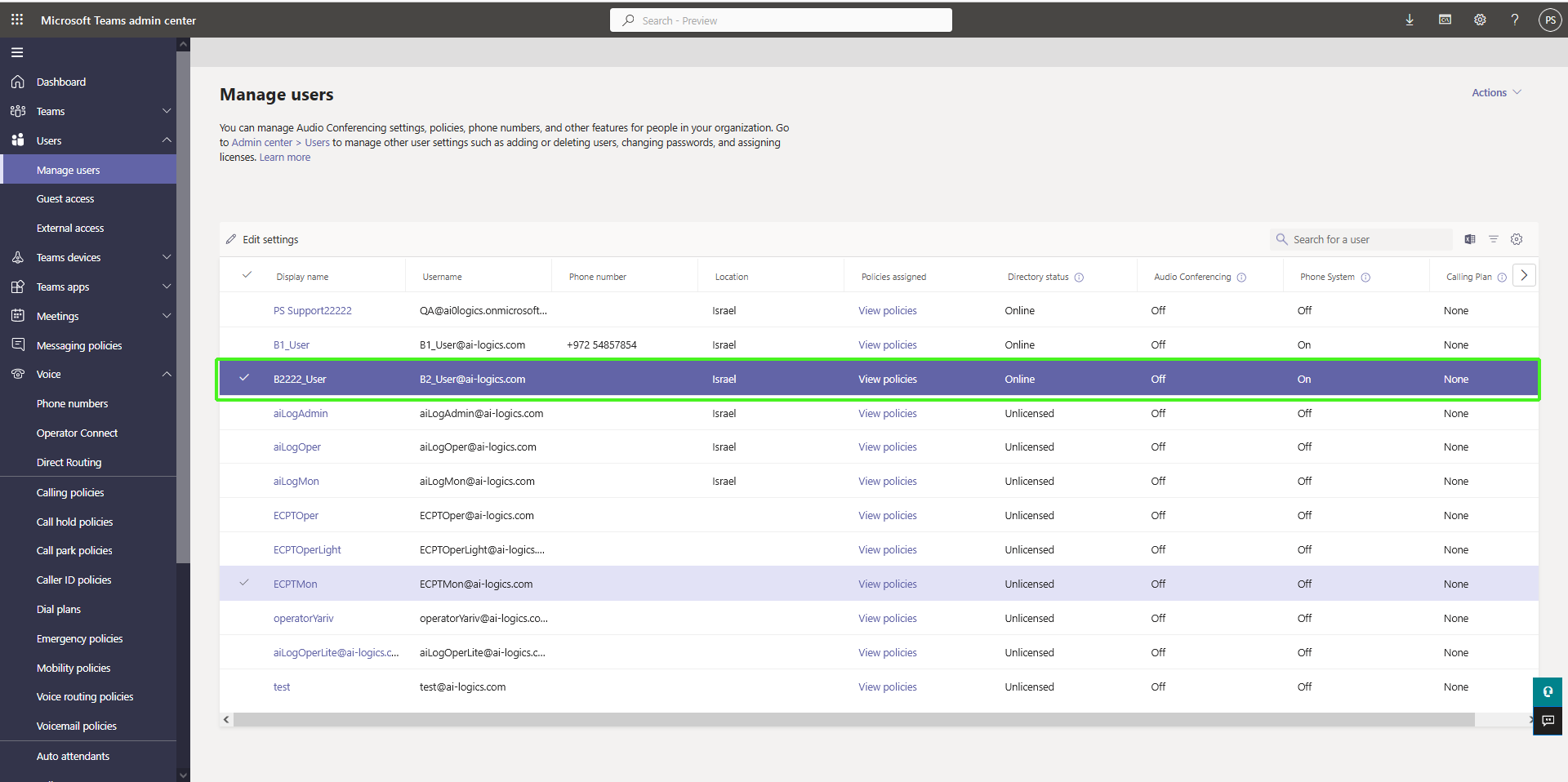
In the Navigation pane, select Users > Manage users. |
|
4.
|
Verify that the user for phone number assignment has an Active license and is Online. |
|
5.
|
In the Navigation pane. select Voice > Phone Numbers. |
|
6.
|
Select the number that you wish to assign and then click Edit. Note that the Available Usage is Conference for user voice calling (see Upload Number dialog at the top of the page). |