Enhanced SBC Communication Path with Live Platform
Live Platform's User Management Pack 365 can now communicate with deployed SBCs through Live Platform’s proxy, in addition to the previously supported direct connection method. This enhancement works regardless of the communication method used between Live Platform and User Management Pack 365.
Now, User Management Pack 365 can communicate with SBCs through the same communication path (e.g., WebSocket) that Live Platform uses to communicate with the SBCs.
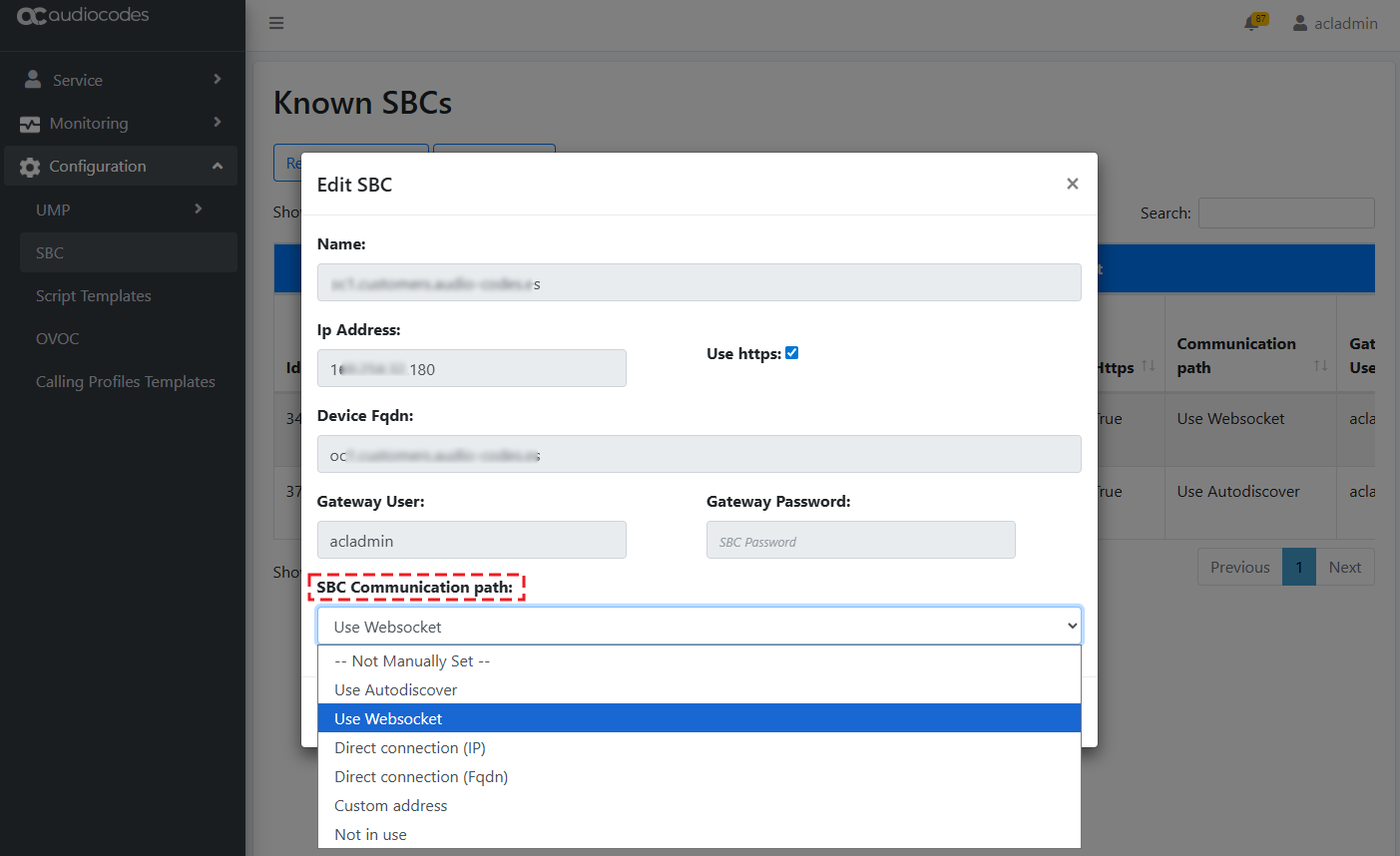
User Management Pack 365 can determine how to communicate with each SBC (whether some by WebSocket or some directly), based on configuration. A new field, 'SBC Communication Path' has been added when editing the SBC properties from the Actions drop-down menu. The possible communication path options include:
|
■
|
Use Autodiscover: Automatically determines the best communication path, in the following priority: |
|
■
|
Use Websocket: Communication with the SBC is through Live Platform's proxy (e.g., WebSocket tunnel) with the SBC. |
|
■
|
Direct connection (IP): Communication with the SBC is direct through the SBC's IP address received from Live Platform. |
|
■
|
Direct connection (Fqdn): Communication with the SBC is through the DNS-resolved IP address from the FQDN received from Live Platform. |
|
■
|
Custom address: Communication uses a customized IP address or FQDN for the SBC |
The Known SBCs page also allows you to easily verify the connection with each SBC, using the new Check Connection command in the Actions drop-down menu.
After wyUpdate upgrade, the SBC communication path is automatically set to Direct connection (Fqdn), which is received from Live Platform.