About Interaction Insights
|
■
|
Compliance, Quality, Malicious and other use cases for Call Recording: Live Platform is a fully secured, intelligent enterprise compliance-recording solution that empowers organizations to effortlessly capture, index and ensure the quality of all customer and internal interactions, spanning external and internal communication channels. For Microsoft Teams users, seamlessly records voice interactions to meet regulatory compliance requirements. This comprehensive solution provides organizations with the assurance of both compliance and the highest standards of communication quality. |
|
■
|
Interaction Insights Recordings make it easier for your organization to meet and maintain compliance standards such as MiFID II, GDPR, PCI DSS, HIPAA and E-Discovery. An intelligent, cloud-based recording solution ensures that you capture and manage communications seamlessly, so you can focus on what matters most – your business. Stay compliant effortlessly with our real-time monitoring solution. |
|
●
|
Automatic recording
notifications for compliance
with regulations. |
|
●
|
Roles and
permissions-based
access controls. |
|
●
|
Flexible retention
policies with local (national) storage
capabilities for GDPR Compliance. |
|
●
|
Audit trail of user activities and
encrypted media. |
|
■
|
Gather valuable insights from interactions with your employees, customers, suppliers, distributors and other corporate partners. |
Interaction Insights Page
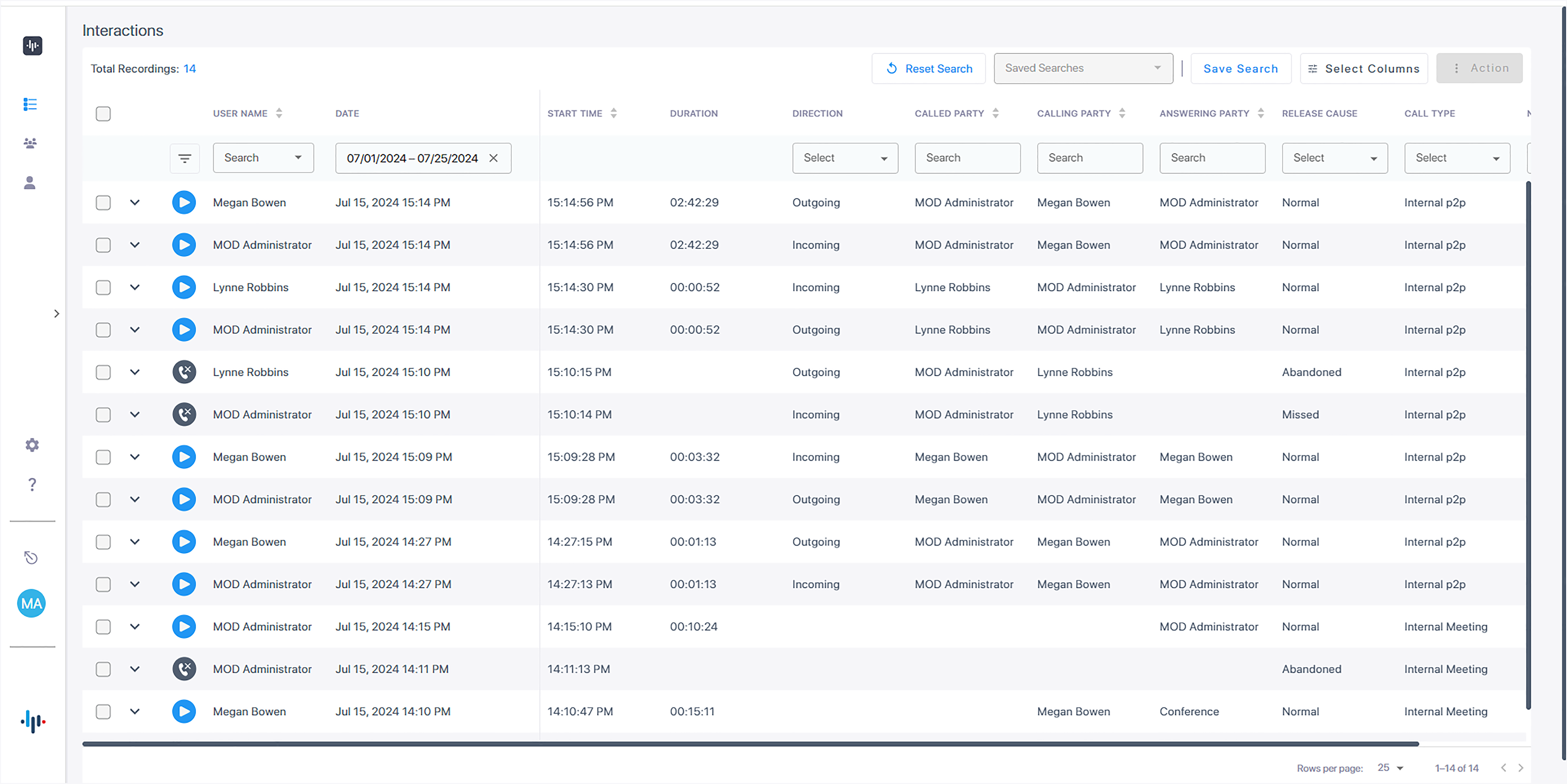
Media Player Time lines for Voice Calls
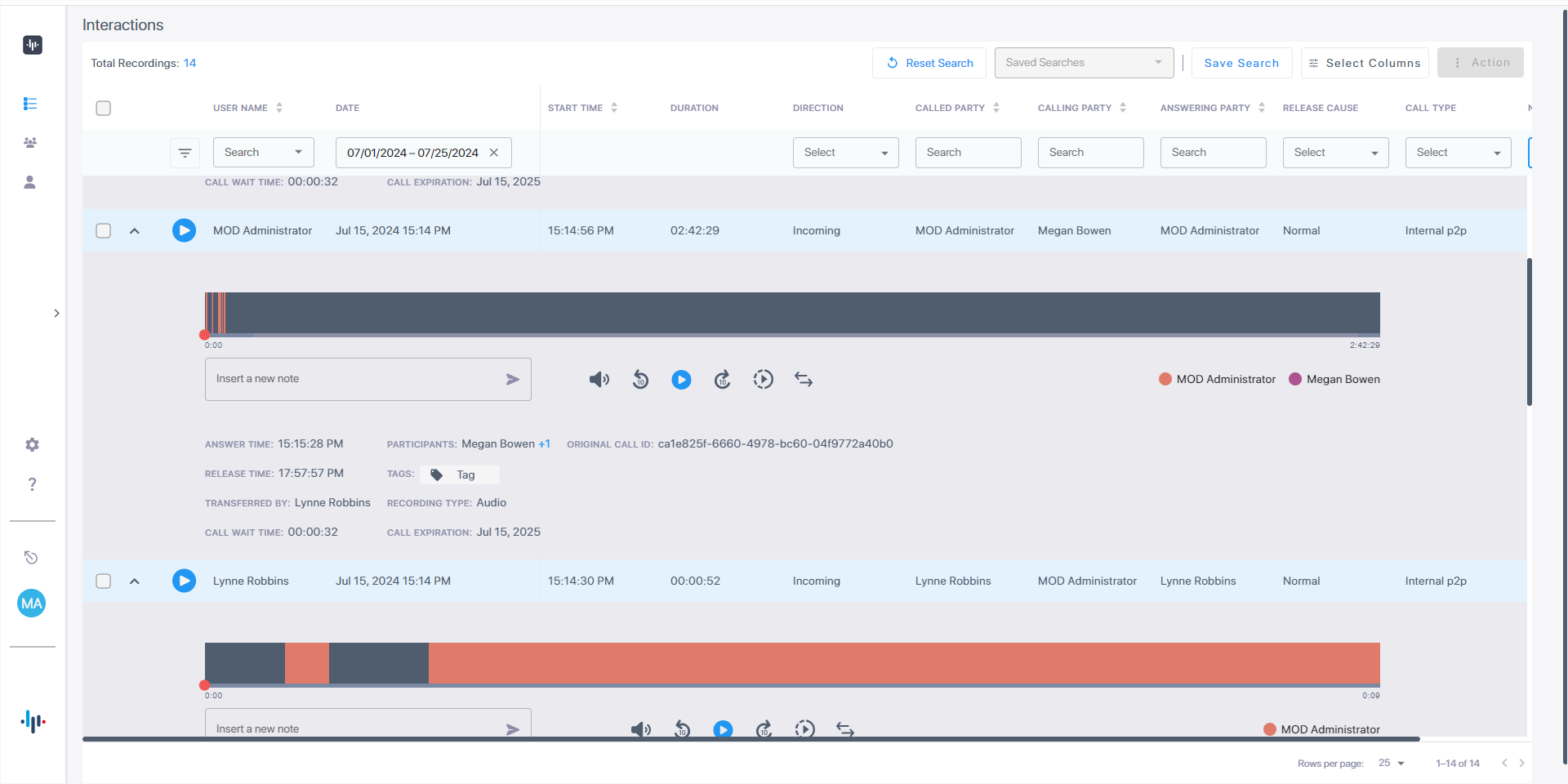
Media Player Time lines for Video and Sharing Calls

Benefits
Live Platform captures voice interactions that enables organizations to meet compliance regulations, and at the same time acquire business insights for measuring performance of customer interactions. Intelligence acquired through the product can be used as follows:
|
■
|
Facilitates corporate strategy decision making process. |
|
■
|
Serves as the basis for enhancing customer satisfaction and loyalty. |
|
■
|
Minimizes exposure to disputes and mitigates the risk of reputation damage. |
|
■
|
Secures access for Live Platform operators and Live Platform operators with Single Sign-on using Microsoft 365 Multifactor authentication. |
|
■
|
Compliance-grade recording and regulation-specialized features. |
|
■
|
Gain Insights for marketing and management from conversations with customers, distributors, suppliers and other corporate partners. This facilitates cognitive analysis of both factual and persuasive elements in the decision-making process. |
Live Platform is a value-added service that is provided as part of Live Platform , whose core interface is used for remote monitoring of the service. Live Platform customer operators can manage the service alongside other service types in the same core interface, as well as connect to other Web interfaces used by the other service types.
Competitive Advantages
|
●
|
Intuitive Web-based screens make training easy. No downtime for training. |
|
●
|
All browser-based access with no additional client desktop software. |
|
●
|
Supports any Wi-Fi tablet or smartphone. |
|
●
|
Large system features at a fraction of the cost. |
|
●
|
Linear growth of Live Platform concurrent conversations – no forklift upgrades. |
|
●
|
Add one license at a time, or a hundred. |
|
●
|
Lowest total cost of ownership. |
|
●
|
Centralized architecture reduces hardware investments. |
|
●
|
Start with a low number of recordings and scale upwards. |
|
●
|
Supports for single site, multi-site, and cloud deployments. |
|
●
|
Start with recording and then expand capabilities with easy-to-add modules. |
Features Overview
The table below summarizes the Live Platform features.
|
|
|
|
Quick Start
|
User-friendly Onboarding wizard that lets you do the following:
|
■
|
Click to consent for all connections to your M365 platform. |
|
■
|
Automation script for creating Recording and Access profiles. |
|
|
Compliance Recording Policy
|
Create recording policies for the users in the recording group on the customer’s Azure tenant.
|
|
Role and permission-based access control
|
Role-based Single-Sign On access control based on Live Platform roles: Sysadmin, Service Provider, Channel and Customer operator.
|
|
Full time recording
|
Full-time Audio and Video and Screen Sharing recording.
|
|
Record on Demand (ROD) and Save on Demand (SOD)
|
Record on Demand (ROD) and Save on Demand (SOD) functionality for Voice, Video and Sharing interactions:
|
■
|
Record on Demand (ROD): Recording contains media from the point when the recorded user decides to record the call. |
|
■
|
Save on Demand (SOD): Recording is saved from the point when the recorded user decides to save the call. This feature also includes the ability to Save on Demand after the call is no longer active to prevent hoax callers from compromising the security
and integrity of the Enterprise or Call Center. |
|
|
Recording Profiles
|
|
■
|
Define Recording Profiles for Peer-to-Peer calls, user calls with Meetings and user Queue calls |
|
■
|
Define Retention period and Blob Storage account |
|
■
|
Full Time Recording – Automatic media recording |
|
■
|
Filter for PSTN, internal and external calls. Filter for Internal and External meetings. |
|
■
|
Filter calls according to numbers and regular expressions. |
|
■
|
Specify a time range for call recording, which includes the option to choose specific days of the week and time ranges based on the location of the server for the region. |
|
■
|
Instant Message Microsoft Teams recording – Automatic Instant Message recording |
|
|
Access Profiles
|
|
■
|
Configure call access for performing actions on media, such as Playing or Downloading media related to a call or viewing emails and notes related to a call. |
|
■
|
Configure and Modify Recording and Access Profiles |
|
■
|
Configure and modify System Configuration permissions |
|
|
Audio Recording
|
|
■
|
Record calls of Targeted users on different devices, including Teams desktop, web, mobile applications and phones. |
|
■
|
Microsoft Azure Active Directory users mapping |
|
|
Video & Screen Sharing Recording
|
|
■
|
Automatically record Video conversations and Screen Sharing content sharing including the application window, browser tab or the entire desktop sharing, presented from Microsoft Teams clients. |
|
■
|
Support for multiple content share sessions from the same user or different users.
|
|
■
|
Playback in small or maximized window. |
|
■
|
Download voice recording. |
|
■
|
Filter by Media Type Video and/or Sharing. |
|
■
|
Support for recording of up to 49 concurrent video streams. |
|
|
Microsoft Teams Instant Message Recording
|
Recording of Microsoft Teams Instant Messages that are recorded between call participants.
|
|
Legal Hold of Agent recordings
|
Users cannot be deleted when placed on Legal Hold and their recording data is preserved.
|
|
Audit Trail
|
Audit trail of user activity and export of call records and audit trail reports.
|
|
Flexible and Powerful Call and Instant Message Search Capabilities
|
|
■
|
Search criteria based on username, date range, direction, called and calling party, release cause, call type and by defined notes. |
|
■
|
Easily filter search results, sorting ascending or descending by clicking column header, shortcuts to the beginning page within the results screen. |
|
■
|
Search for calls based on Calling (Caller ID), Called or Answering Party |
|
■
|
Search for calls based on assigned Call Tag and whole words appearing in Notes. |
|
■
|
Search for Instant Messages based on included strings. |
|
■
|
Export Call meta-data to Excel file. |
|
|
Flexible retention policies
|
|
■
|
Number of retention periods can be added and applied to specific AAD User Groups. |
|
■
|
Recordings are automatically deleted based on retention period. |
|
■
|
Customize retention periods for Screen Sharing recording. For example, for customer hosting storage. |
|
|
Security
|
|
■
|
Media encryption with HTTPS/TLS/RTP |
|
|
Azure Blob Recordings Storage
|
Configure multiple storage accounts on Microsoft Azure Blob which is used for high-scale and secure object storage for cloud-native workloads, archives, data lakes, high-performance computing, and machine learning. Customize period for data retention with ability to configure unlimited retention period at the service level.
|
|
Call Tagging
|
User definable tags like Customer Name, Account Number, Malicious Call can be easily assigned to the call.
|
|
Personal App in Microsoft Teams
|
Live Platform can be added to Microsoft Teams as a Teams App. Once setup can be uploaded to the customer organization’s App Store and run on Microsoft Teams desktop or Microsoft Teams mobile clients.
|
Video Recording
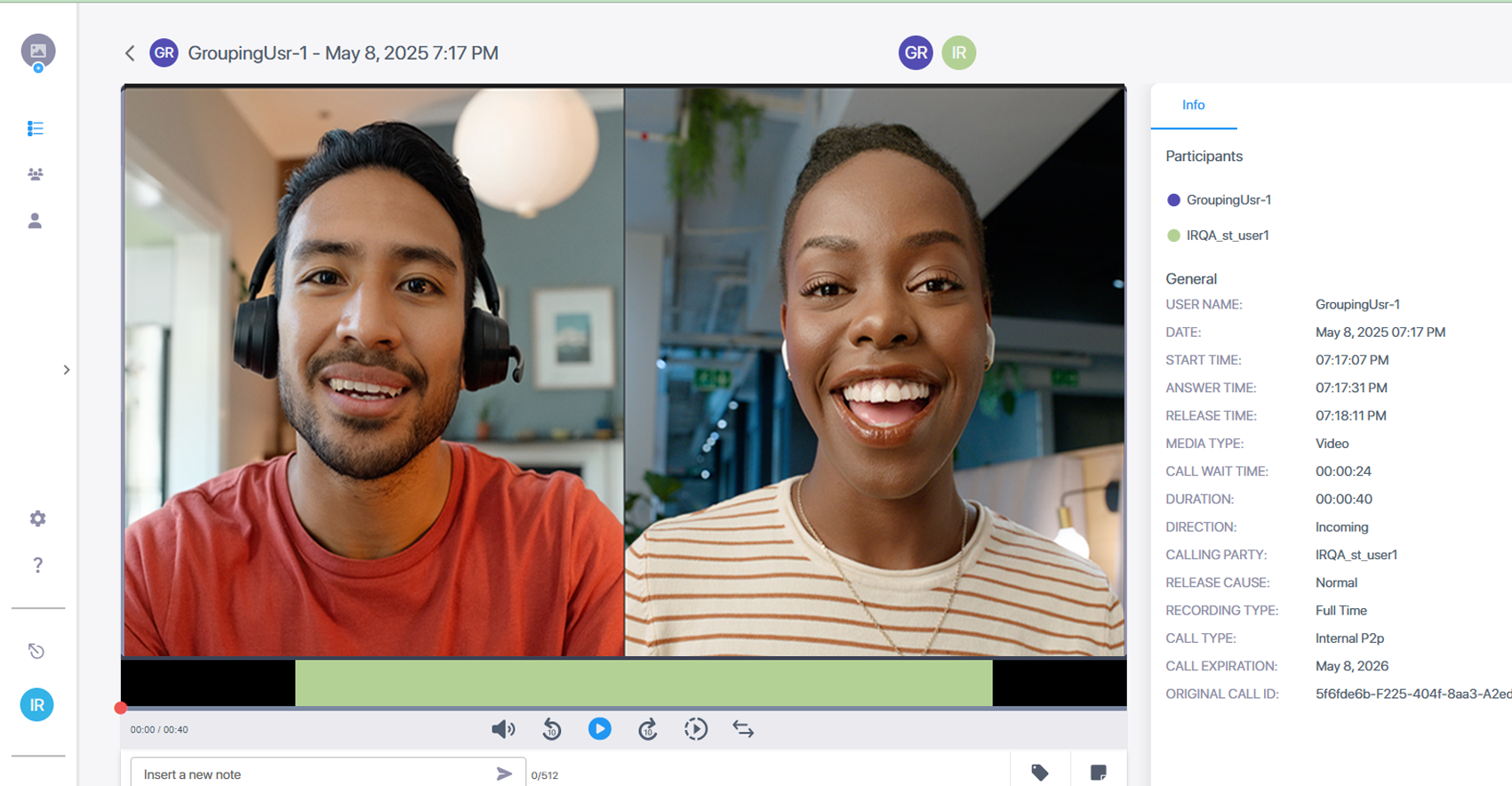
Video and Screen Sharing Recording
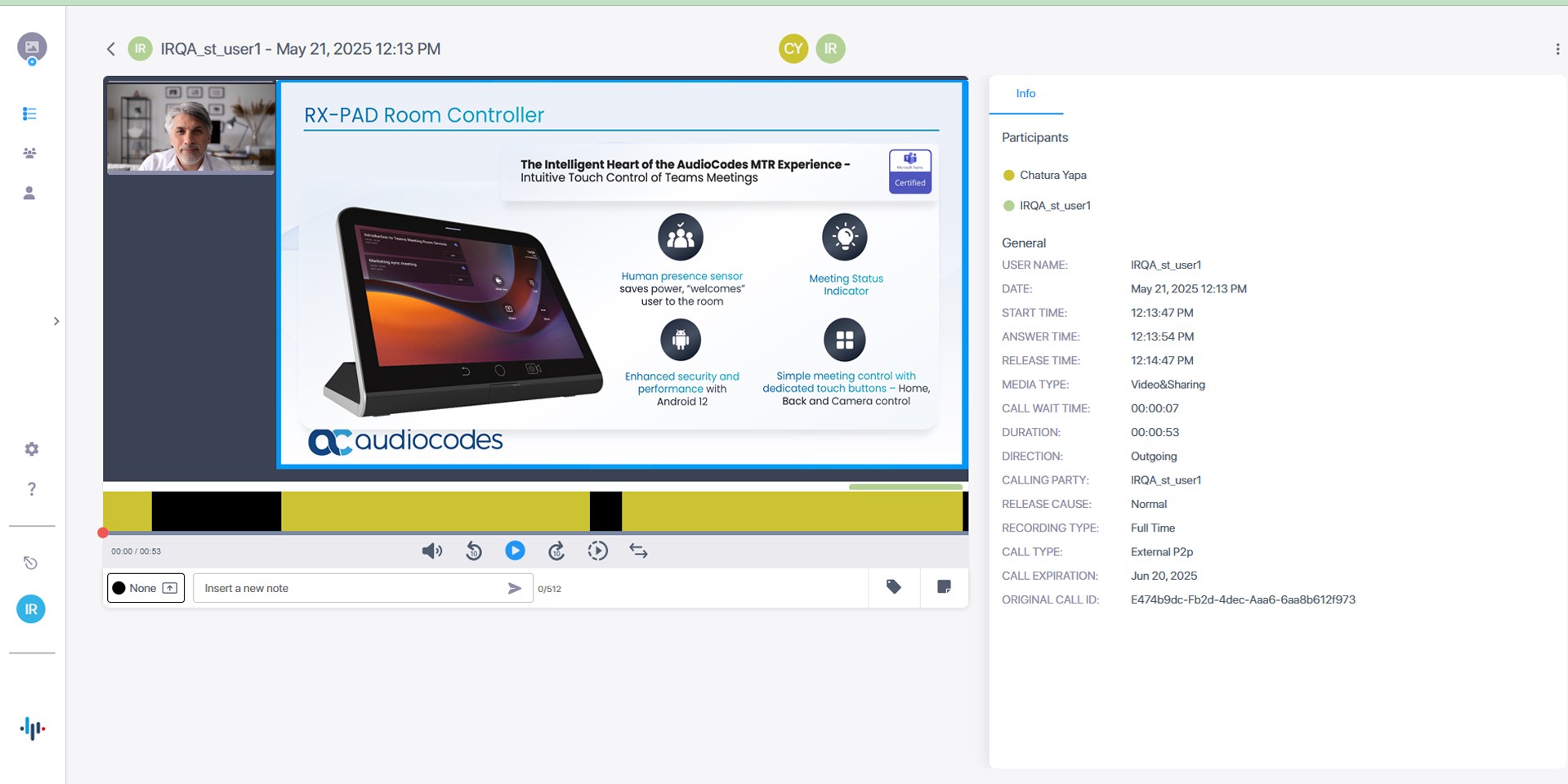
 To view End Customer video tutorials on AudioCodes Live Platform Interaction Insights, click here.
To view video tutorials on AudioCodes Live Platform Interaction Insights on the Partner portal, click here.