Manage Live CX numbers
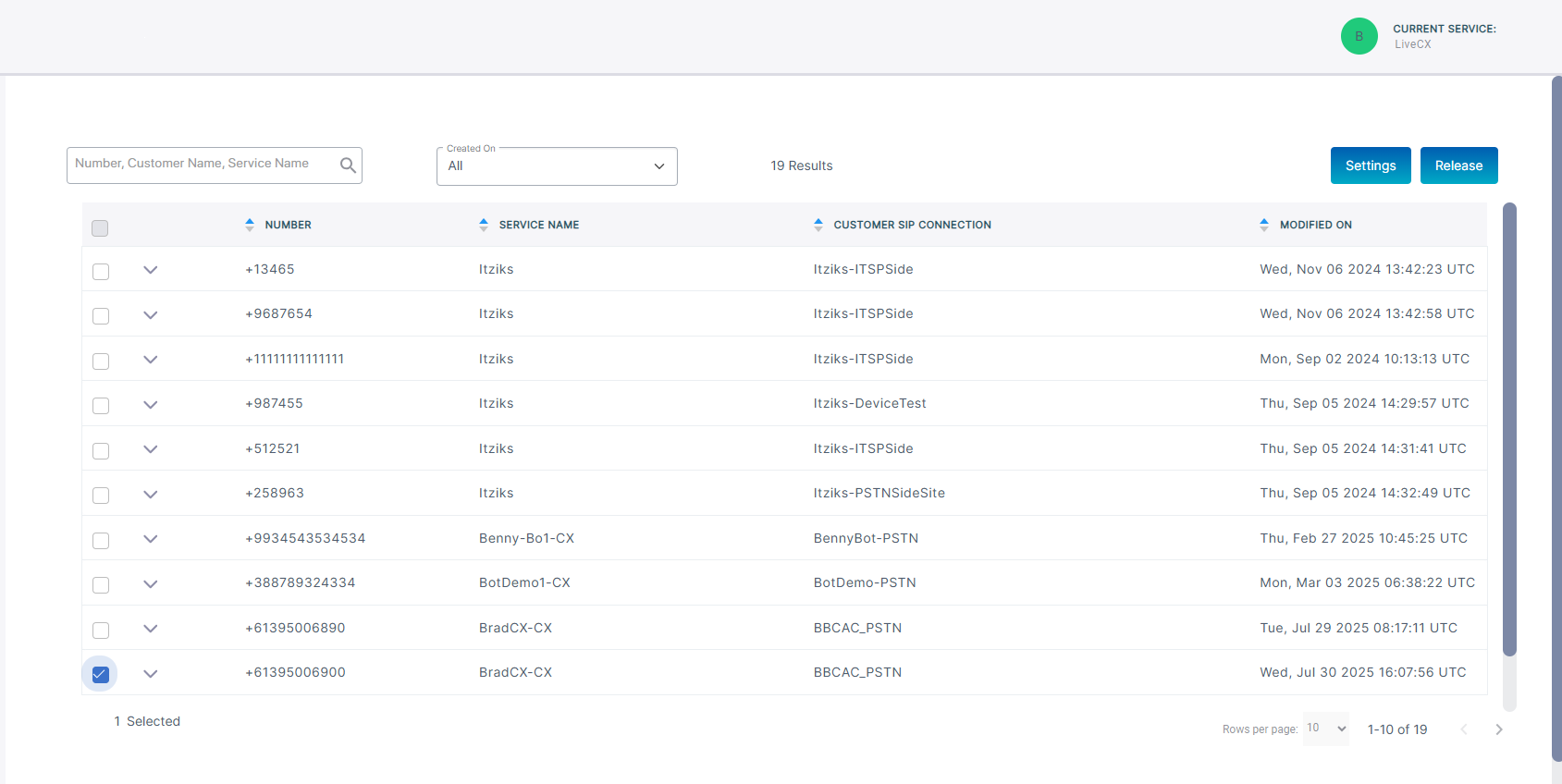
The Number Management page lets you manage numbers that have been loaded to customer tenants:
| ■ | View managed DIDs: All numbers that have been loaded to service are displayed in the Number Management page. You can view the Number and change it's settings. |
| ■ | Release numbers: You can remove numbers from Live Platform as required. |
| ■ | Configure SIP Connections: All numbers loaded to Live Platform have an associated SIP Connection that is linked to an SBC IP Group used for routing the call and for aggregating Voice Quality and Calls data in the Live Platform Operation Center. |
| ■ | Call Screening: Call screening manages incoming phone calls by identifying and filtering them before the recipient answers: |
| ● | Blocks unwanted cold calls from sales agents or from Spam numbers to minimize distractions and interruptions in every day operations |
| ● | Prioritizing to only answer calls from specific contacts or numbers or direct routing of urgent calls to users while routing less urgent calls to voice mail. |
| ● | Enhancing Security by verifying the identity of the caller before connecting the call. |
| ● | Improving Productivity by ensuing that only relevant calls reach employees. |
| ■ | Call Forwarding: Call forwarding is a telephony feature that redirects incoming calls to another number or destination. |
| ● | Automatically forwards calls when the line is busy, unanswered, or out of service. |
| ● | Lets employees receive work calls on their mobile phones or home lines when away from the office. |
| ● | Routes calls to an on-call staff member or voice mail outside of business hours. |
| ● | Directs calls to different departments or team members based on availability or workload. |
| ● | Ensures business continuity by forwarding calls to alternate locations during outages or emergencies. |
| ● | Forwards unanswered calls to voice mail for later retrieval. |
| ■ | Number Types: Numbers for assigning to Contact Center agents |
| ■ | CAC Values: Configure CAC value for Contact Center numbers which limits the number of concurrent call sessions for the incoming and outgoing calls for the number |
The AudioCodes Metering service is used by AudioCodes to charge
|
Number Type |
Metering Component |
|||||||||
|---|---|---|---|---|---|---|---|---|---|---|
|
Contact Center |
Contact Center numbers are metered according to the following component:
|
| ➢ | To configure numbers: |
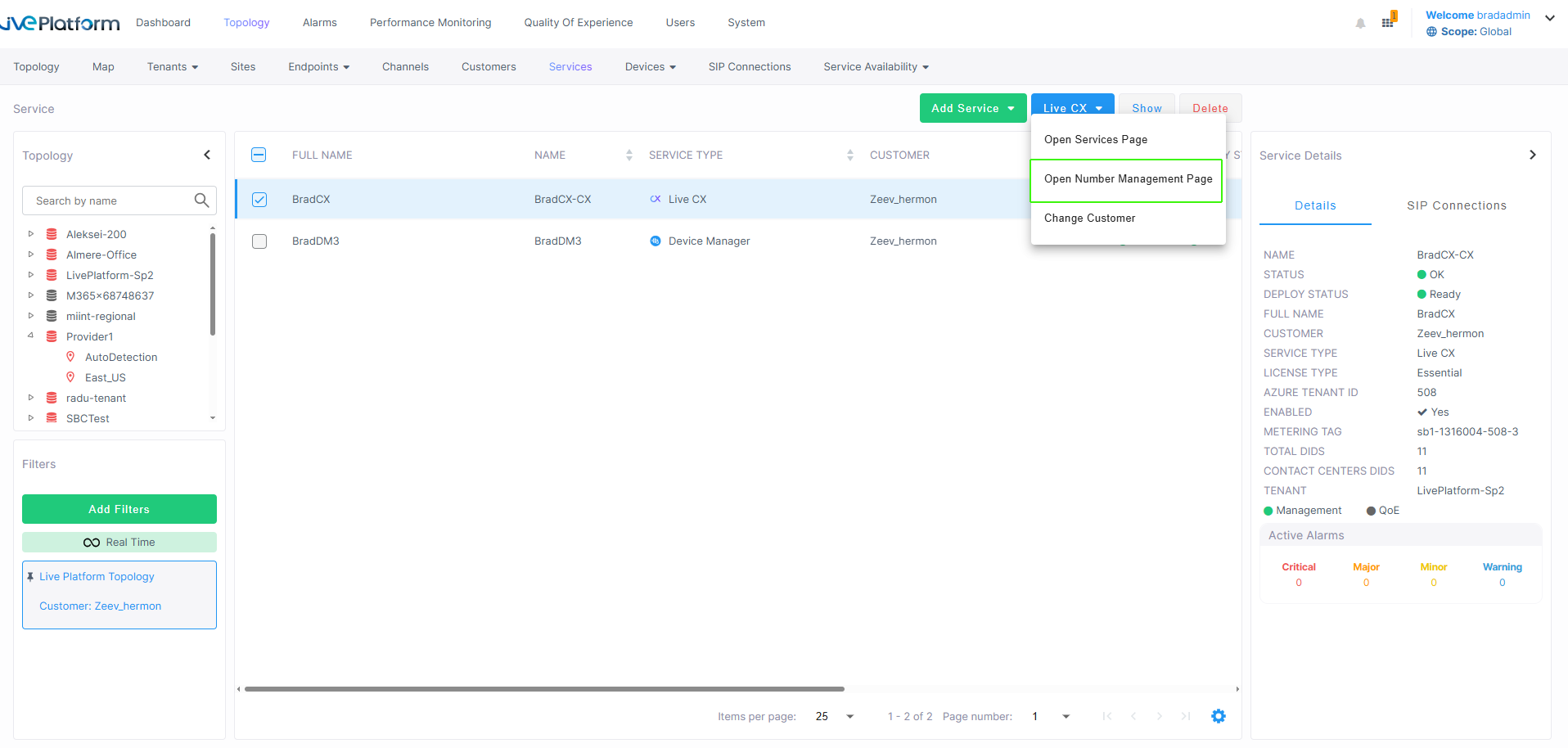
| 1. | In the Services page, select the check box adjacent to the service that you wish to configure. |
| 2. | From the Live CX drop-down menu, choose Open Number Management Page. |
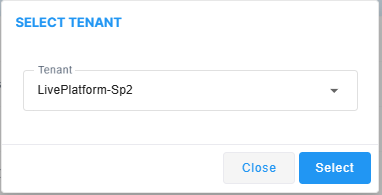
| 3. | From the Select Tenant drop-down, choose the Live Platform tenant and then click Select. |
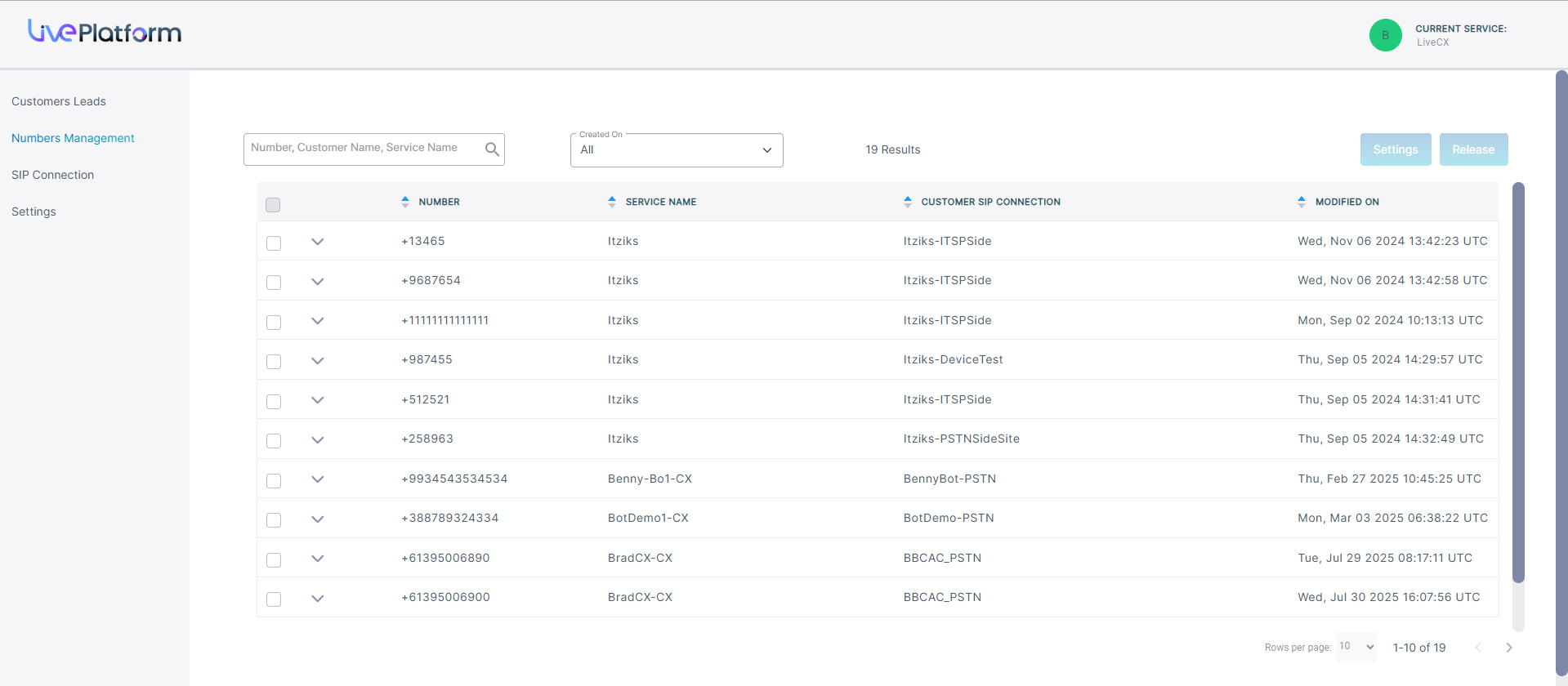
The table below describes the parameters in this page.
|
Parameter |
Description |
|---|---|
|
Number |
Uploaded phone number. |
|
Service Name |
Name of the service to which the number is assigned. |
|
Customer SIP Connection |
Name of the SIP Connection for which incoming and outgoing calls for this number are connected. |
|
Number Type |
The Number type configured for the number when uploaded (read-only): Contact Center: A session-based main phone number for a contact center. The contact center number can be limited to three or more sessions or can be open-ended (sessions will be billed according to actual usage). |
|
Modified On |
Time and Date of the last modification of the number. |
You can click the down arrow adjacent to the check box to display the properties of the number.

| ➢ | To configure a number: |
| 1. | Select the check box adjacent to the number that you wish to configure and then click Settings. |

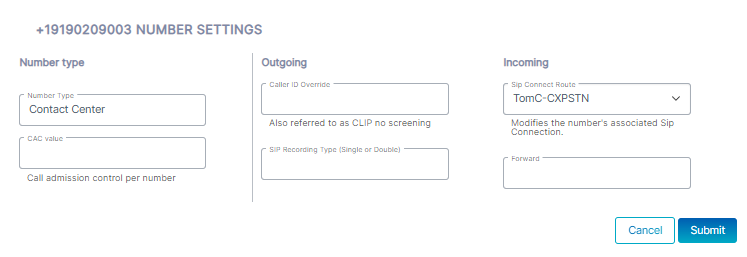
| 2. | Configure parameters according to the table below and then click Submit. |
|
Parameter |
Description |
||||||||||||
|---|---|---|---|---|---|---|---|---|---|---|---|---|---|
|
Number type |
The Number type configured for the number when uploaded (read-only): Contact Center: A session-based main phone number for a contact center. The contact center number can be limited to three or more sessions or can be open-ended (sessions will be billed according to actual usage). |
||||||||||||
| CAC value |
In the CAC value field, enter the maximum number of concurrent sessions to apply to the number (range 2-10). |
||||||||||||
|
Outgoing (Caller ID Override |
Enter number for allowing CLIP No Screening for a caller to present a custom caller ID as a screening number that is not the actual number assigned by the network provider and that is not verified. |
||||||||||||
|
SIP Recording Type (Single or Double) |
|
||||||||||||
|
SIP Connect Route |
From the SIP Connect Route drop-down, select the SIP Connection for routing incoming calls. |
||||||||||||
|
Forward |
Enter number to forward the call (this number is configured on the same SIP Connection as the Incoming number). |
| ➢ | To release a number: |
| 1. | Select the number adjacent to the number that you wish to release and then click Release. |
The following confirmation is displayed:
