Step-2 Grant Admin Consent for API Permissions
Once your registration is created, you must grant consent to the Data.Read permission configured in the registration.
|
1.
|
Login to the Azure portal for the Service Provider tenant with Global admin permissions. |
|
2.
|
Navigate to App registrations to view the newly created registration. |

|
3.
|
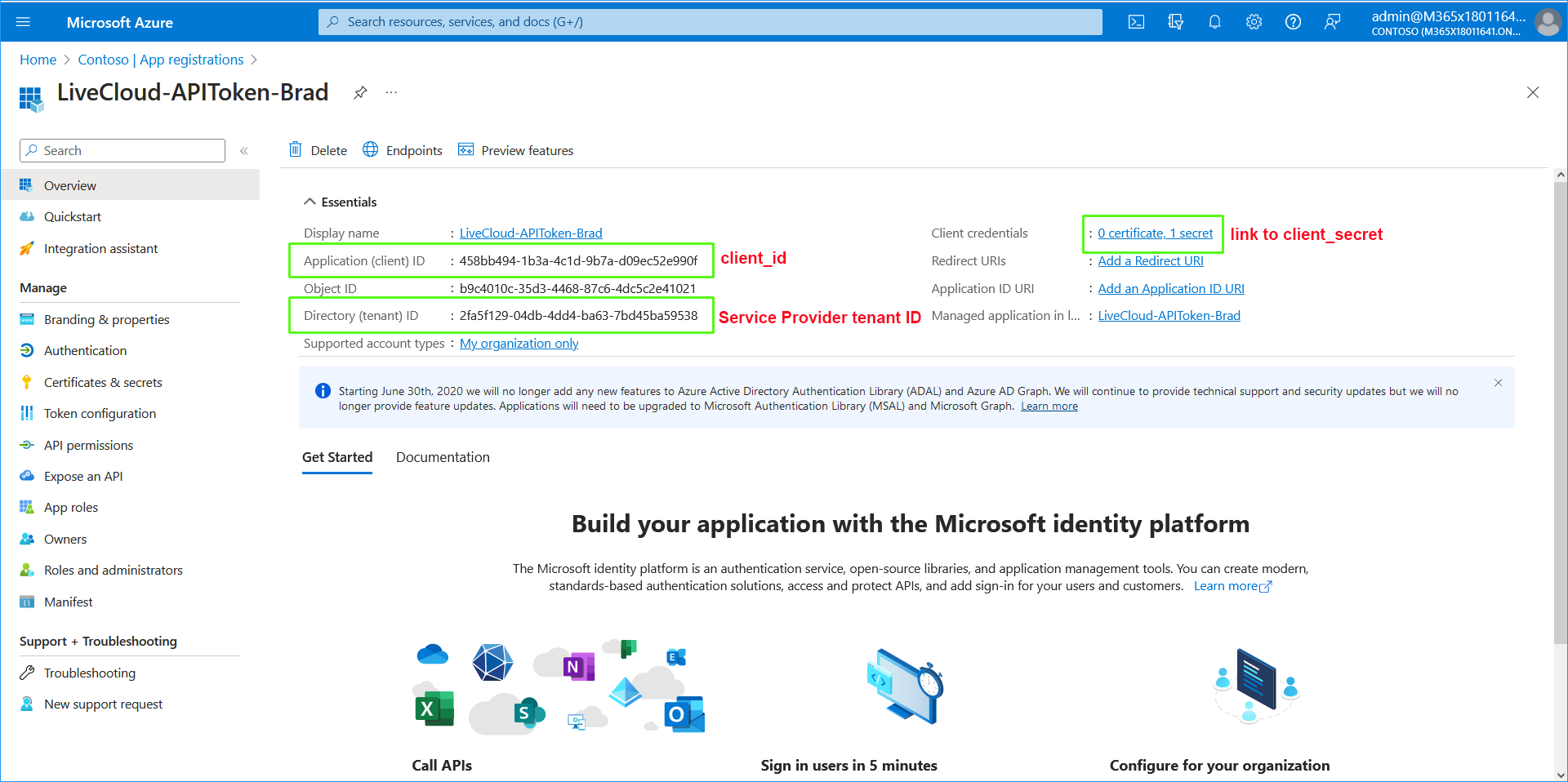
Click LiveCloud-APIToken-<Custom> to open the registration. |
|
4.
|
In the Overview page, view the details of the registration. Note the matching values for Application (client) ID and Directory (tenant) ID with those values displayed in the PowerShell console above. |
|
5.
|
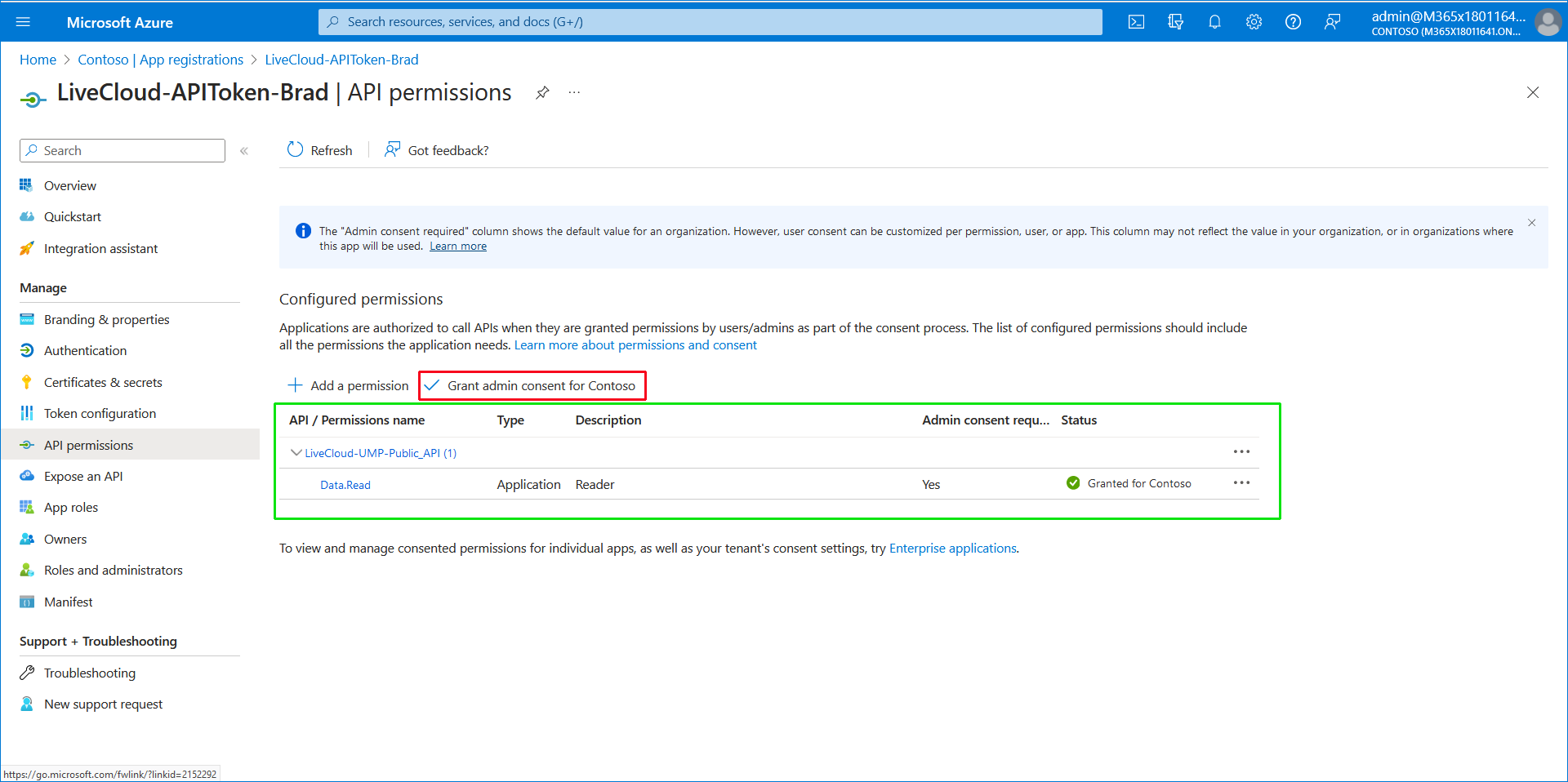
In the Navigation pane, select API Permissions. |
|
6.
|
Click the Grant admin consent for Contoso check box. |