Save Current Configuration to File
You can save the current configuration of a device to your PC. The ini file appears at the lowermost left corner of your pc screen; select Keep (for downloading the file to the device) or Discard.
| ➢ | To save configuration to file: |
| 1. | From the Actions drop-down, choose Configuration > Save Configuration to File. |
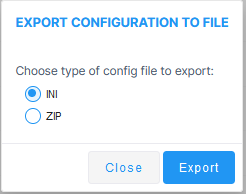
| 2. | Choose one of the following file types and then click Export: |
| ● | INI |
| ● | ZIP |