Diagnostics
This section describes the diagnostics procedures provided by the OVOC Server Manager.
An IPv6 address can be configured for the following:
| ● | Server Syslog |
| ● | Devices Syslog |
| ● | Network Traffic Capture |
| ➢ | To run OVOC server diagnostics: |
| ■ | From the OVOC Server Manager Root menu, choose Diagnostics, and then press Enter. |
Diagnostics
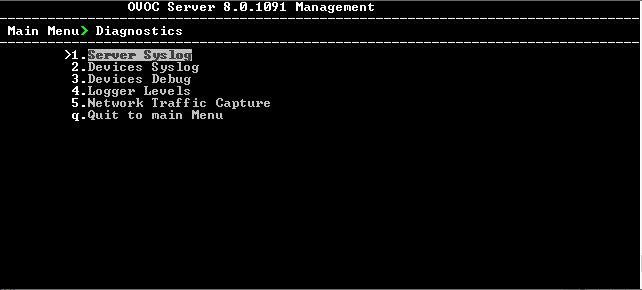
This menu includes the following options:
| ● | Server Syslog Configuration (Server Syslog Configuration). |
| ● | Devices Syslog Configuration (Devices Syslog Configuration). |
| ● | Devices Debug Configuration (Devices Debug Configuration). |
| ● | Server Logger Levels (Server Logger Levels) |
| ● | Network Traffic Capture ( Network Traffic Capture) |