Security
The OVOC Management security options enable you to perform security actions, such as configuring the SSH Server Configuration Manager, and user’s administration.
| ➢ | To configure security settings: |
| ■ | From the OVOC Server Manager root menu, choose Security, and then press Enter. |
Security Settings
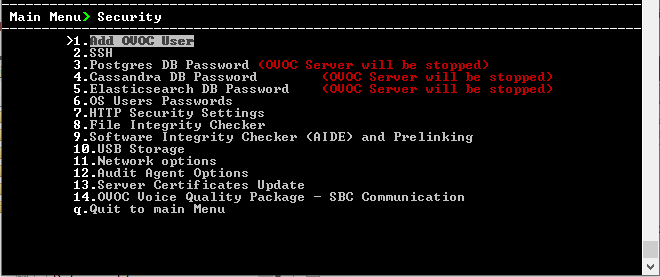
This menu includes:
| ● | Add OVOC User (Add OVOC User) |
| ● | SSH (SSH ) |
| ● | PostgreSQL DB Password (PostgreSQL DB Password) |
| ● | Cassandra Password (Cassandra Password) |
| ● | Elasticsearch DB Password (Elastic Search DB Password) |
| ● | OS Users Password (OS Users Passwords) |
| ● | HTTP Security Settings ( HTTPS SSL TLS Security) |
| ❖ | Server Certificate Update (Server Certificates Update) |
| ● | File Integrity Checker (File Integrity Checker) |
| ● | Software Integrity Checker (AIDE) and Pre-linking (Software Integrity Checker (AIDE) and Pre-linking) |
| ● | USB Storage (USB Storage) |
| ● | Network options (Network Options) |
| ● | Audit Agent Options (Auditd Agent Options) |
| ● | OVOC Voice Quality Package (OVOC Voice Quality Package - SBC Communication) |