Disabling the Copper NIC in Slot 3 (Configuration Option B)
Instead of removing the copper NIC from Slot 3, as described in Removing Copper NIC in Slot 3 (Configuration Option B), for configuration option B, you can disable it.
|
➢
|
To disable the copper NIC: |
|
1.
|
Disconnect the network cables from Slot 3. |
|
2.
|
Disable the PCIe card in Slot 3 in the BIOS:
|
|
b.
|
Select the Configuration menu, and then select the BIOS Settings tab:
|

|
c.
|
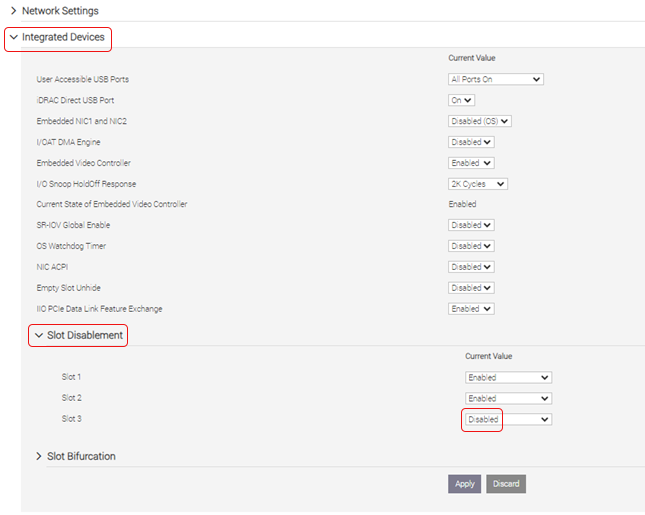
Expand Integrated Devices > Slot Disablement. |
|
d.
|
Set Slot 3 to Disabled: |
|
f.
|
Scroll down to the bottom of the page and select At Next Reboot. |
|
3.
|
Reboot the server in the maintenance window. |