Configuring SNMP Community Strings
SNMP community strings determine the access privileges (read-only and read-write) of SNMP clients with the device's SNMP agent. You can configure up to five read-only SNMP community strings and up to five read-write SNMP community strings. The device's SNMP agent accepts SNMP Get (read-only) and Set (read-write) requests only if the correct community string is used in the request.
You can also configure a unique password-like community string used for sending SNMP traps. The device sends the traps with the community string.
| ● | SNMP community strings are applicable only to SNMPv1 and SNMPv2c. SNMPv3 uses username-password authentication along with an encryption key (see Configuring SNMP V3 Users). |
| ● | If you configure SNMPv3 users (see Configuring SNMPv3 Users), the device ignores all SNMP requests (Get and Set operations) from SNMPv2 users (sends the authenticationFailure trap). |
| ● | The read-only community strings must be different to the read-write community strings. |
| ● | You can enhance security by configuring Trusted Managers (see Configuring SNMP Trusted Managers). A Trusted Manager is an IP address from which the SNMP agent accepts Get and Set requests. |
For detailed descriptions of the SNMP parameters, see SNMP Parameters
| ➢ | To configure SNMP community strings: |
| 1. | Open the SNMP Community Settings page (Setup menu > Administration tab > SNMP folder > SNMP Community Settings). |
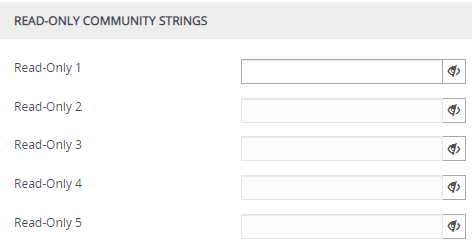
| 2. | Under the Read-Only Community Strings group, in the 'Read-Only' fields, configure read-only community strings: |
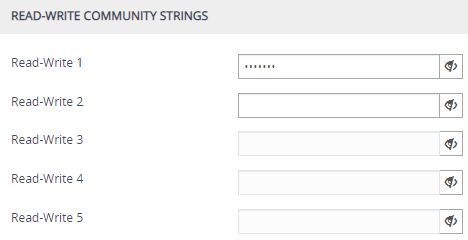
| 3. | Under the Read-Write Community Strings group, in the 'Read-Write' fields, configure read-write community strings: |
| 4. | Under the Misc. Settings group, in the 'Trap Community String' field, configure a community string for SNMP traps: |

| 5. | Click Apply, and then restart the device with a save-to-flash for your settings to take effect. |
You can hide (default) and show entered community strings, by toggling the hide  and show
  buttons provided by each field.
To delete a community string, delete the configured string, click Apply, and then restart the device with a save-to-flash for your settings to take effect.
SNMP Community String Parameter Descriptions
|
Parameter |
Description |
|||||||||||||||||||||||||||
|---|---|---|---|---|---|---|---|---|---|---|---|---|---|---|---|---|---|---|---|---|---|---|---|---|---|---|---|---|
|
'Read-Only' configure system > snmp settings > ro-community-string [SNMPReadOnlyCommunityStringsPassword_x] |
Defines read-only SNMP community strings. Up to five read-only community strings can be configured. The valid value is a string of up to 30 characters that can include only the following:
For example, "Public-comm_string1". The default is "public". Note:
|
|||||||||||||||||||||||||||
|
'Read-Write' configure system > snmp settings > rw-community-string [SNMPReadWriteCommunityStringsPassword_x] |
Defines read-write SNMP community strings. Up to five read-write community strings can be configured. The valid value is a string of up to 30 characters that can include only the following:
For example, "Private-comm_string1". The default is "private". Note:
|
|||||||||||||||||||||||||||
|
'Trap Community String' configure system > snmp trap > community-string [SNMPTrapCommunityStringPassword] |
Defines the community string for SNMP traps. The valid value is a string of up to 30 characters that can include only the following:
For example, "Trap-comm_string1". The default is "trapuser". Note: The parameter cannot be configured with wide characters. |