Viewing Date and Time
You can view the date and time of the device and the method that it uses to obtain or synchronize its date and time.
|
1.
|
Open the Time & Date page (Setup menu > Administration tab > Time & Date). |
|
2.
|
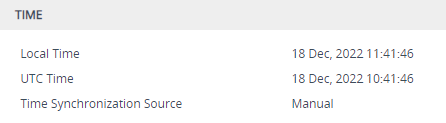
Under the Time group, the following read-only fields are displayed: |
|
●
|
'Local Time': Displays the date and time of the geographical location in which the device is deployed. |
|
●
|
'UTC Time': Displays the UTC time (without offset time or daylight saving), or date and time automatically synchronized through NTP or SIP Date header. |
|
●
|
'Time Synchronization Source': Indicates the method used by the device to obtain and synchronize its date and time: |