Highlighting SIDs in Syslog Messages
You can easily highlight (in yellow) a specific Session ID (SID). The SID is highlighted wherever it is displayed in the syslog. This may be useful to easily identify lines belonging to a specific SID.
|
1.
|
In the syslog, select the line that is related to the SID that you want to highlight. |
|
2.
|
Right-click, and then from the shortcut menu, choose Highlight [SID of selected line]; all occurrences of the SID is highlighted in the syslog, as shown in the following example: |
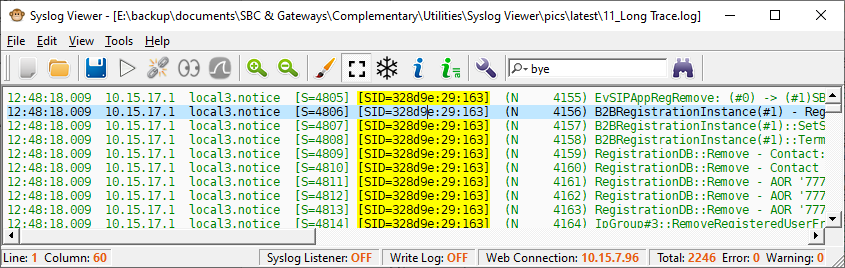
|
3.
|
To remove the highlights, right-click again, and then from the shortcut menu, choose Clear Highlight. |