Marking Individual Syslog Message Lines
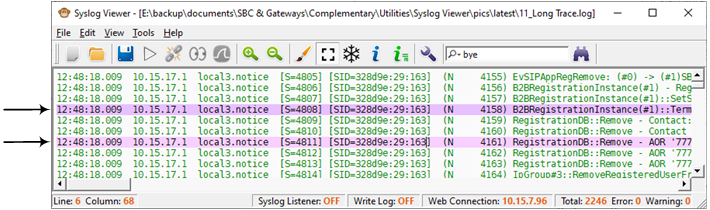
You can mark a selected line, which highlights it in purple. You can then easily navigate between marked lines.
|
➢
|
To mark lines and navigate between them: |
|
1.
|
In the syslog, select the line that you want to mark. |
|
2.
|
Right-click, and then from the shortcut menu, choose Mark Line. |
|
3.
|
To mark more lines, repeat steps 1 through 2. |
|
4.
|
To navigate between marked lines, right-click in the syslog, and then from the shortcut menu, choose Next Mark (F2) or Previous Mark (Shift + F2) to jump to the next mark or the previous mark, respectively. |
An example of marked lines is shown in the following
|
5.
|
To unmark a line, right-click the line, and then choose Unmark Line. |