Managing Queues
The Supervisor can move Flex Members in and out of queues using the following steps:
| ➢ | To opt a Flex Member in or out of queues: |
| 1. | Click the Manage Queues button; the following dialog box appears: |
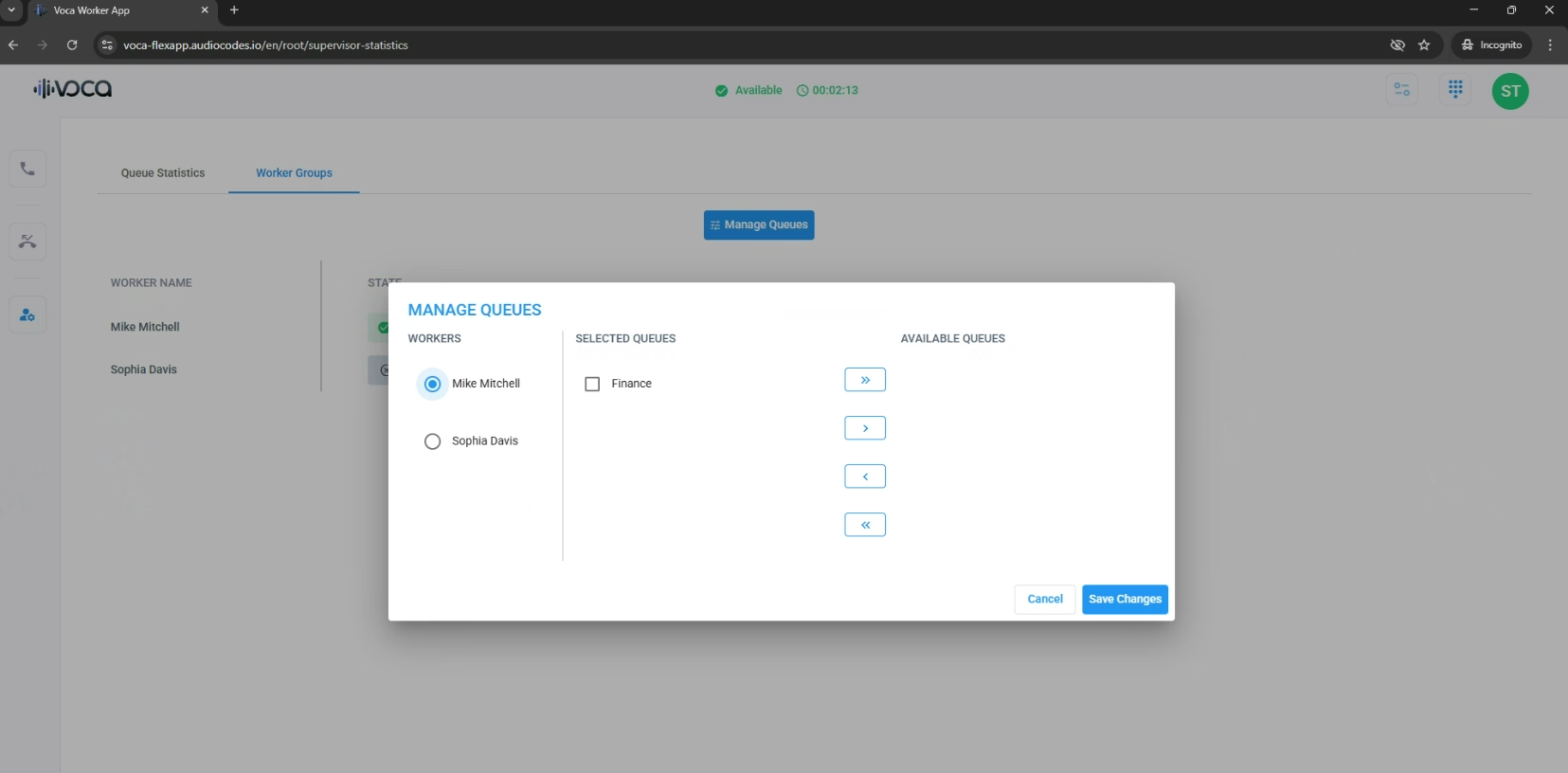
| 2. | Select the Flex Member from the required group. |
| 3. | Use the arrows to move the Flex Member between 'Selected Queues' (queues to which the Flex Member is currently associated with) and 'Available Queues' (queues that the Flex Member is not associated with, but available). |
| 4. | Click Save Changes. |