Opting In or Out of Queues
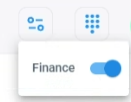
You can opt-in or opt-out of queues. When you opt-in a specific queue, you will start receiving interactions from that queue. When you opt-out a queue, you'll no longer receive
You must be associated with at least one queue per channel.
| ➢ | To opt-in or opt-out of queues: |
| 1. | On the toolbar, click the  icon; a drop-down menu appears, listing the different icon; a drop-down menu appears, listing the different |