Multiple Interaction Insight Instances on a Shared Azure Tenant
Interaction Insight supports multiple Interaction Insight tenants ("instances") on the same Azure tenant. This makes it possible for a company to distinguish between two independent business units with different compliance, audit, and operational requirements, while allowing shared administrative oversight by a unified IT team or supervisor.
You must use a different domain of the Azure tenant for each instance.
The same user may be an administrator or supervisor of several instances. When accessing Interaction Insights, multi-instance users are prompted to select the requested instance before logging in:
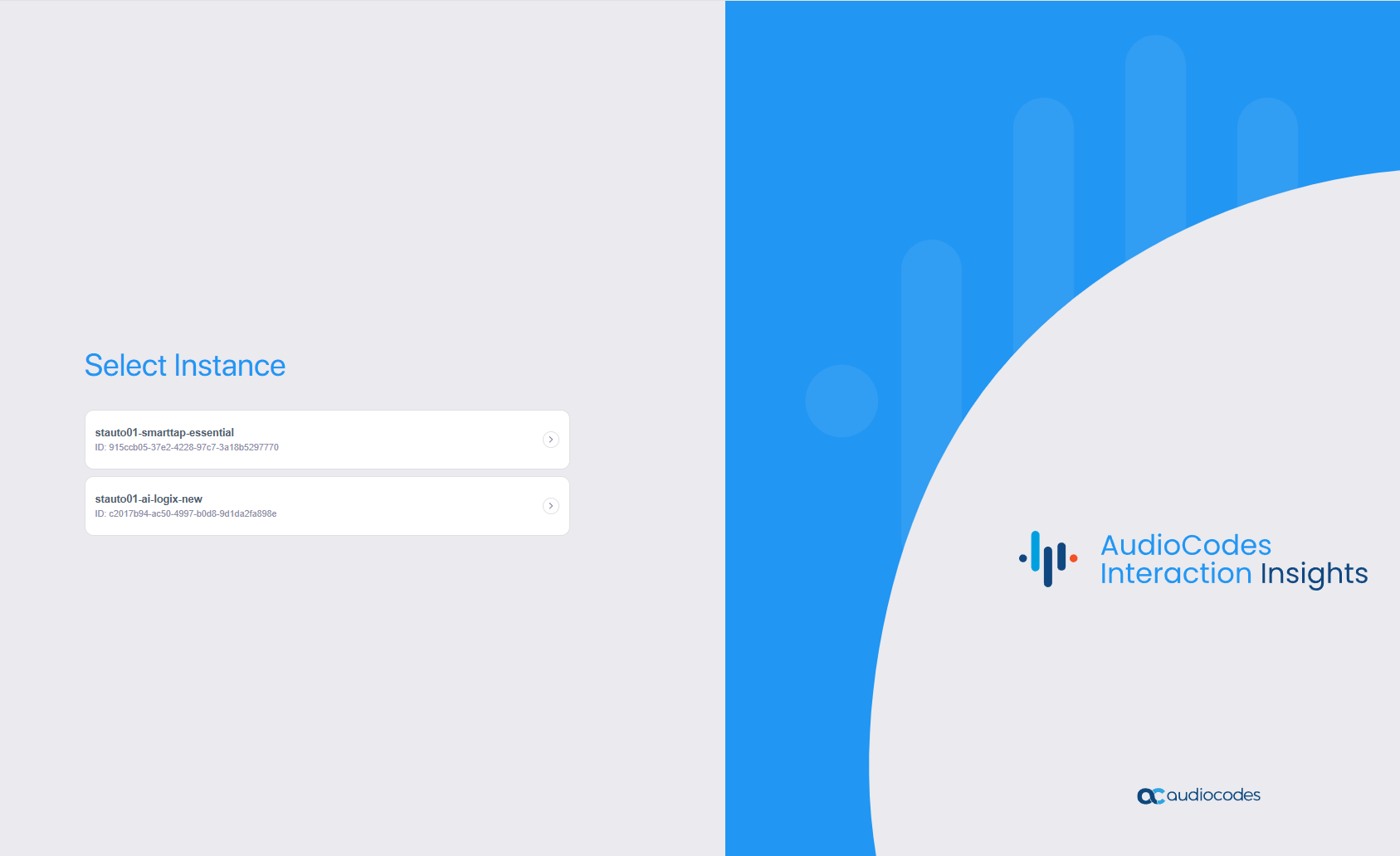
Instances are completely separated from each other. By design, even activity logs are created and maintained separately; there is no option to view logs or run API requests across instances.
A multi-instance user can only be logged in to one instance at a given time. To view data from another instance, the user must log in to that instance, which automatically logs them out of the previous instance.
IMPORTANT
The same user is never recorded in more than one instance; therefore, each Entra ID group containing that user should only be associated with one recording profile in a single instance.
If a user is assigned to multiple instances for recording, each call is recorded by one recording instance selected at random; the other instances do not record that call.
Use Case
An imaginary company called Good Experiences (GEx) owns a subsidiary called Experience Management (ExM). ExM is a separate company not affiliated with GEx, but user management of both companies is performed from the GEx Azure tenant by a shared IT department. An Interaction Insights tenant (instance) is created for each company, as in the following illustration:
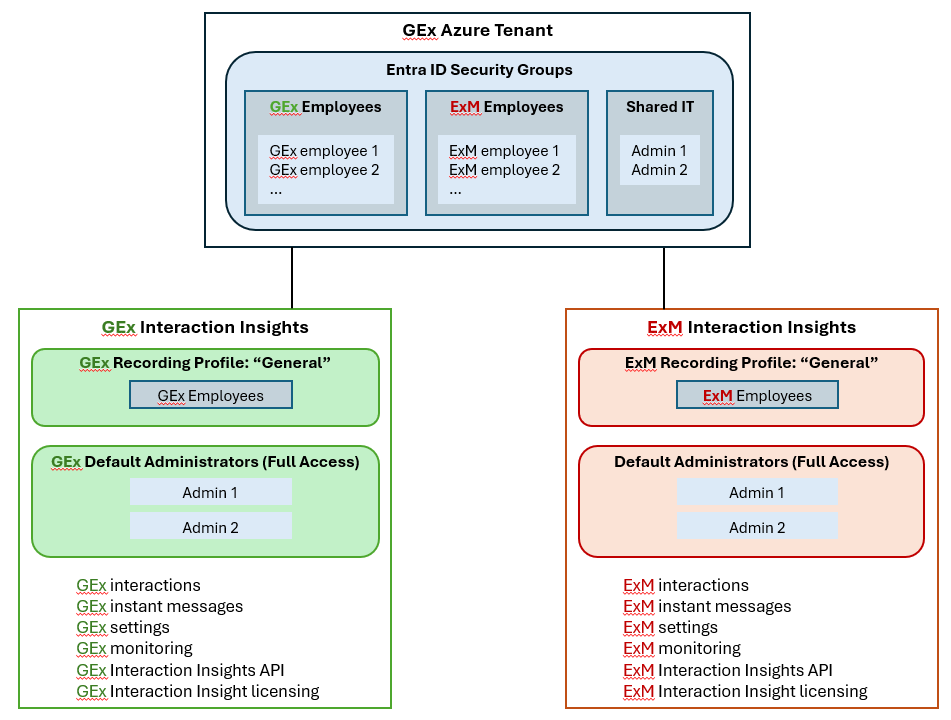
The two Interaction Insights instances are independent of each other, each containing its own calls and settings. IT administrators are given full access to both instances. However, for recording purposes, GEx employees are associated with the GEx instance, while ExM employees are associated with the ExM instance; there is no overlap.