SIPREC Integration and Setup
Integration Insight has been updated with the following features to support SIPREC.
Interaction Recording Tenant UI
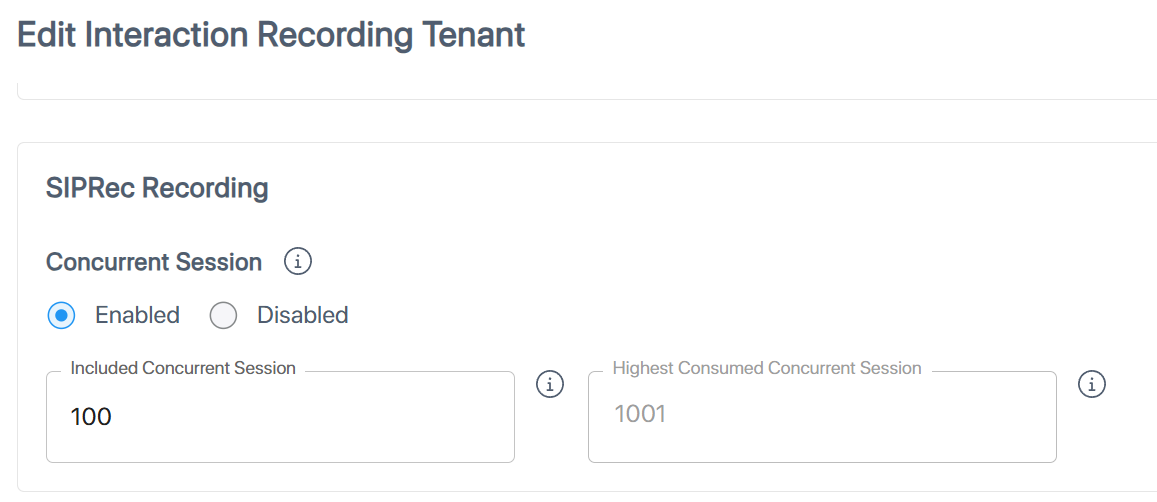
When setting up or editing an Interaction Insights tenant, the Administrator can enable / disable SIPREC and define the maximum allowed number of concurrent sessions (see SIPREC Concurrent Session Licensing for details). If disabled, no SIP sessions are recorded.
Licensed versus Actual Number of Concurrent Sessions
The system calculates the current and/or maximum number of simultaneous SIP sessions and displays it against the licensed number of sessions. This helps administrators determine and adjust the requested number of licensed sessions.
Licensed and current and / or maximum number of simultaneous sessions are presented:
| ■ | For Tenant Admins, when viewing or editing the tenant. |
| ■ | For Interaction Insights service portal Admins, on the Licenses page. |
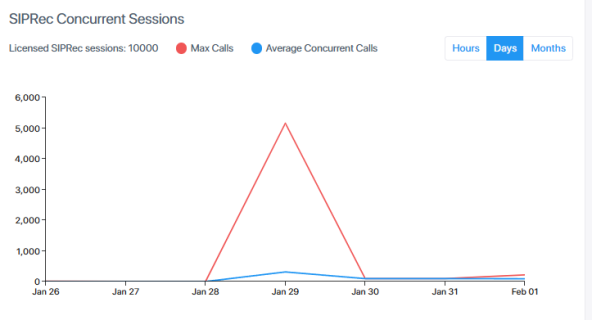
The graph shows the maximum and average concurrent sessions within a given time range, at an hourly, daily, or monthly resolution.
Device Recording Management
SIP recording is performed on sessions between Devices, which are manually added and maintained in the Interaction Insights Service UI. Devices with similar recording requirements are arranged into groups and managed using Device Recording Profiles, which defines which sessions should be recorded (incoming, outgoing, or both), where the recordings should be saved, and how long they should be retained.
To be recorded, the device calling (outgoing call) or receiving (incoming call) must be associated with a Device Recording Profile.
Transferred Calls
Transferred calls are recorded based on the recording profile of the first device being recorded. Any subsequent change of participants is reported in the SIP metadata.
SIP Call Recording Management
Calls recorded by SIPREC are displayed on the Interactions page, just as are Teams calls. The main difference is that in SIPREC, calls involve SIP endpoint devices, whereas Teams calls involve Azure Entra ID (AAD) users.
SIPREC Call Access Permissions
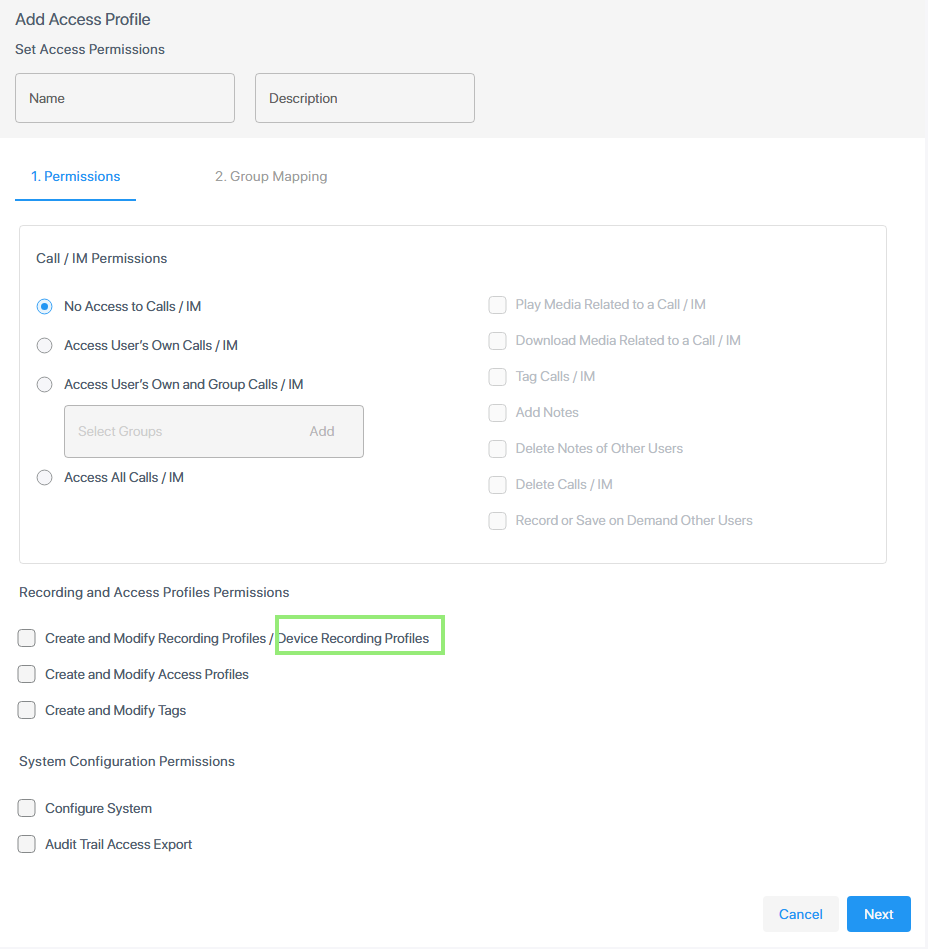
Access Profiles, which are used for controlling access permissions, have been enhanced to allow or prohibit playback of device calls and configuration of device recording profiles.
Double Recording
Double recording is a feature available to tenants with a Pro license. In this setup, every call is captured by two separate Interaction Insight bots. These bots operate in different geographic regions so that if the primary region experiences a disruption, the secondary region continues to record and store the call without interruption.
Each call receives a unique identifier in its metadata, which makes it possible to match and pair the two recordings of the same call. This design provides continuity and reliable preservation of recorded calls.
Recording of AudioCodes SBC Calls using SIPREC
AudioCodes SBC products can be configured to communicate with Interaction Insights, thereby allowing Interaction Insights to record SBC calls using SIPREC. The communicated SIPREC and RTP traffic is secured using STRP (for media) and TLS (for SIP signaling).